Intel® Server Board M10JNP2SB User Guide
45
9.11 Connecting System Fans
The instructions in this section describe the process of attaching system fans to the server board. The
process described is for reference purposes only. Refer to the selected chassis documentation to determine
if additional tools or steps are required.
Required Tools and Supplies
• Anti-static wrist strap and conductive foam pad (recommended)
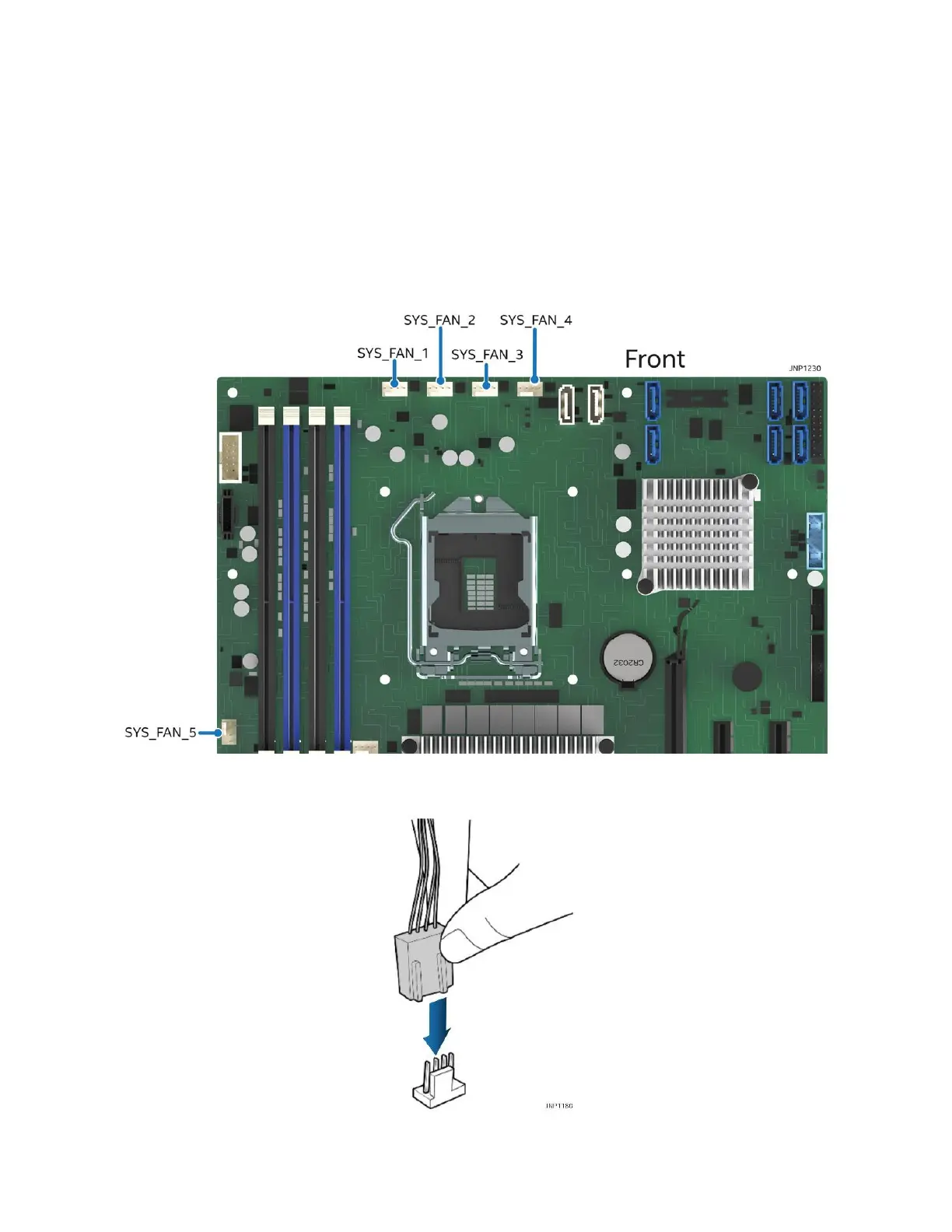
The server board includes five 4-pin system fan connectors labeled SYS_FAN_# (1-5). Figure 33 shows the
location of the connectors on the board.
Figure 33. System fan connector identification
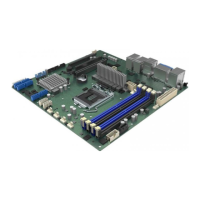
Figure 34. Connecting system fan cables
Connect the system fan cable to the 4-pin connector on the server board as shown in Figure 34.












 To Next Page