Setting Up the Chassis
Intel® Server Chassis SC5300 User Guide 31
Install Air Ducts
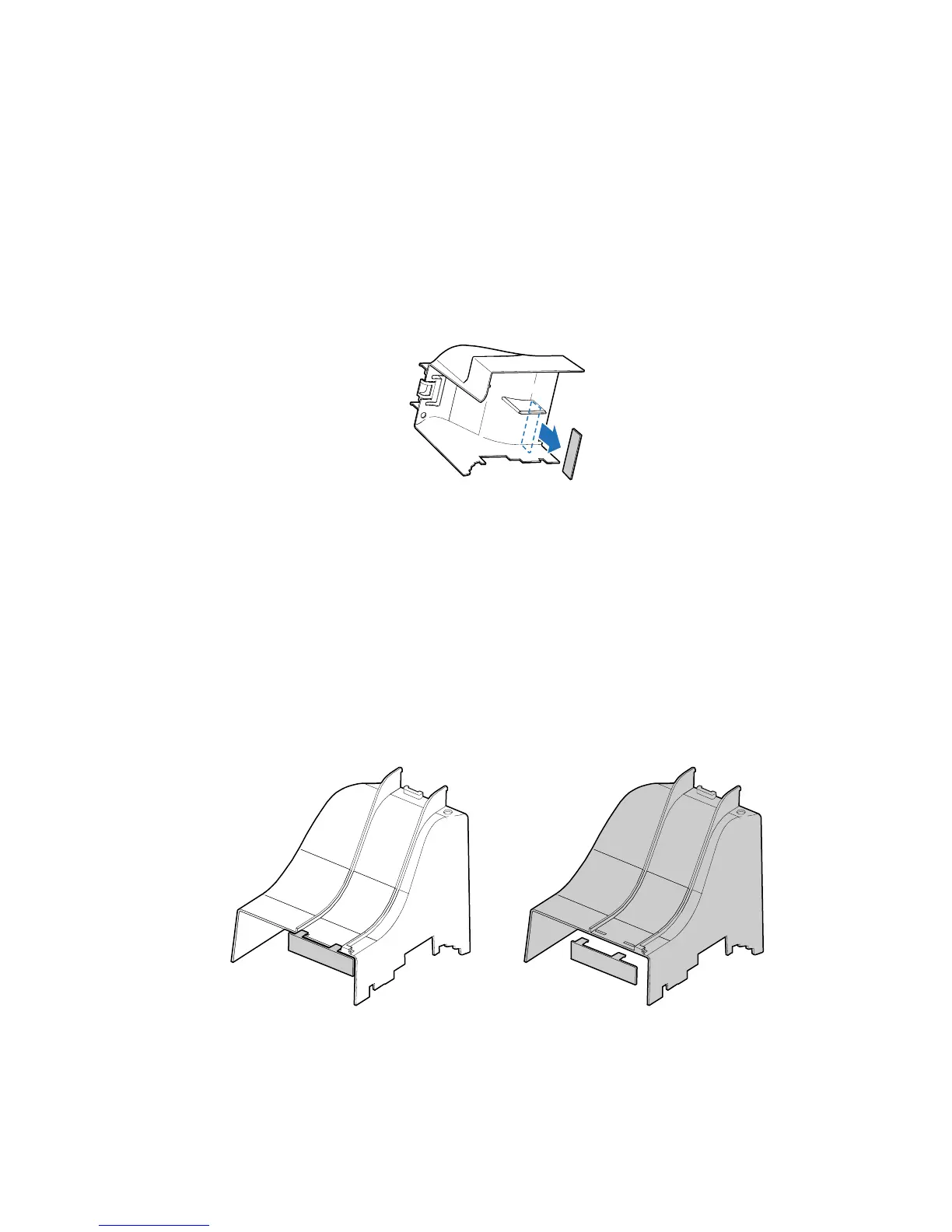
1. If your system has two processors, remove the inner plastic air baffle from the inside of the
Processor Air Duct.
✏
NOTE
This step only applies to systems with two processors. If your server board
has only one processor installed, leave the inner air baffle in place and
proceed to Step 2.
TP00545
Figure 40. Removing Inner Plastic Air Baffle from Processor Air Duct
2. If you are installing an Intel® Server Board SE7520BD2 or SE7520AF2, remove the outer plastic
air baffle.
✏
NOTE
Leave the outer air baffle in place if you are installing an Intel® Server
Board SE7320SP2 or SE7525GP2.
TP00700
Figure 41. Removing Outer Plastic Air Baffle from Processor Air Duct














 To Next Page