40
v45C - Maritime VSAT Antenna System
6.6 ACU to PC Communication Setup
You can establish the data communication between the Antenna Control Unit (ACU) and PC using one of
the following methods.
6.6.1 TCP/IP Connection
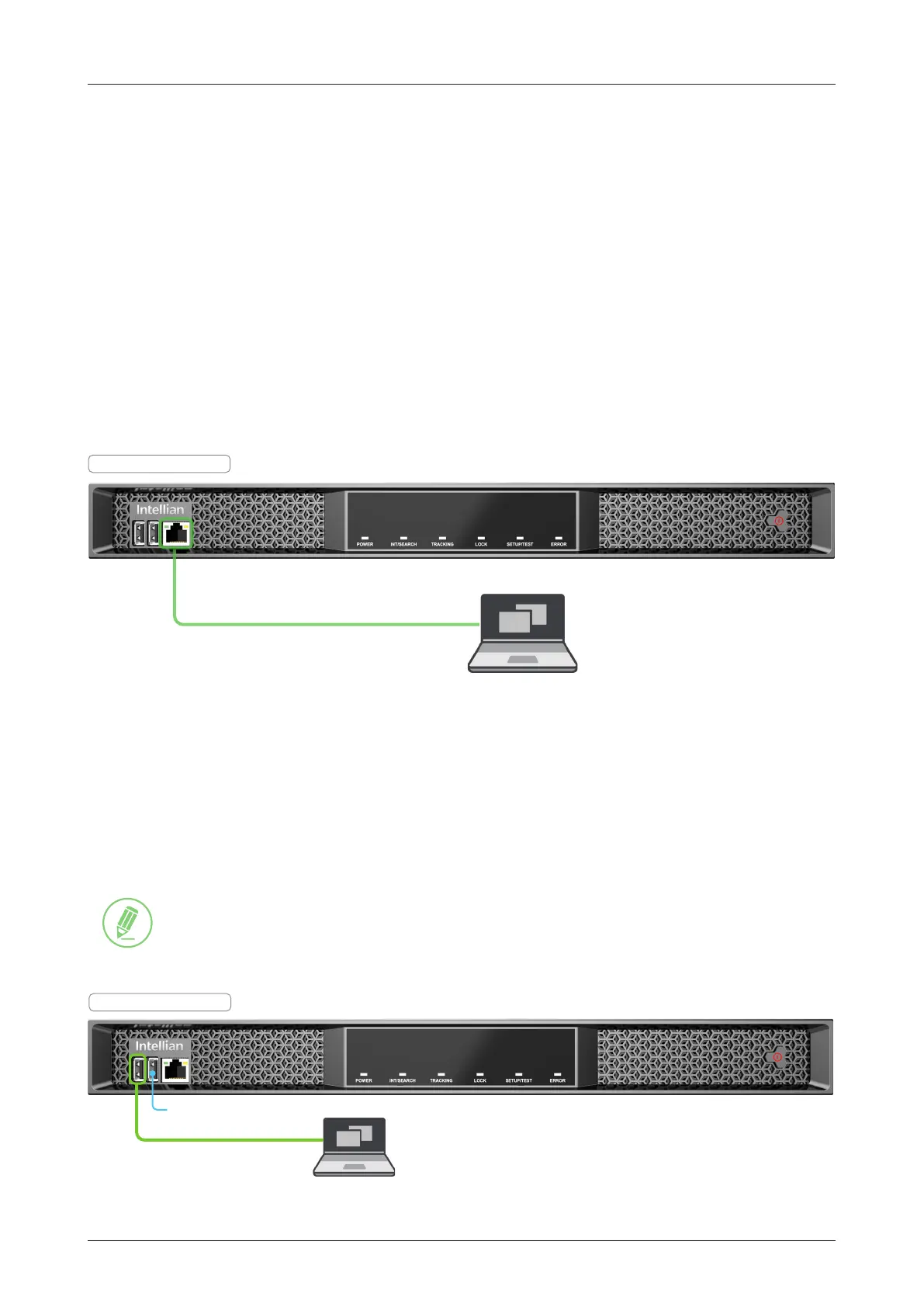
Connection through Front Panel Management Port
The network is automatically congured by DHCP with no additional PC IP conguration.
1. Connect an Ethernet cable from the Management LAN port on the front panel of ACU to a LAN port of
PC.
2. The network connection is established automatically.
3. Use the following IP address to access Intellian AptusNX page.
• IP Address: 192.168.2.1 (Default)
Figure 25: Front Panel Management LAN Port Connection
PC
(Not supplied)
Management LAN Port
ACU - Front Panel
6.6.2 USB Connection
• Using Left Side USB (Serial) Port on ACU Front Panel
Connect a USB Cable (A to A) (customer supplied) from the left side USB (serial) port on the front panel of
ACU to PC for monitoring and controlling the antenna system.
NOTE
• The left side USB port is only for certied engineers' use only.
• Accessing AptusNX and iARM upgrade are NOT supported through the serial USB
connection.
Figure 26: Front Panel USB Port Connection
PC
(Customer supplied)
USB Cable (A to A)
(Customer supplied)
ACU - Front Panel
No Function



 To Next Page