64
v45C - Maritime VSAT Antenna System
9.6.3 How to Use Shortcut Settings
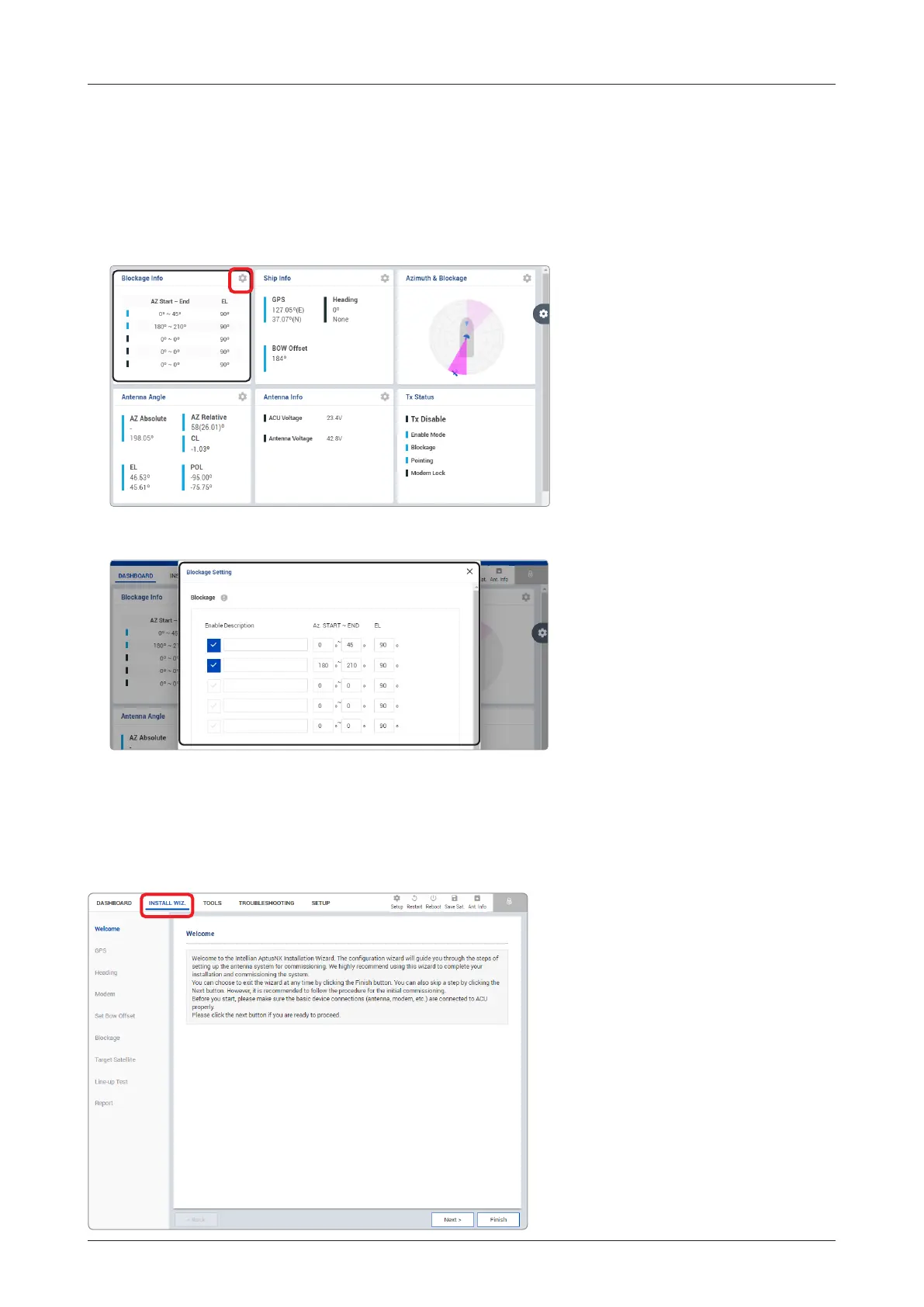
Each panel on the dashboard provides a shortcut function. Using the Shortcut button on right side of the
panel, you can easily access the detailed information and manage the each panel's settings.
1. Click the Shortcut button indicated by the red mark to open the setting page.
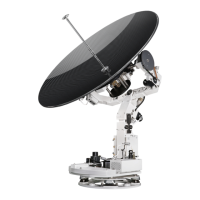
2. The setting page will appear on the individualized web page. You can check the detailed information and
quickly apply settings that you wish.
The description of this menu is written on the previous page.
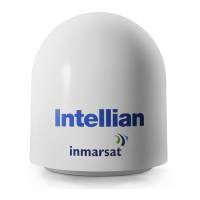
Refer to the "6.4 Starting Install Wizard" on
page 44 for more details.
9.7 Install Wizard



 To Next Page