80
v45C - Maritime VSAT Antenna System
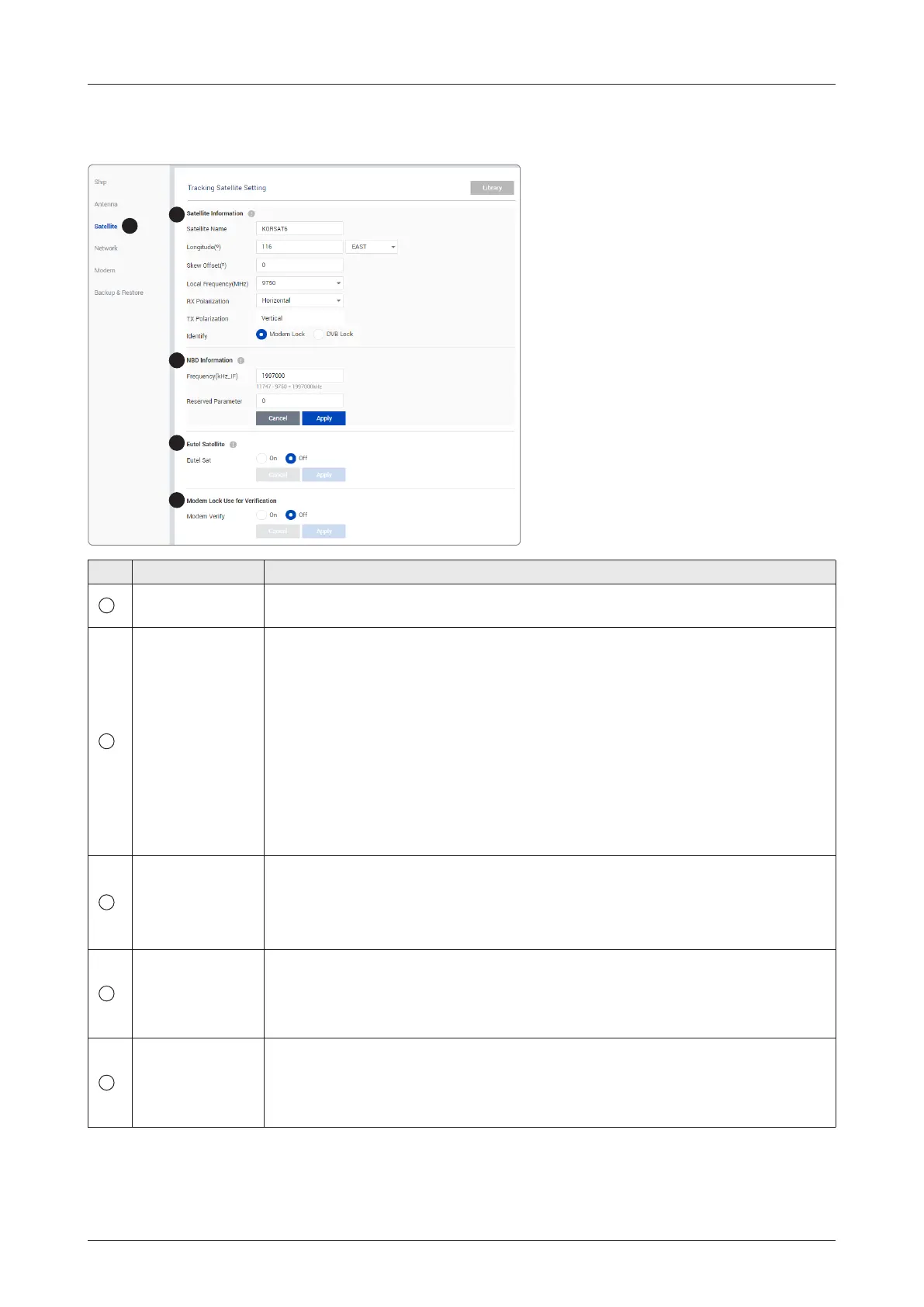
9.10.3 Tracking Satellite Setting
1
2
3
4
5
No. Item Description
1
Tracking Satellite
Setting
Sets the current tracking satellite settings.
2
Satellite
Information
Sets the current tracking satellite settings.
• Satellite Name: sets the satellite name.
• Longitude(º): sets the satellite orbit position.
• Skew Offset(º): sets the skew offset.
• Local Frequency (MHz): sets the local frequency.
• Rx Polarization: sets the current Rx polarization.
• Tx Polarization: displays the current Tx polarization.
• Identify: sets the lock setting type (Modem Lock / DVB Lock) for satellite
tracking.
Click the Apply button to apply the settings to the system.
3
NBD Information
Sets NBD mode's tracking information.
• Frequency (kHz_IF): sets the tracking frequency.
• Reserved Parameter(kHz): sets the reserved parameter.
Click the Apply button to apply the settings to the system.
4
Eutel Satellite
Select ON when the antenna is tracking the Eutelsat satellite. With this option
enabled, a dened skew angle for each Eutelsat satellite is automatically applied
without allowing a manual modication to the skew offset value.
Click the Apply button to apply the settings to the system.
5
Modem
Lock Use for
Verication
Veries modem lock status (modem lock function: active/inactive).
• Modem Verify: choose whether to use the modem lock function or not. (On /
Off)
Click the Apply button to apply the settings to the system.



 To Next Page