62
v45C - Maritime VSAT Antenna System
9.6 Dashboard
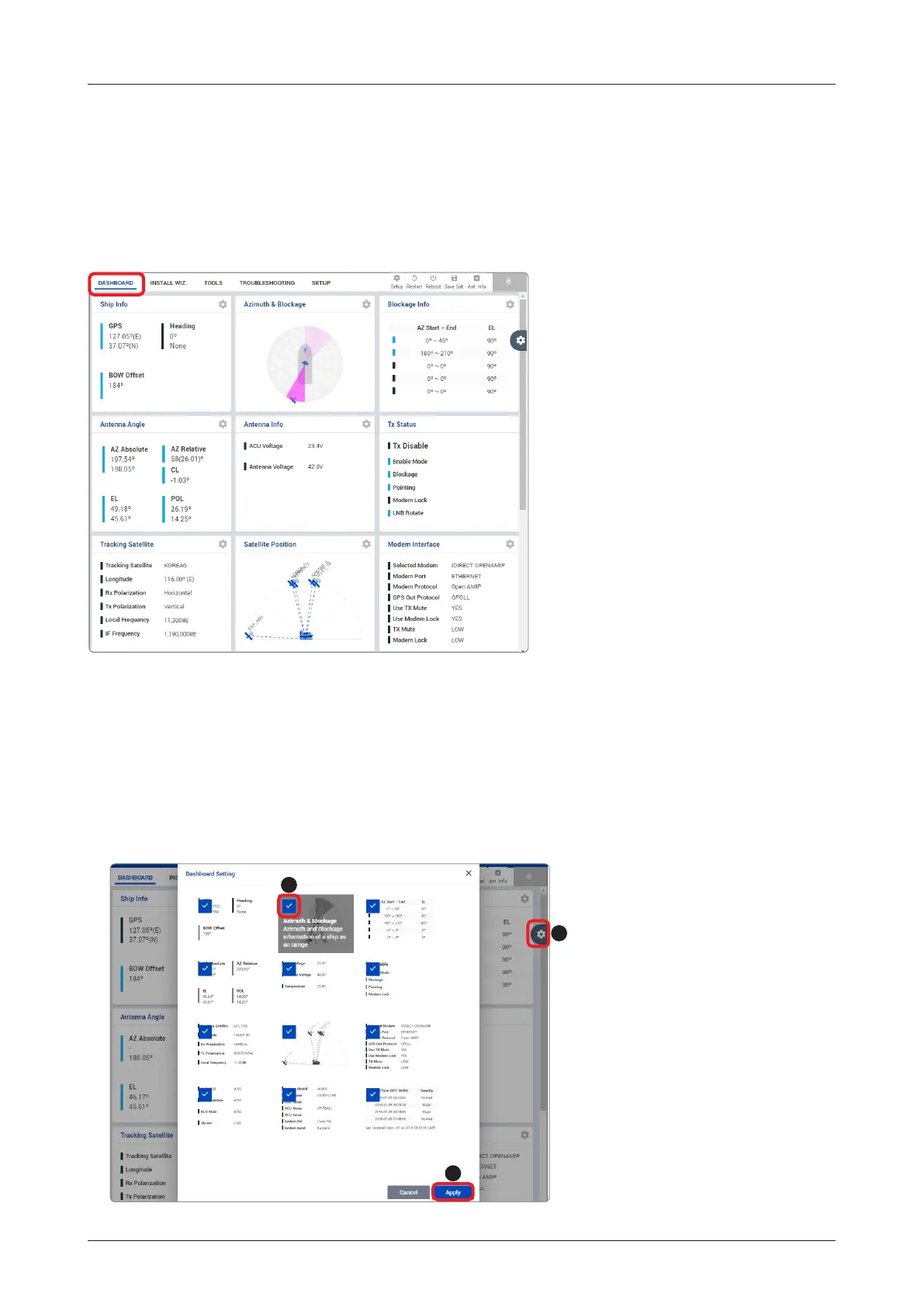
The Dashboard menu is displayed as below to provide quick monitoring of the antenna status. The Dashboard
helps you arrange panels on a single screen while providing you with a broad view of a variety of information
at once. The dashboard contains multiple panels, which can easily customize the structure of your dashboard
and arrange your panels in various ways to make them more readable and user-friendly.
9.6.1 How to Add & Remove Panels (Dashboard Setting)
Adding Panels
1. On the right side of the page, you will see the
gear
icon to edit your dashboard. To start editing, click on the
gear
icon.
2. C
heck the box of the panel that you wish to add to the dashboard.
3. Click the Apply button to apply the settings to the system.
4. Once the panel is added, it will be automatically placed at the bottom of the page.
1
3
2



 To Next Page
 Loading...