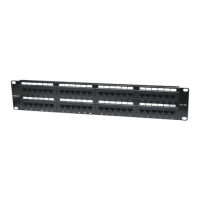
• LAN Switch #2:
• Port 1: Connection to LAN switch #1
• Port 2: Mail Server
• Port 3: File Server
• Port 4: VoIP Gateway / PBX
• Port 8: Internet gateway, rewall, modem
Set up LAN Switch #1:
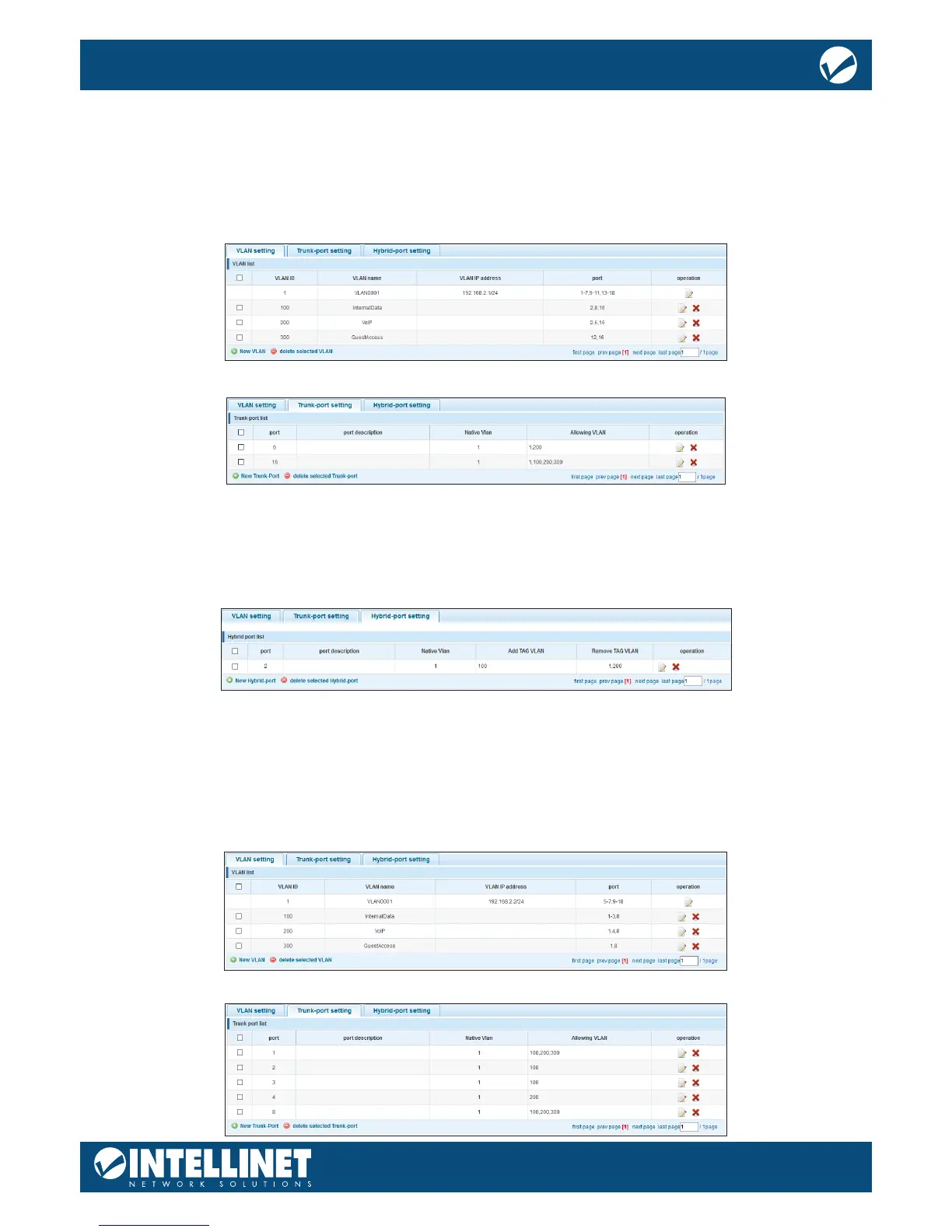
Trunk port settings:
Port 6: VoIP phone. This phone tags all packets by itself. The switch does not need to tag the packets.
Port 16: Connection to LAN switch #2. This port passes on all trac for VLAN IDs 100, 200 and 300. All other
trac will be dropped.
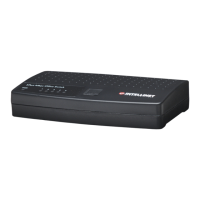
Hybrid port settings:
Port 2 is a special case because two networking devices are connected—the VoIP phone and a PC, which is
connected to the back of the phone. The VoIP phone tags the packets itself, and the switch must let them go
through, just like a normal trunk port would. However, the PC connected to it cannot tag the packets by itself
and therefore must rely on the Intellinet Network Solutions switch to do so.
The switch adds the VLAN ID 100 to all packets that are not tagged as VLAN ID 200. Port number two acts as
an untagged port (VLAN ID 100) and tagged port (VLAN ID 200) at the same time, hence the name hybrid.
Set up LAN Switch #2:
VLAN ID 1 (default VLAN) only contains ports that are not otherwise assigned.


 To Next Page