In the next dialogue the role of this computer at this connection had to be
elected. Choose “Guest” and click on “Next”. s
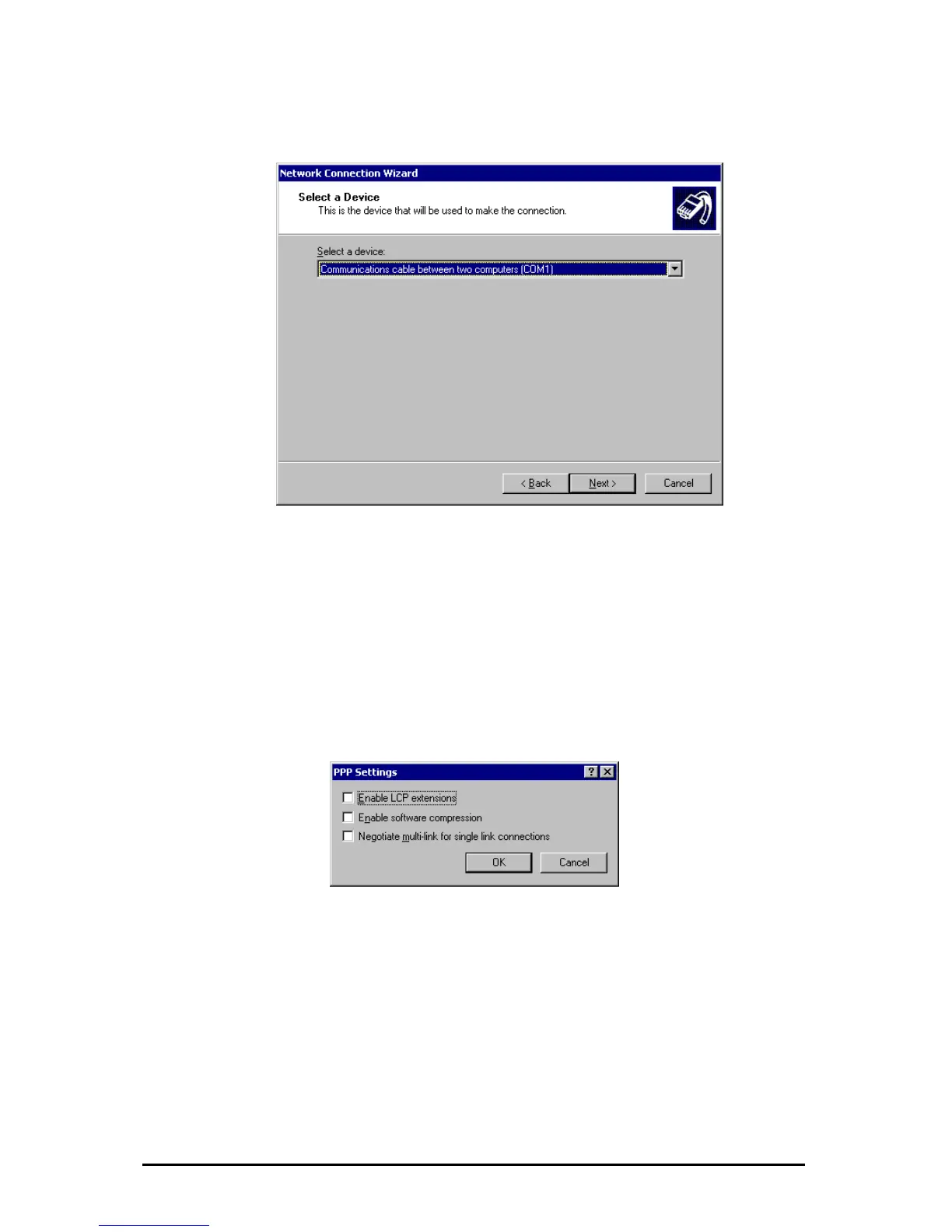
The created „connection cable“ had to be selected as device. In the following
dialogues the availability and the name of the connection had to be set. These
inputs are optional.
After completing the connection can be found in the “Network and Dial-up
Connections”.
Right-click the dial-up connection and click on “Properties“. In the “General” menu
click on “Configure…” and select a fitting “Maximum Speed” appropriate to the
configured Baudrate of the ipEther232.PPP.
In the ”Networking“ menu click on “Settings” and configure as follows.
o set a login or password is not necessary, because the PAP / CHAP protocol
re not supported.
T
a
Änderungen vorbehalten Stand 09.09.05
ipcas GmbH ipEther232 V11.01 Seite 88 von 150



 To Next Page