PASCAL
®
Synthesis Ophthalmic Scanning Laser Systems Page 97 of 141
88292-EN, Rev D
Procedure to prepare the USB drive before the first time use
Purchase a new USB drive of USB 2.0 or USB 3.0 with at least 8GB in size.
On a Windows 10 PC, open Windows Explorer, plug in the USB drive, identify
the newly added drive.
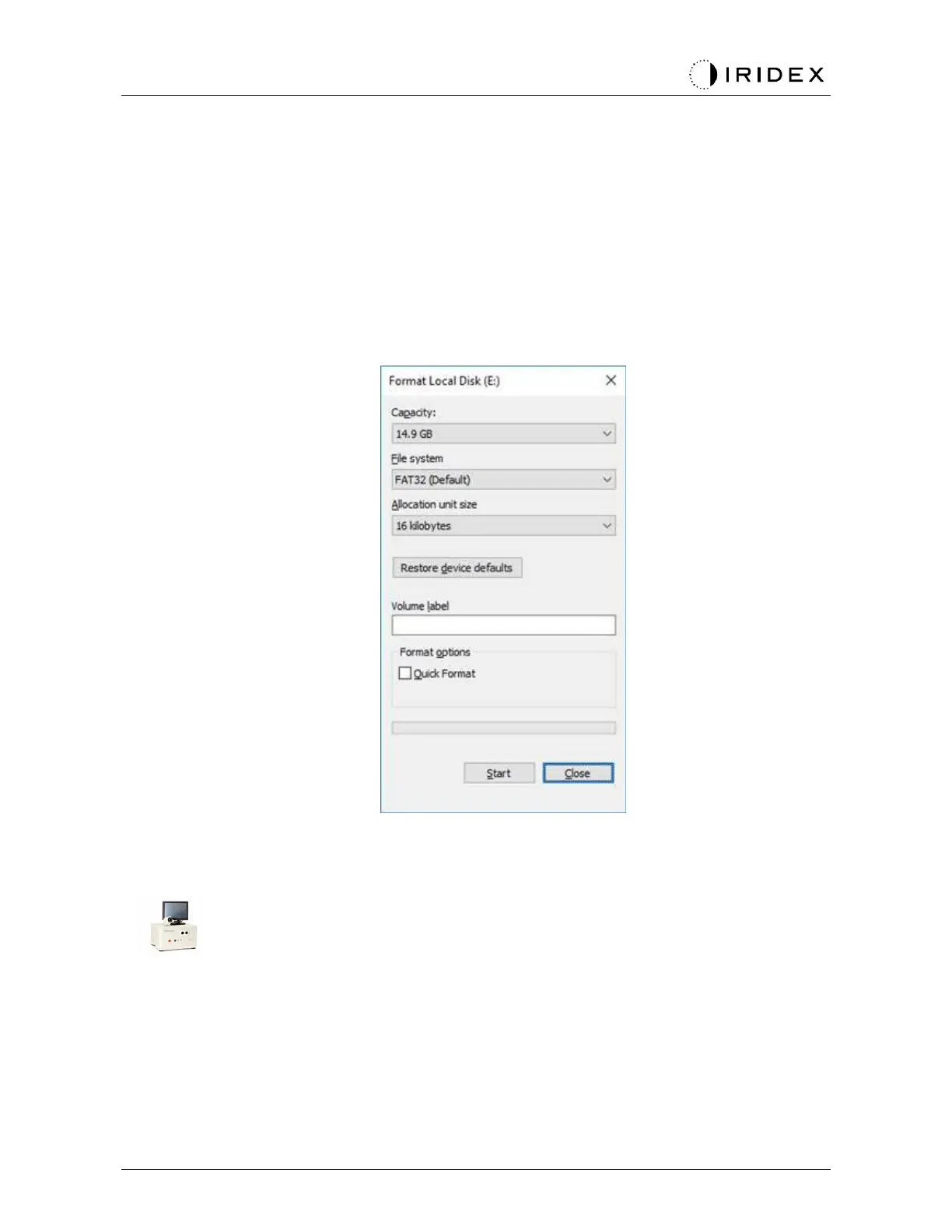
Here is the example to format a new USB. Drive letter E is just an example in the picture
below, it could be different on a different PC.
•
Right click the newly added USB drive, select “Format…” from the pop up menu to
open the Format window.
•
Select FAT32 for File system. Uncheck the Quick Format checkbox. Click Start
button. Wait until the format is finished.
Selecting a wrong drive for format will ERASE ALL the data on that drive. Make sure the
newly added USB drive is selected for format.



 To Next Page