PASCAL
®
Synthesis Ophthalmic Scanning Laser Systems Page 94 of 141
88292-EN, Rev D
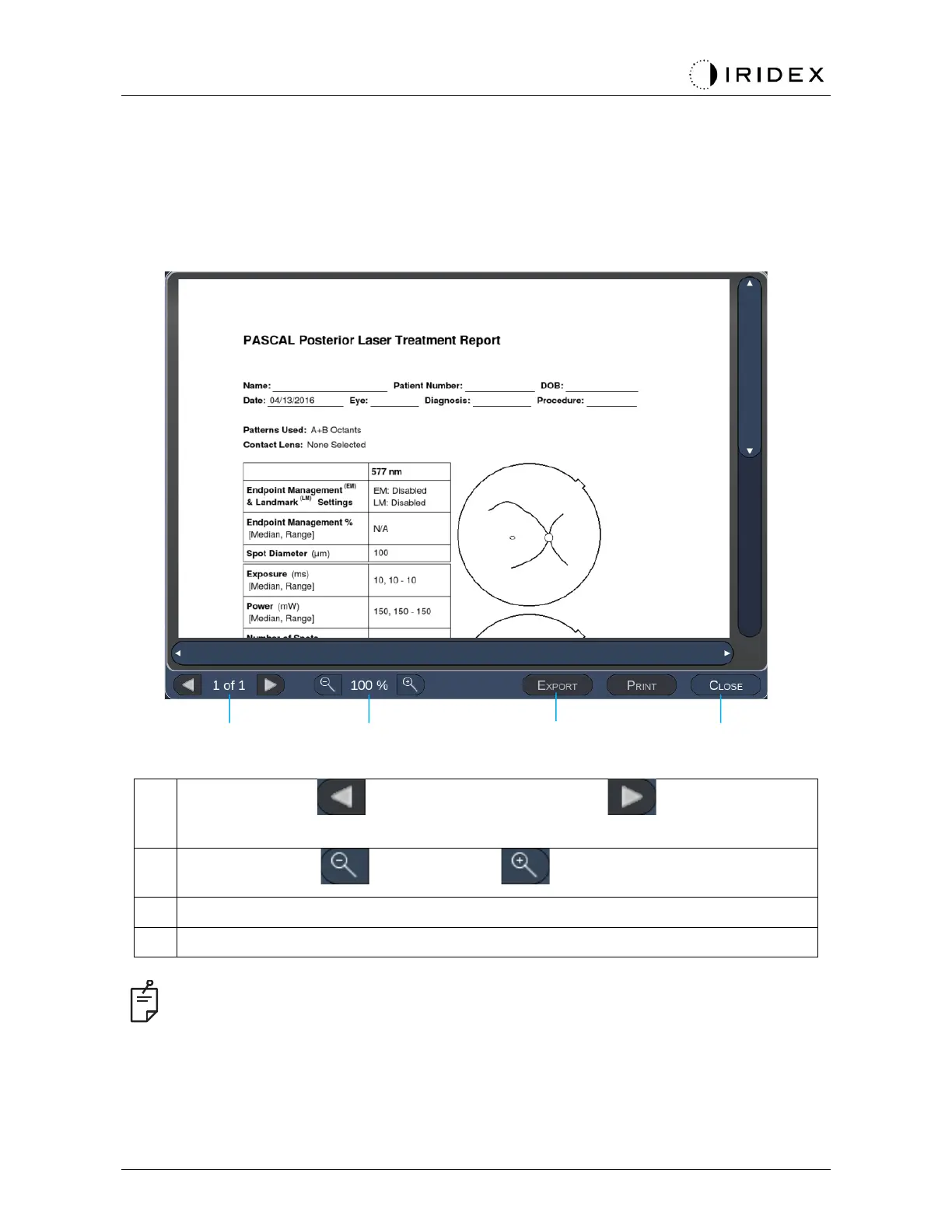
Treatment Report Window
If you have enabled reports on the System Setup screen (see “System Setup Screen” section),
the Treatment Report Window displays when you press the End Treatment button at the
completion of each patient treatment session.
<Page> - press to show the previous page and to show the next
page (when applicable)
<Zoom> - press to zoom out and to zoom-in the preview
<Export> - Press to export the treatment report to the connected USB drive.
<CLOSE> - press to close the Treatment Report Window to go to Home Screen
•
Once the system is returned to the Home screen by selecting the CLOSE button, the
current session treatment report is no longer available.



 To Next Page