PASCAL
®
Synthesis Ophthalmic Scanning Laser Systems Page 92 of 141
88292-EN, Rev D
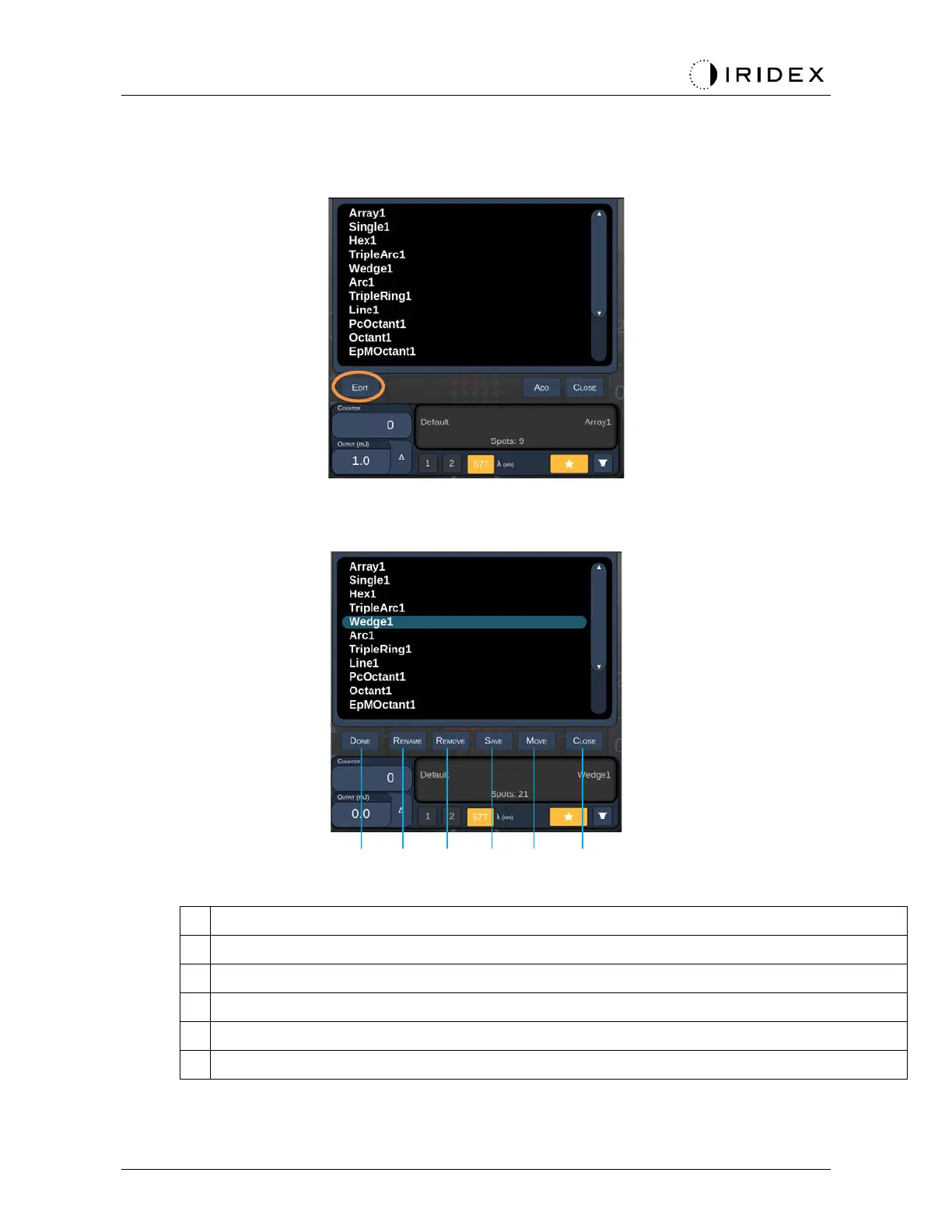
<Edit Favorites> Window
Press the “Edit” button to enter the Edit mode.
Once a favorite is selected, the “Rename”,“Remove”, “Save” and “Move” buttons are
enabled.
A B C D E F
<Done> - press to finish the Edit of Favorite Window
<Rename> - press to change the name of the selected favorite
<Remove> - press to remove the selected favorite from Favorites Window
<Save> - press to save the edit for the selected favorite
<Move> - press to reorder the favorite list
<Close> - press to close the Favorite Window



 To Next Page