PASCAL
®
Synthesis Ophthalmic Scanning Laser Systems Page 46 of 141
88292-EN, Rev D
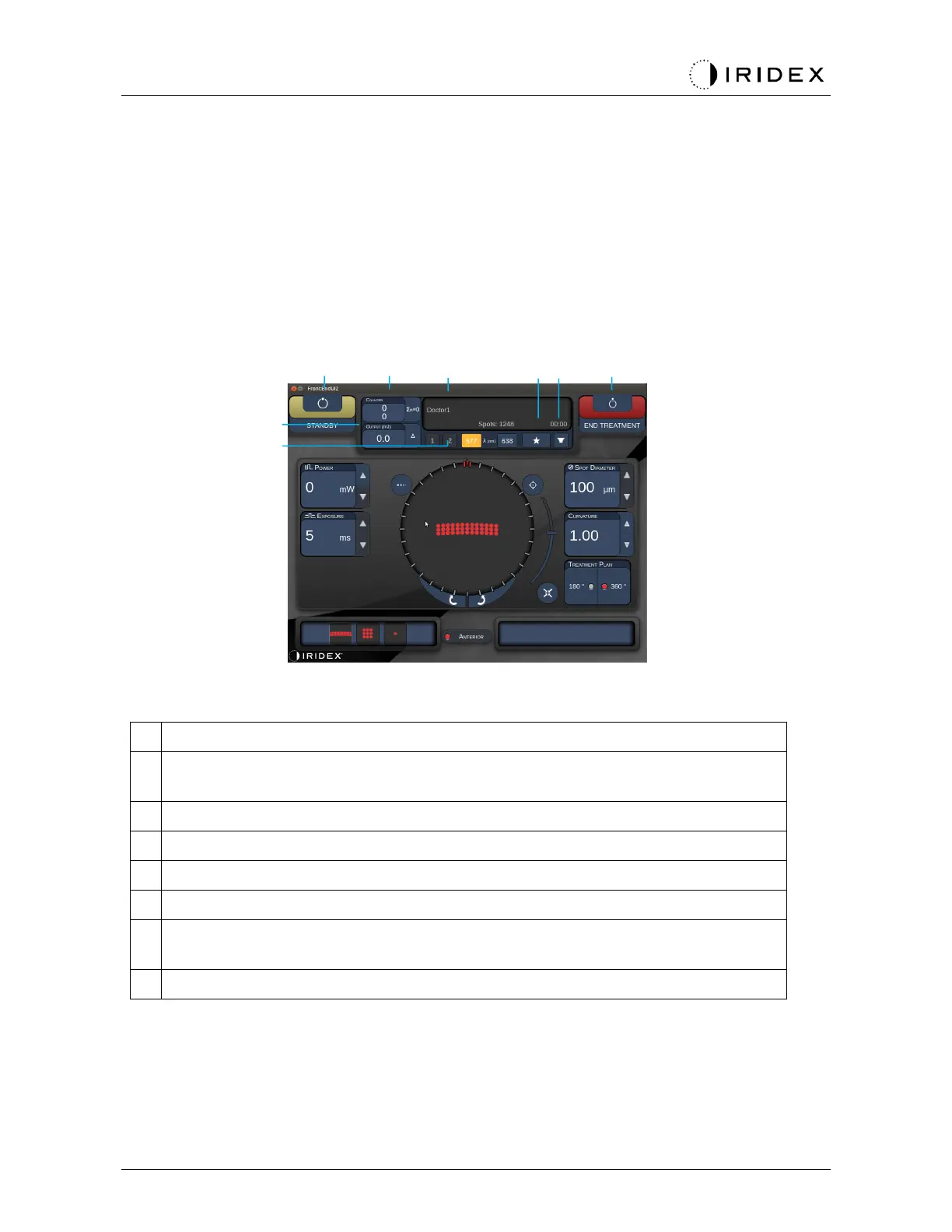
Anterior Treatment Screen
Press < Anterior Treatment> button on the Home Screen to access the Anterior Treatment
Screen. The system may also display warming up message at the center of the treatment
screen during system warm up (see the section “Posterior Treatment Screen”).
The Anterior Treatment screen is identical to the Posterior Treatment screen, except that the
only available patterns are the PSLT 3 row, Array and Single Spot patterns.
The Endpoint Management feature is not available.
Status - press to select system status (STANDBY or READY mode)
<Counter> - displays number of applications during treatment
<Σn=0> - press to reset counter (Enable in preferences)
Information - displays optional information and warning messages
<Favorites> - press to open <Favorites> window
<LENS> - press to open <Contact Lens> menu
<END > - press to end treatment
<Output> - displays laser output value
<∆> - press to toggle units
<PORT 1 or 2> - press to select output device (Only Style 1.0 available)



 To Next Page