4.2 Dynamic group creation (general)
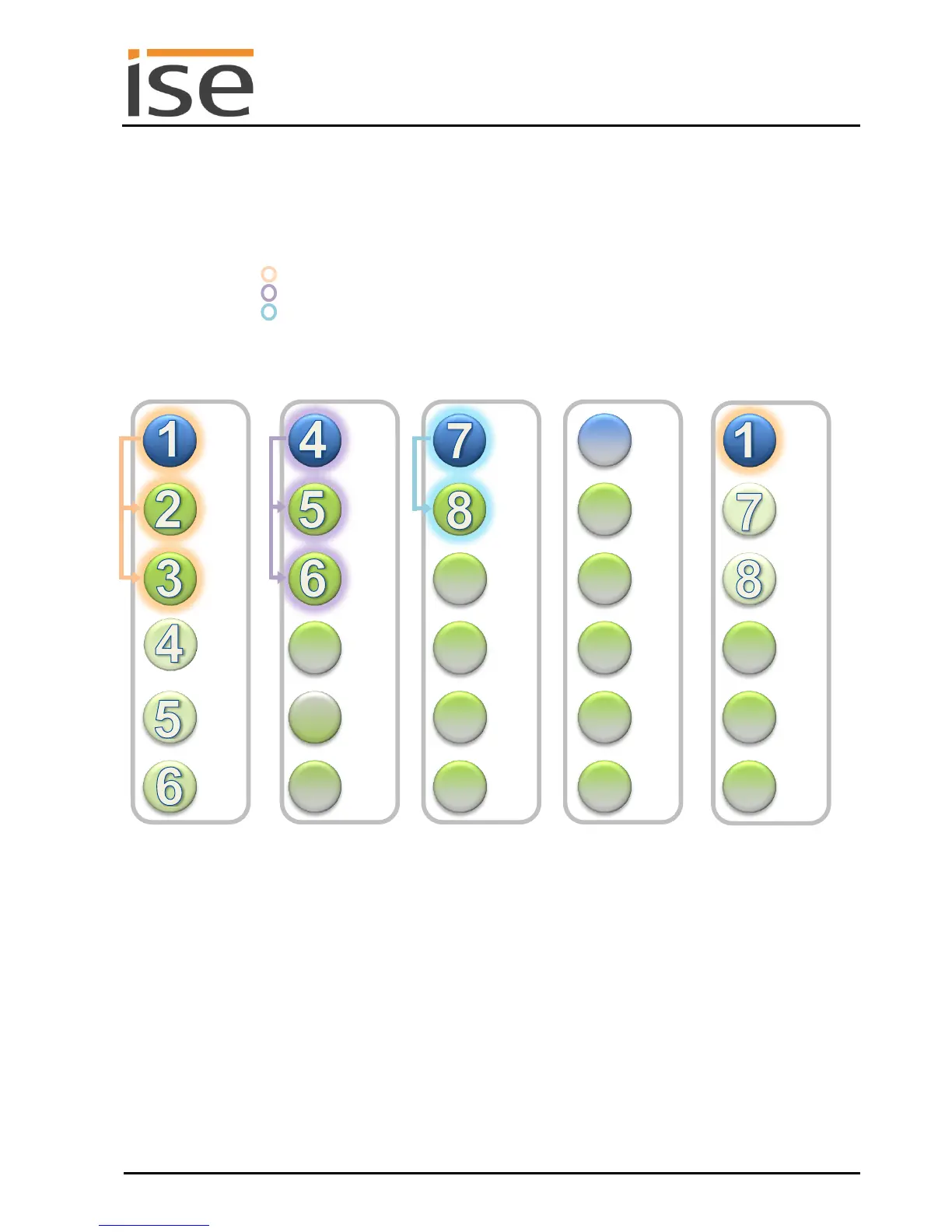
Initial situation: With eight Sonos devices in multiple rooms.
The ise smart connect KNX Sonos can implement dynamic group creation for up to five master-slave
groups (MSG), each comprised of a master and up to five slaves.
Room Living room : Sonos device 1 (master) and Sonos devices 2 and 3 (slaves of 1)
Room Dining area : Sonos device 4 (master) and Sonos devices 5 and 6 (slaves of 4)
Room Kitchen : Sonos device 7 (master) and Sonos device 8 (slave of 7)
All rooms are independent of one another. This means that each master-slave group has a master and
can operate its own music program.
Schematic 3: Example configuration with a ise smart connect KNX Sonos.
Dynamic zone creation for Sonos devices (initial situation).
The double assignment of devices 4, 5, 6, 7 and 8 to multiple master-slave groups (MSG) is the
required preparation for dynamic group creation with KNX.



 To Next Page