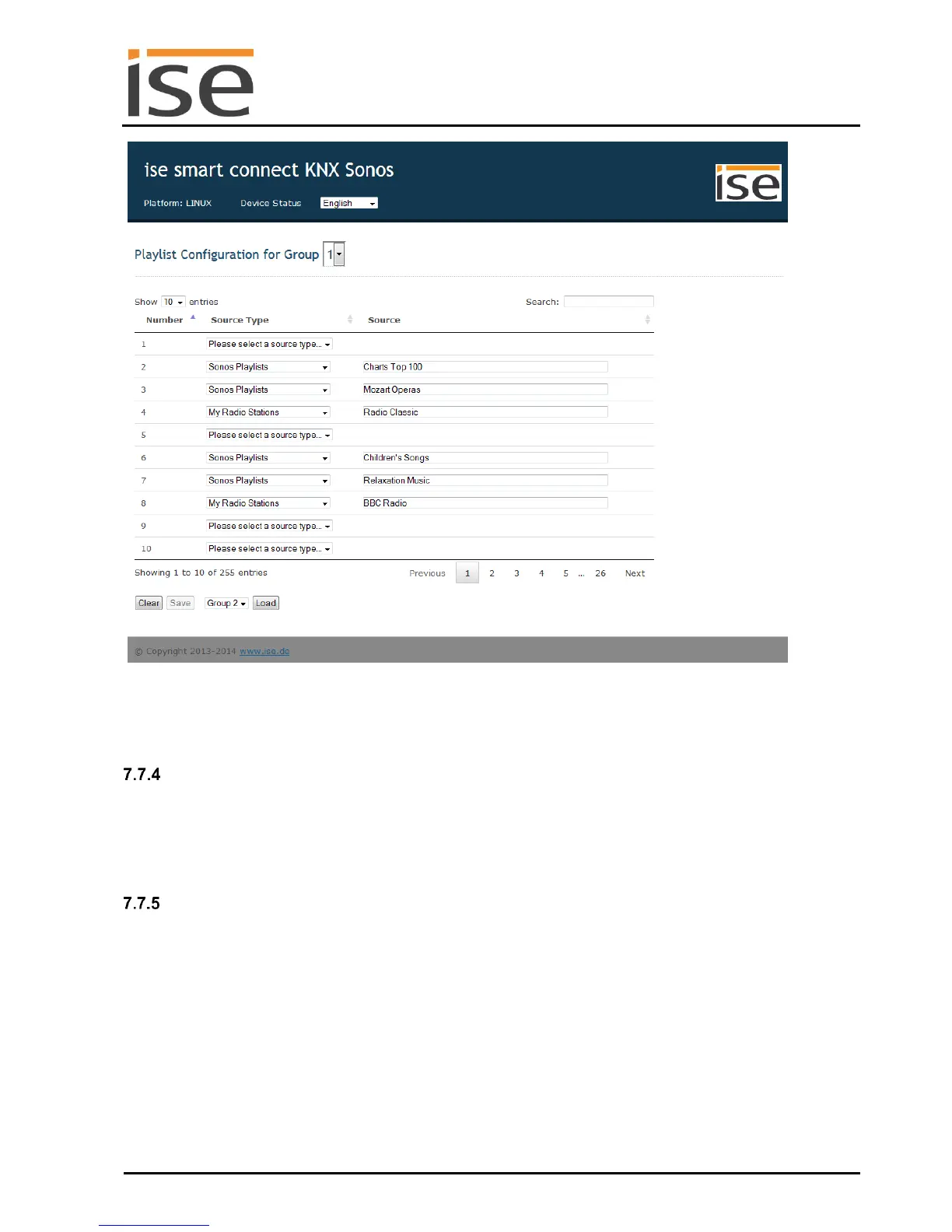
Figure 9: Device website for configuration of the playlist.
In this case, an individual list with sorting selected by the user.
Loading a different configuration
If the configuration of two ise smart connect KNX Sonos groups deviates only minimally, the configura-
tion for group 1 can be set first, for example. Group 1 is now selected on the configuration page for
group 2 in the selection list next to the Load button, and Load is then pressed. The configuration of
group 1 is copied as the result. This can now be changed and set with Save.
Possible problems
If a source name is written incorrectly or if the source is removed with a Sonos application, the source
can still be selected, but the ise smart connect KNX Sonos device reports error 4: playlist via the corre-
sponding KNX group object at play time in this case, however.
An empty position can also be selected, which leads to KNX error message 5: empty slot.
If the ise smart connect KNX Sonos device was just restarted, the start page does not display a config-
uration, but rather the following messages: The SonosApp is not active. Please use the ETS to config-
ure the device or The SonosApp is not active. This is normal during the initialisation phase – After
about 2 minutes, the device should display the correct state.



 To Next Page