4.4 Party mode
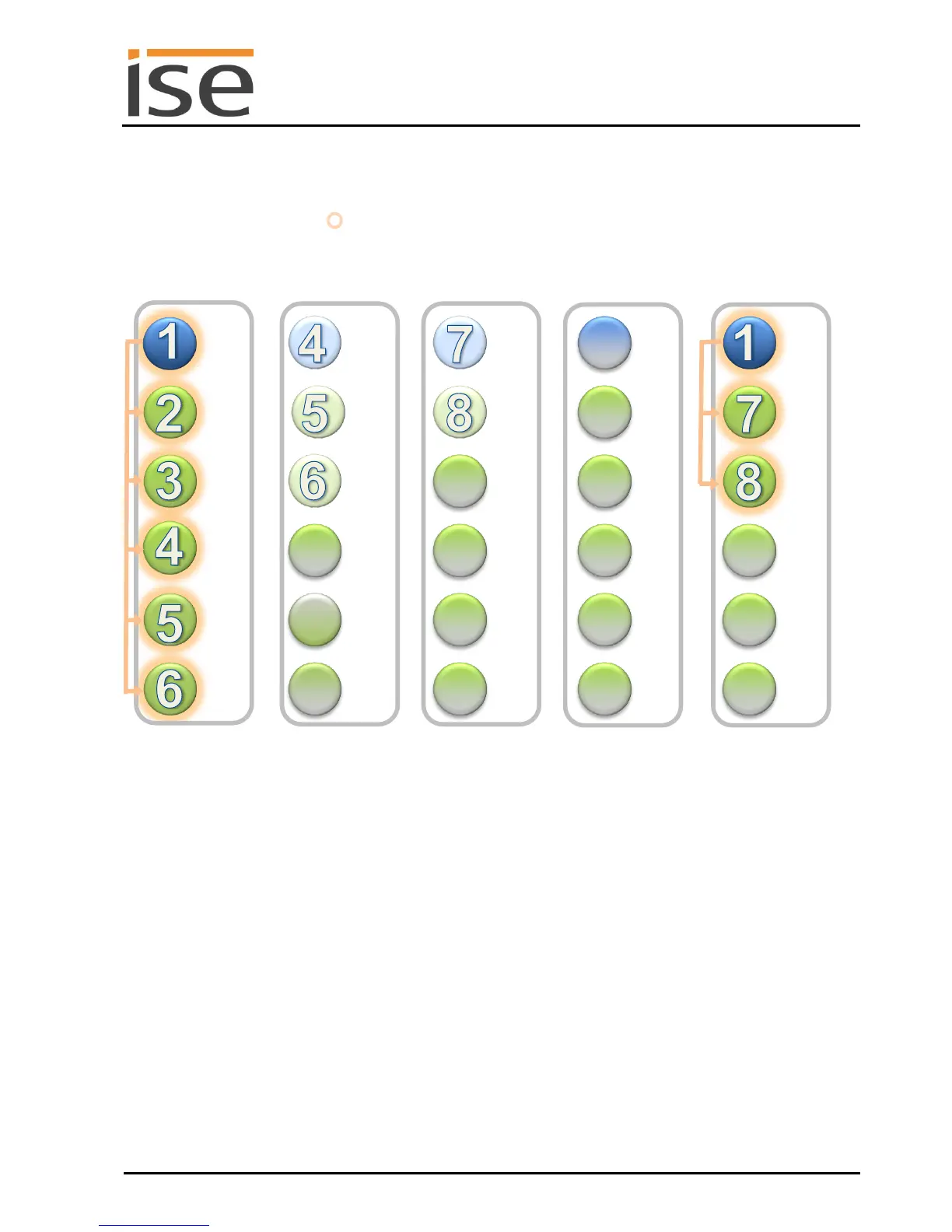
At present, one group has been implemented (party mode):
Group "All Sonos devices" : Sonos device 1 (master) and Sonos devices 2, 3, 4, 5, 6, 7 and 8
Slaves of 1, devices 4 and 7, are no longer master
There is now only one Sonos zone left. All devices play the music programme of Sonos device 1.
Other groups can be created in the same way.
Using your Sonos app, you can combine any desired rooms into a group. Groups not shown on the ise
smart connect KNX Sonos are thus also possible. For this purpose, activate the desired master-slave
group and add additional devices to this group using the Sonos app. In this way, the entire group can
be controlled with the group telegram (and thus the KNX operating devices) of this master via KNX.
Dynamic group creation is simply activated or deactivated using 1-bit group telegrams on the KNX. For
details, see Section 6.6 – KNX group objects for dynamic group creation.
Schematic 5: Example configuration with a ise smart connect KNX Sonos.
Combination of all devices into a zone (party mode).



 To Next Page