ise smart connect KNX Sonos
Application scenarios – Comfort solutions in the living
environment
Product Manual Page 7 (76)
2 Application scenarios – Comfort solutions in the living environment
2.1 Door contact enables dynamic group creation
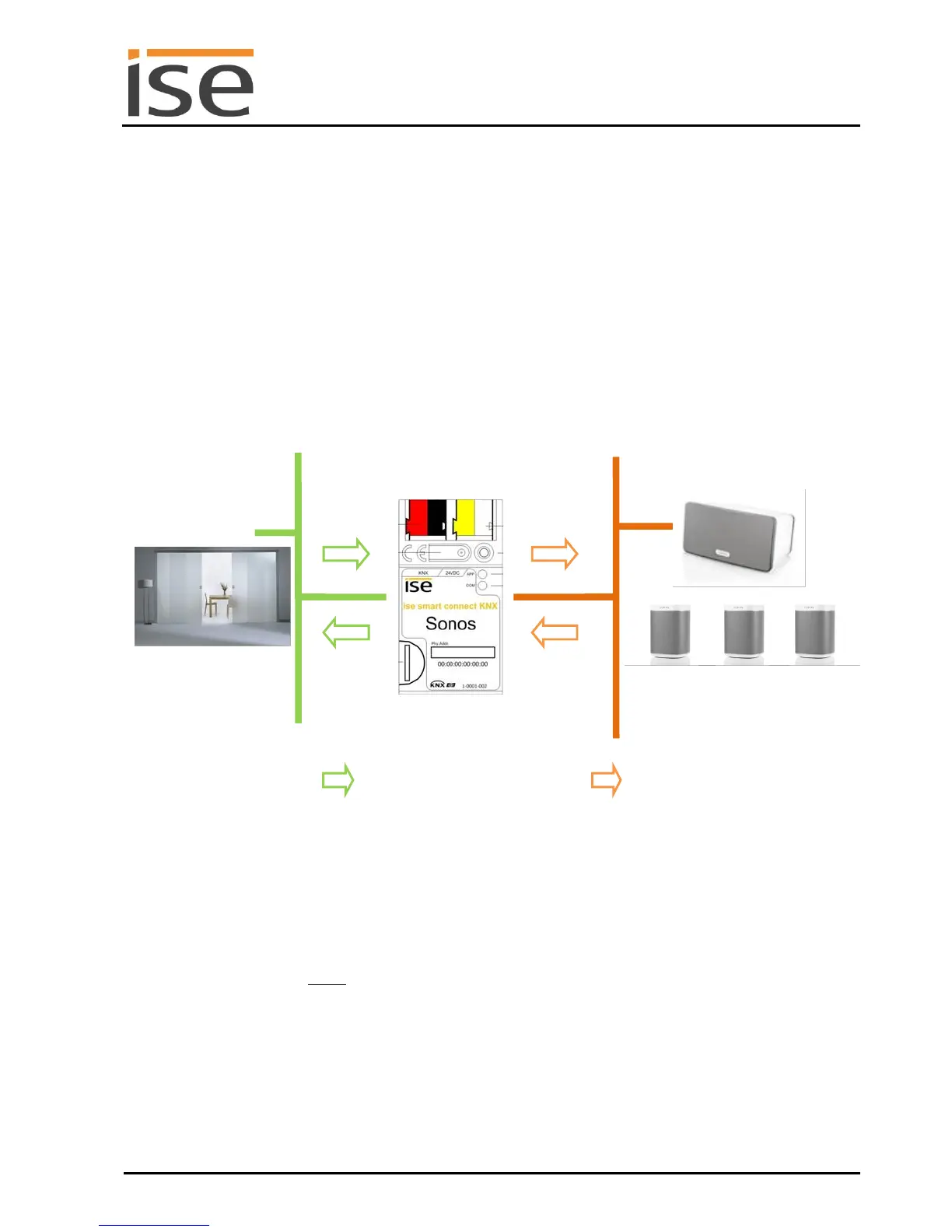
In this application, a door contact enables Sonos group creation via KNX.
If the door is opened, the rooms become an acoustic unit: The ise smart connect KNX Sonos creates a
group in which a Sonos device in the living area functions as the master for Sonos devices in the dining
room and thus determines music playback.
If the door is closed, the ise smart connect KNX Sonos terminates the group. Both rooms once again
have their original master and can be operated independently.
The Sonos music in the dining room is the same as the living room (group
creation).
Different media can be enjoyed (again) in each room.
Note: The Sonos devices in the dining room are initially muted after termina-
tion. Playback which may have been interrupted by group creation is not
continued. This can be implemented using optional logic modules, however.
ise smart connect KNX
Sonos
KNX sensor reports: Slid-
ing door between living
and dining areas closed.
The ise smart connect KNX
Sonos converts KNX command
to Sonos commands (IP).
The group is terminated
Different media can be used
in the living and dining areas.



 To Next Page