ise smart connect KNX Sonos
Installation, electrical connection and operation
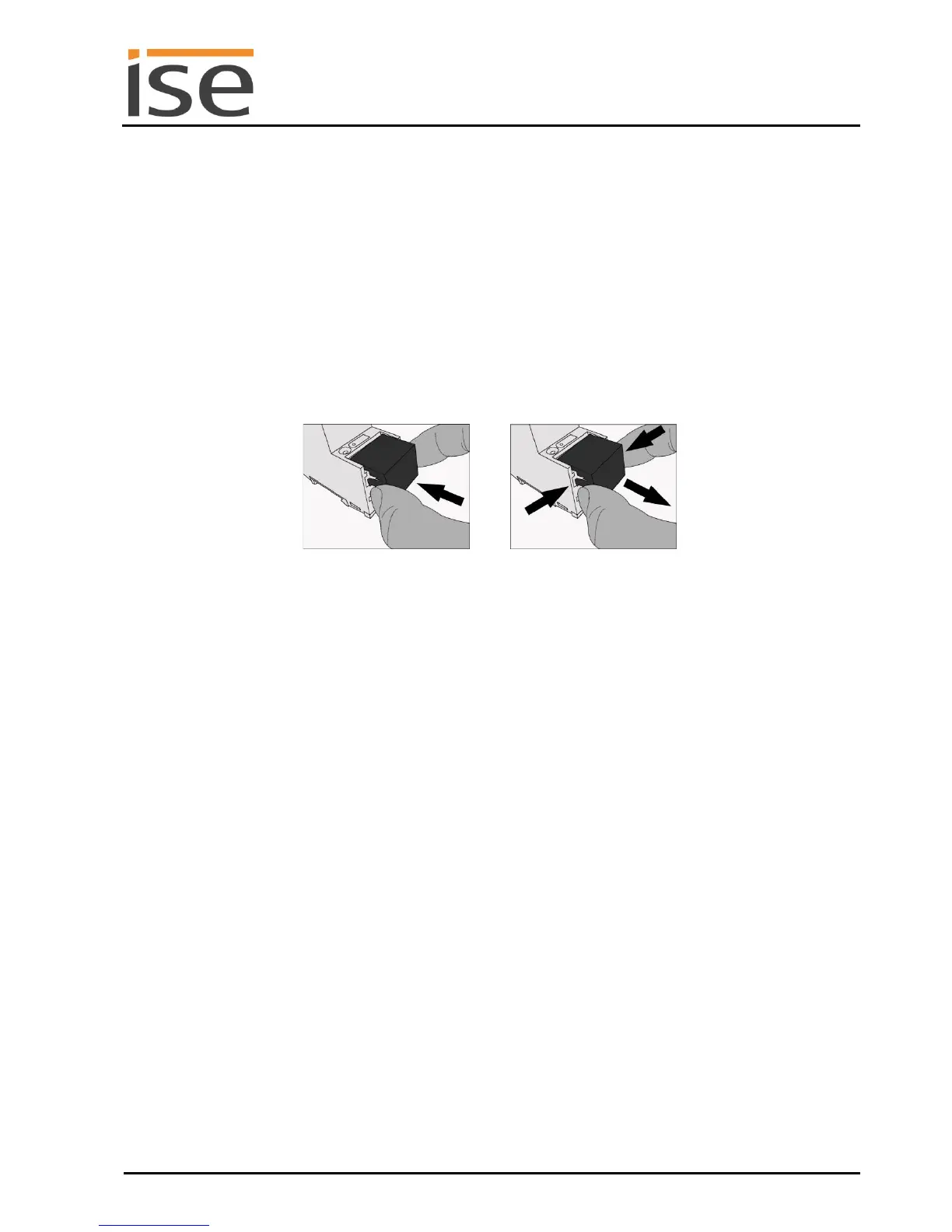
Mounting/removing a cover cap
A cover cap can be mounted for protection of the KNX bus and power supply connections from dan-
gerous voltage, particularly in the connection area.
The cap is mounted with an attached bus and power supply terminal and a connected bus and power
supply line to the rear.
Mounting the cover cap: The cover cap is pushed over the bus terminal until it audibly engages
(comp. Figure 2A).
Removing the cover cap: The cover cap is removed by pressing it in slightly on the side and
pulling it off to the front (comp Figure 2B).



 To Next Page