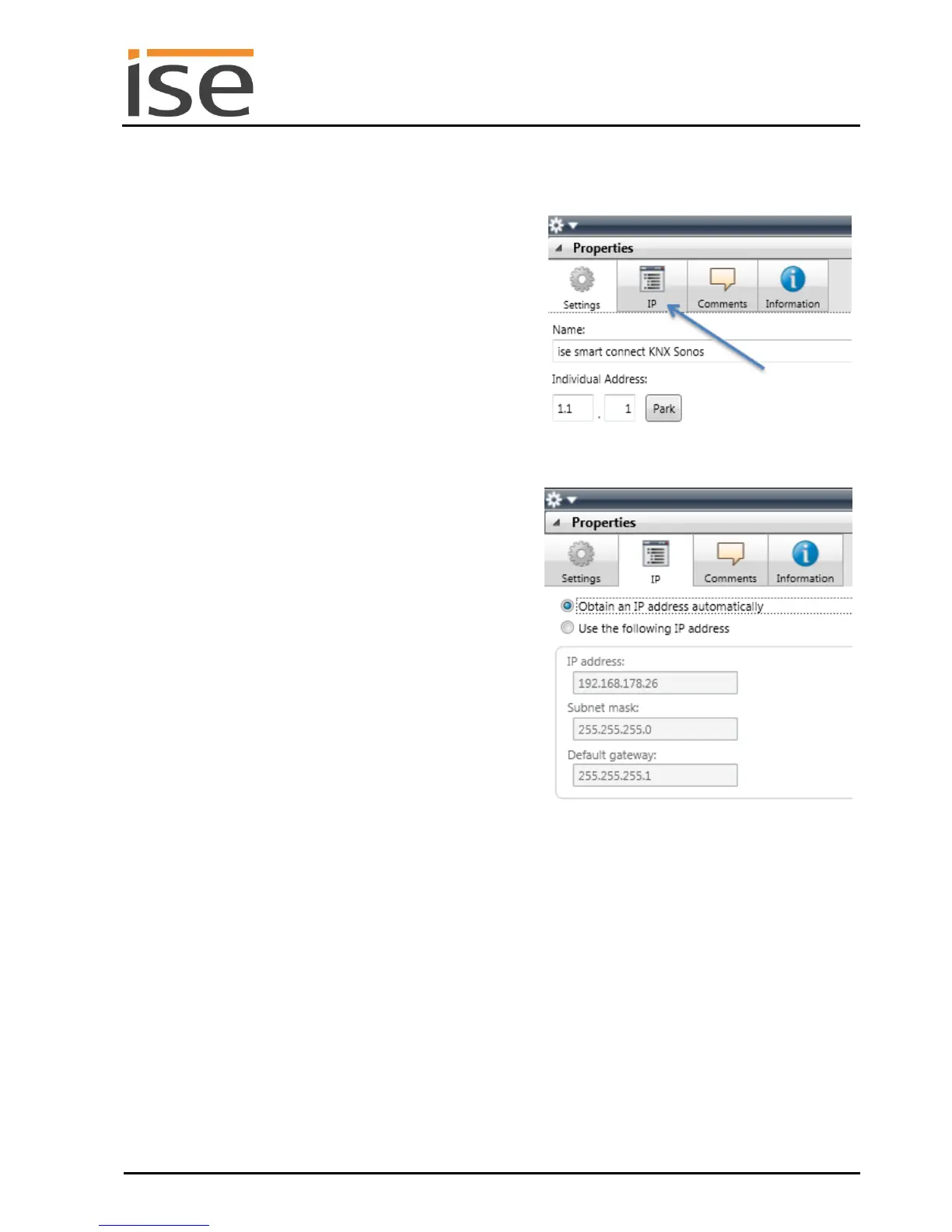
Obtain an IP address automatically (default)
The address data are obtained automatically
from a DHCP server on the data network.
or
Use the following IP address
Here, you enter the data manually.
You can usually obtain the permissible IP ad-
dress range and the subnet mask and standard
gateway from the router configuration interface.
If the Obtain an IP address automatically setting is
used, a DHCP server must issue the ise smart connect
KNX Sonos a valid IP address.
If a DHCP server is not available for this setting, the
device starts up after a waiting time with an AutoIP ad-
dress (address range from 169.254.1.0 to
169.254.254.255).
As soon as a DHCP server is available, the device is
automatically assigned a new IP address.



 To Next Page