Digital Network Public Address & Voice Alarm System
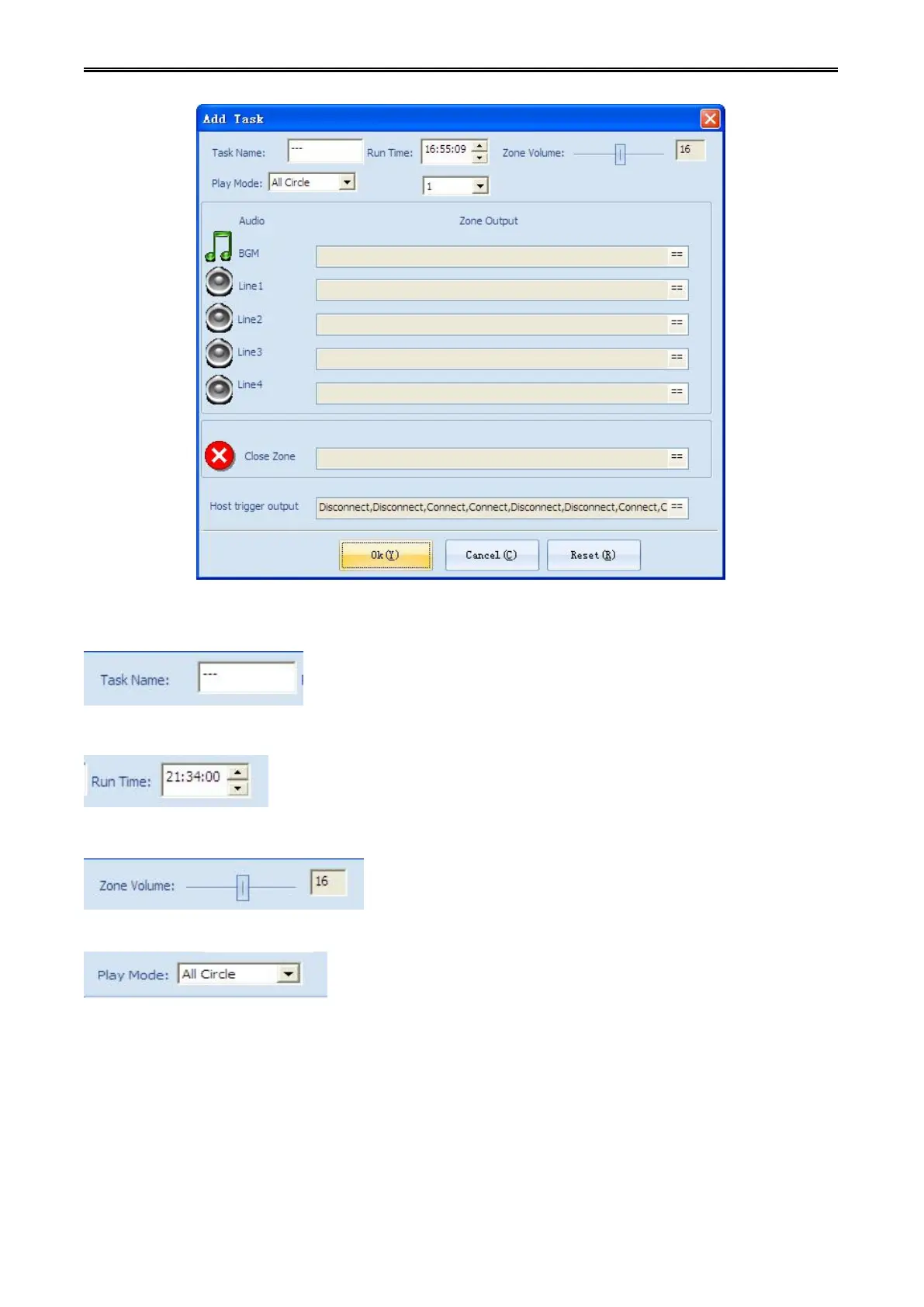
Step 3: fill in the task name.
Step 4: setting the task execution time.
Step 5: setting the volume of the partition.
Step 6: selecting the partition audio playback mode (only effectively to BGM).
Step 7: Selecting the audio source which the partition needs:

 To Next Page
 Loading...