Digital Network Public Address & Voice Alarm System
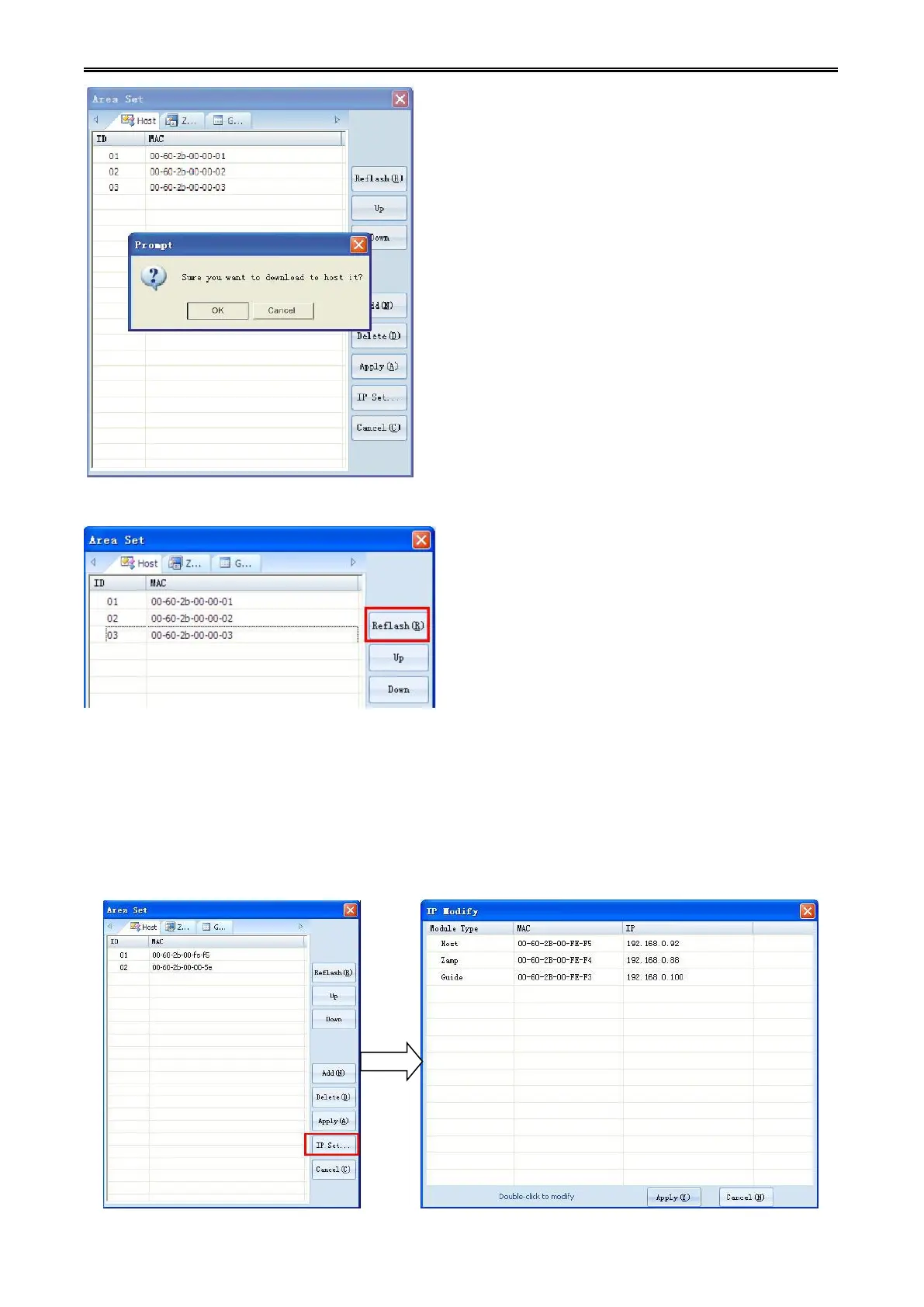
Step 8: click "refresh" button to refresh the configured MAC address table in current host.
7.1.3.Modify the equipment IP address
The IP address is automatically assigned by default. But users can also manually modify the equipment
IP address to avoid the repeated IP address between system and the other equipment of the same
network or computer.
Step 1: Click "advanced" button, device IP address modification dialog box will pop-up.


 To Next Page