Routine Maintenance
Hydraulic System
243 243
9811/9950-1
Oil and Filter
Checking and Adjusting the Fluid Level
1 Make the machine safe with the boom lowered. Refer
to Prepare the Machine for Maintenance.
2 Check the Level
Open the engine cover and hydraulic bay cover.
K
Access Panels ( T 209).
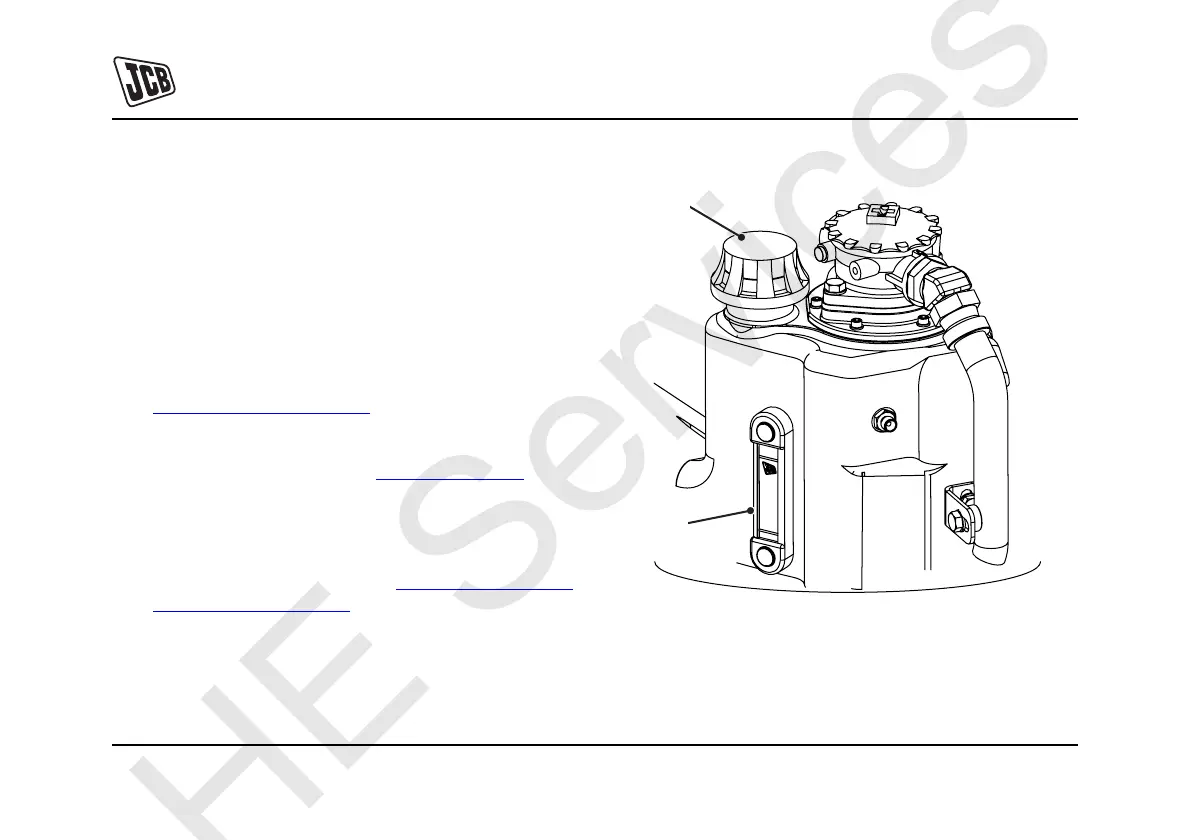
Check the level indicator A. The fluid level should be
visible in the level indicator. K
Fig 94. ( T 243).
3 Top up fluid level if necessary
Remove filler cap B, add fluid. Ensure that only
correct grade of fluid is used. K
Fluids, Lubricants
and Capacities ( T 180).
4 Refit the filler cap.
Fig 94.
A
B


 To Next Page