131
130
INSTALLATION OF THE DRIVER AND DRIVER SOFTWARE
INSTALLATION OF THE DRIVER SOFTWARE
The following operation is required for both Windows®98 and Windows®2000.
Can be used in Microsoft Windows series Operating
System
( Operating System must support USB device first. )
( For example: Windows 98/98 SE/ME/2000/ … )
1. Insert installation CD-ROM.
2. Digital camera is power on and ready.
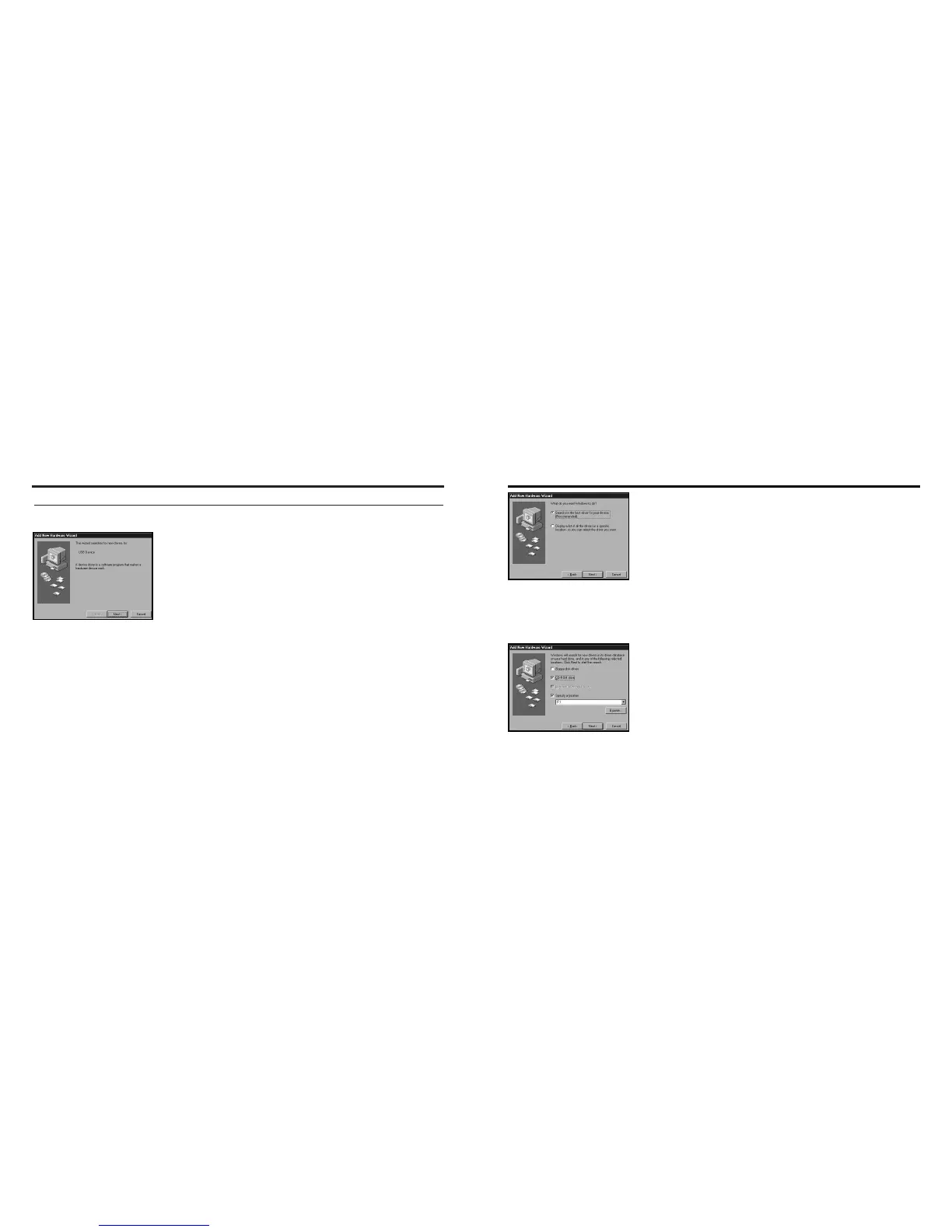
3. Pulg in USB line,Window will find new hardware.
4. Press "Next" button.
Caution:
Be disconnect the camera to your computer before instaclling the cam-
era Twain driver.
5. Select the item "Search for the best driver for your
device. (Recommended) .", it will be searched auto-
matically. P ress "Next" button
..
6.Select digital camera driver's location and press
"Next" button.
INSTALLATION OF THE DRIVER AND DRIVER SOFTWARE



 To Next Page