FORM 160.77-O2
ISSUE DATE: 11/15/2011
JOHNSON CONTROLS
86
SECTION 3 - YKEP CONTROL PANEL OPERATION
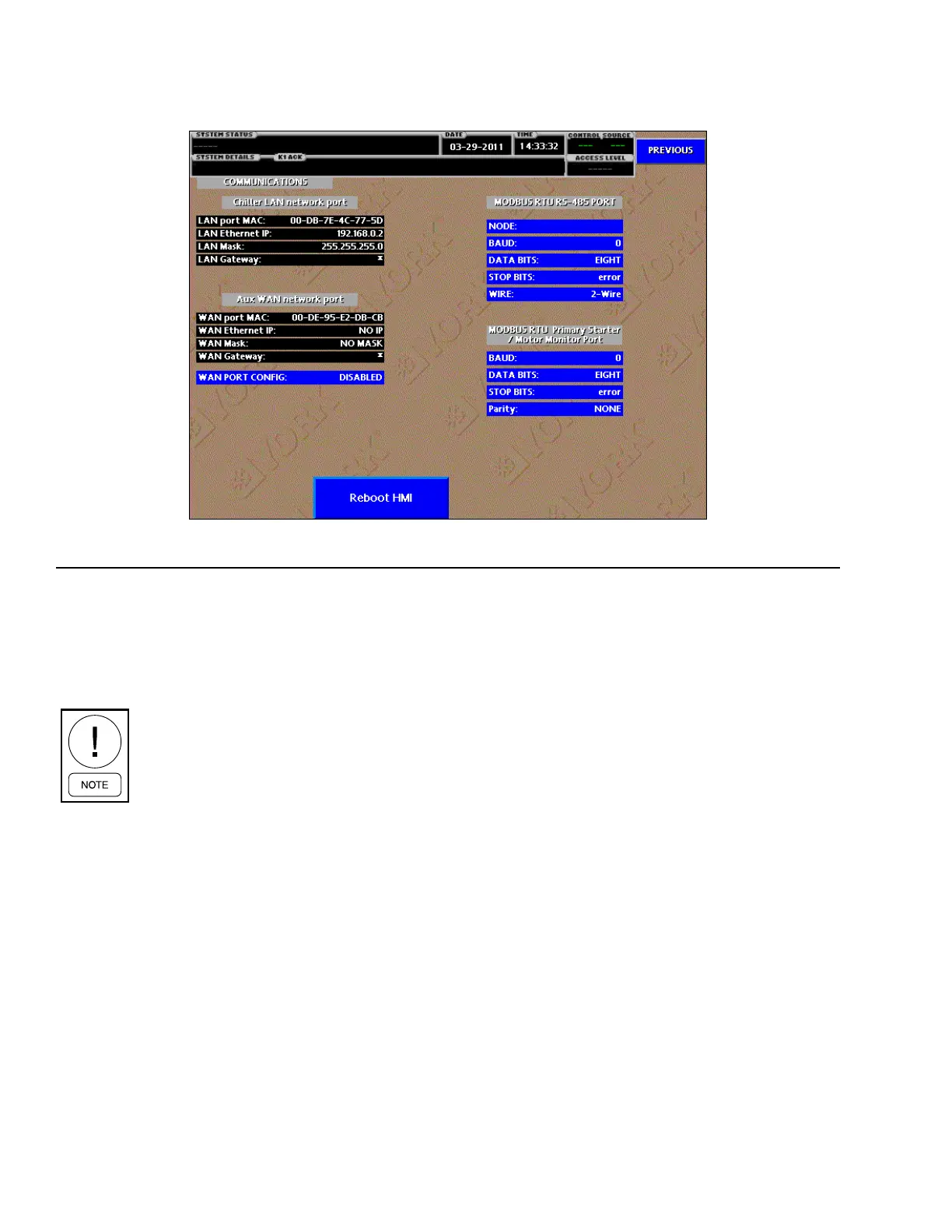
LAN Mask
Displays the subnet mask of the Chiller LAN network port.
LAN Gateway
Displays the gateway address of the Chiller LAN net-
work port.
Aux WAN Network Port
Displays communication parameters for the Auxiliary
WAN network port. These values can be modified us-
ing the WAN PORT CONFIG button described in the
PROGRAMMABLE section below.
WAN Port MAC
Displays the Media Access Control (MAC) address of
the Chiller WAN network port. The MAC address is
static and will not change.
WAN Ethernet IP
Displays the IP address of the Chiller WAN network port.
WAN Mask
Displays the subnet mask of the Chiller WAN network port.
OVERVIEW
This screen allows definition of the configurable com-
munications parameters of the Modbus RTU port.
The Modbus RTU Primary Starter / Motor
Monitor Port values are displayed here,
but are only congurable from the Service
Level and should only be modied by a
qualied YORK service technician.
The entire Modbus RTU slot list is shown in Table 3
on Page 93 (Section 4).
DISPLAY ONLY
Chiller LAN Network Port
Displays the following communication parameters:
LAN Port MAC
Displays the Media Access Control (MAC) address of
the Chiller LAN network port. The MAC address is
static and will not change.
LAN Ethernet IP
Displays the IP address of the Chiller LAN network port.
COMMS SCREEN
LD15864
FIGURE 45 - COMMS SCREEN


 To Next Page
 Loading...








