DP350 User's Manual
- 25 -
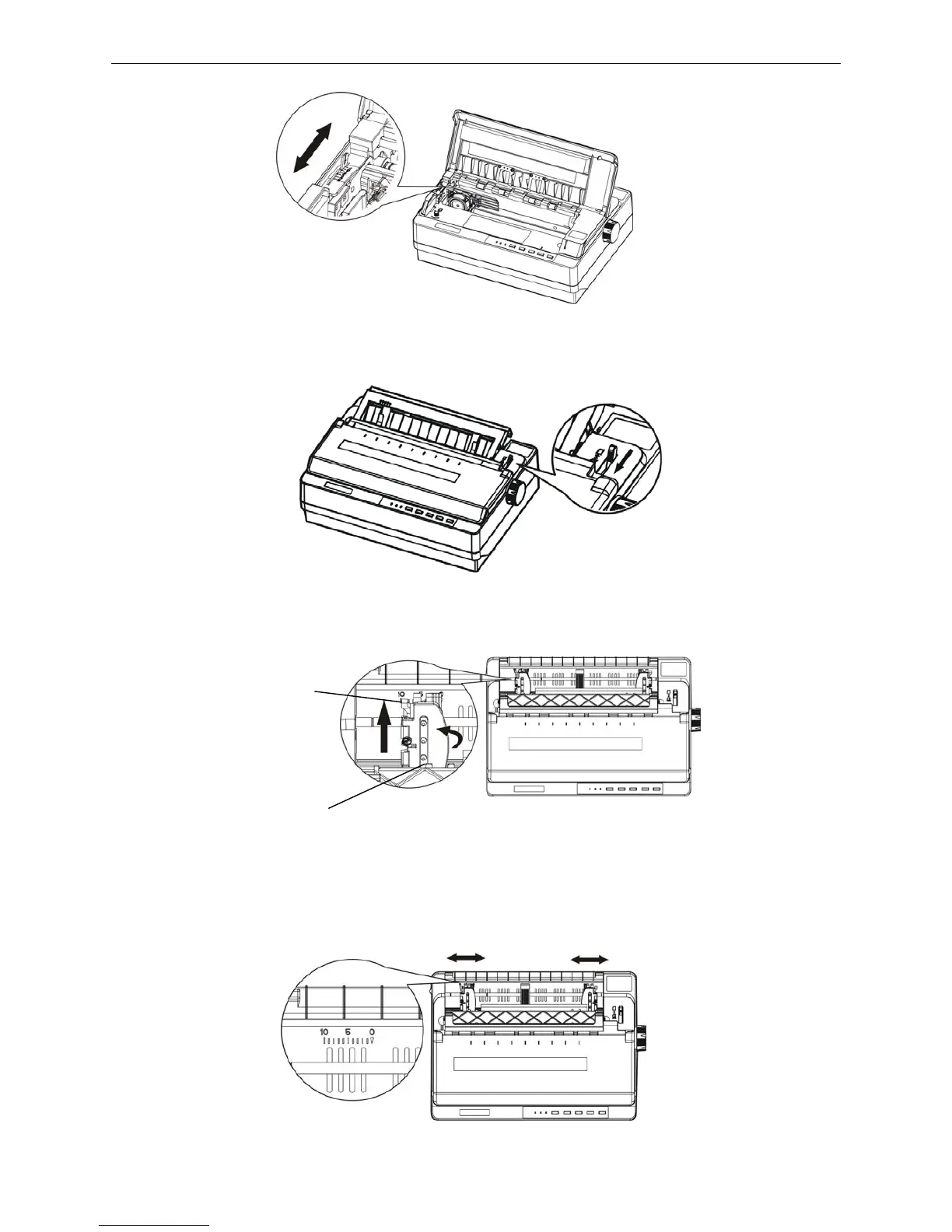
2. Close the window, and set paper-select lever toward the tractor paper position.
3. Pull up the right handle of the tractor to loose the right tractor. (Shown as below)
4. Slide the right paper guide referring to the scale on the printer. The printer prints to the right of the 0
scale. Push the right handle of the tractor back to lock it in place. Then slide the left paper guide to
match the width of your paper, but do not lock it. Move the paper support so it is midway between the
tractors. (Shown as below)
Figure 3-6 Adjust the gap adjust lever
Figure 3-8 Loose the right tractor
Figure 3-9 Adjust the distance between the right and left tractor
Figure 3-7 Adjust the paper-select lever
Right handle
Right tractor cover



 To Next Page