DP350 User's Manual
- 24 -
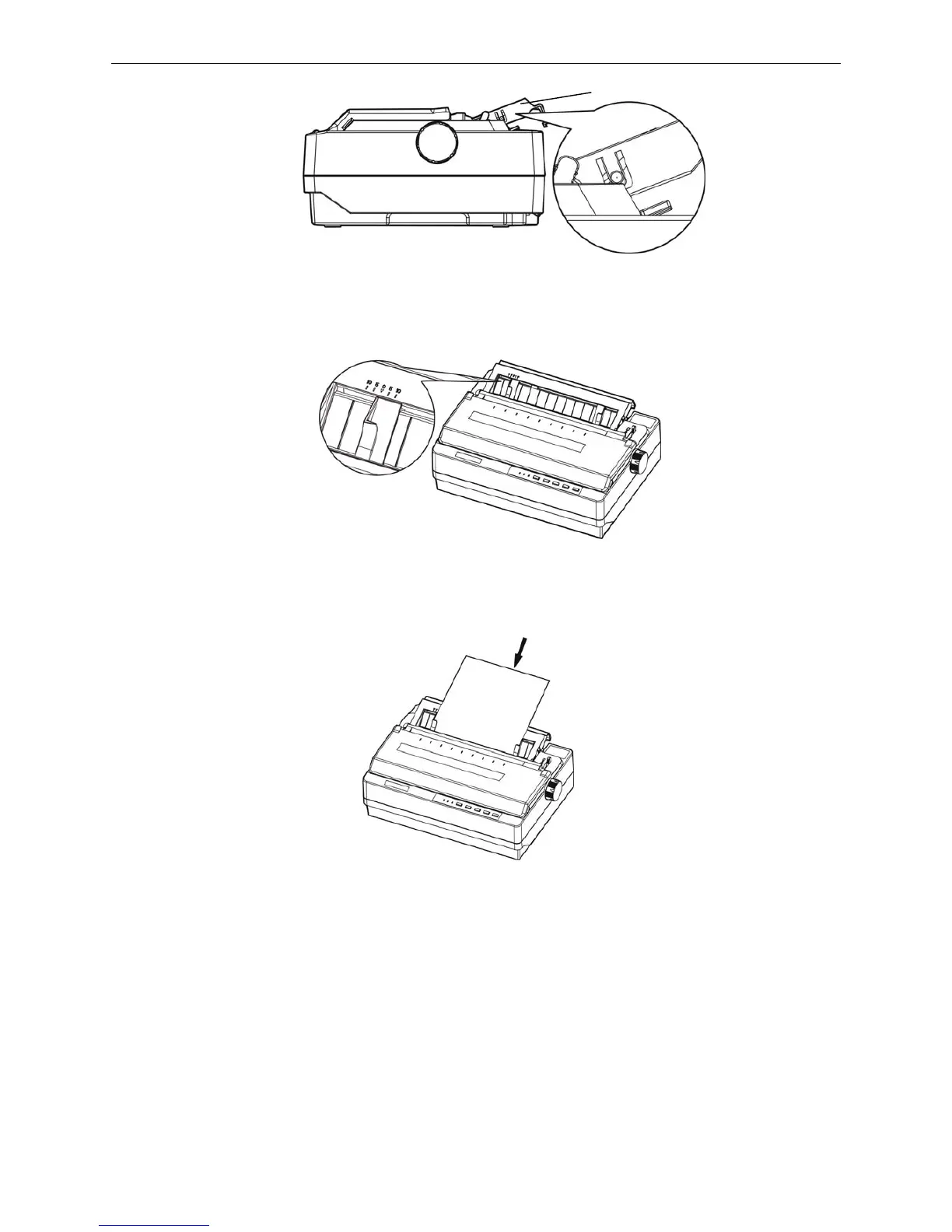
4. Slide the right paper guide of the back cover to the range of the scale. Then adjust the left paper
guide to make the distance match the width of the print paper. (Shown as below)
5. Slide a piece of cut sheet down firmly between the right and left paper guides until it meets
resistance. The printer loads the sheet automatically. (shown as below)
6. Adjust the printing home position according to the steps of chapter 2.4.5 if necessary.
Note: Don’t feed the paper with paper feed knob, or it would influence the paper not feeding
properly.
3.1.2 Loading Tractor Papers
If the print paper is the tractor paper, please refere to the following guide:
1. Make sure the printer is powered off, and open the window of the printer, refers to chapter 2.7 of
this manual, pull the gad adjust lever to tractor paper position according to the paper type.
Figure 3-3 Adjust the position of the back cover
Figure 3-4 Adjust the right and the left paper guides
Figure 3-5 Install cut sheet
Back cover



 To Next Page