– 29 –
❷
❶
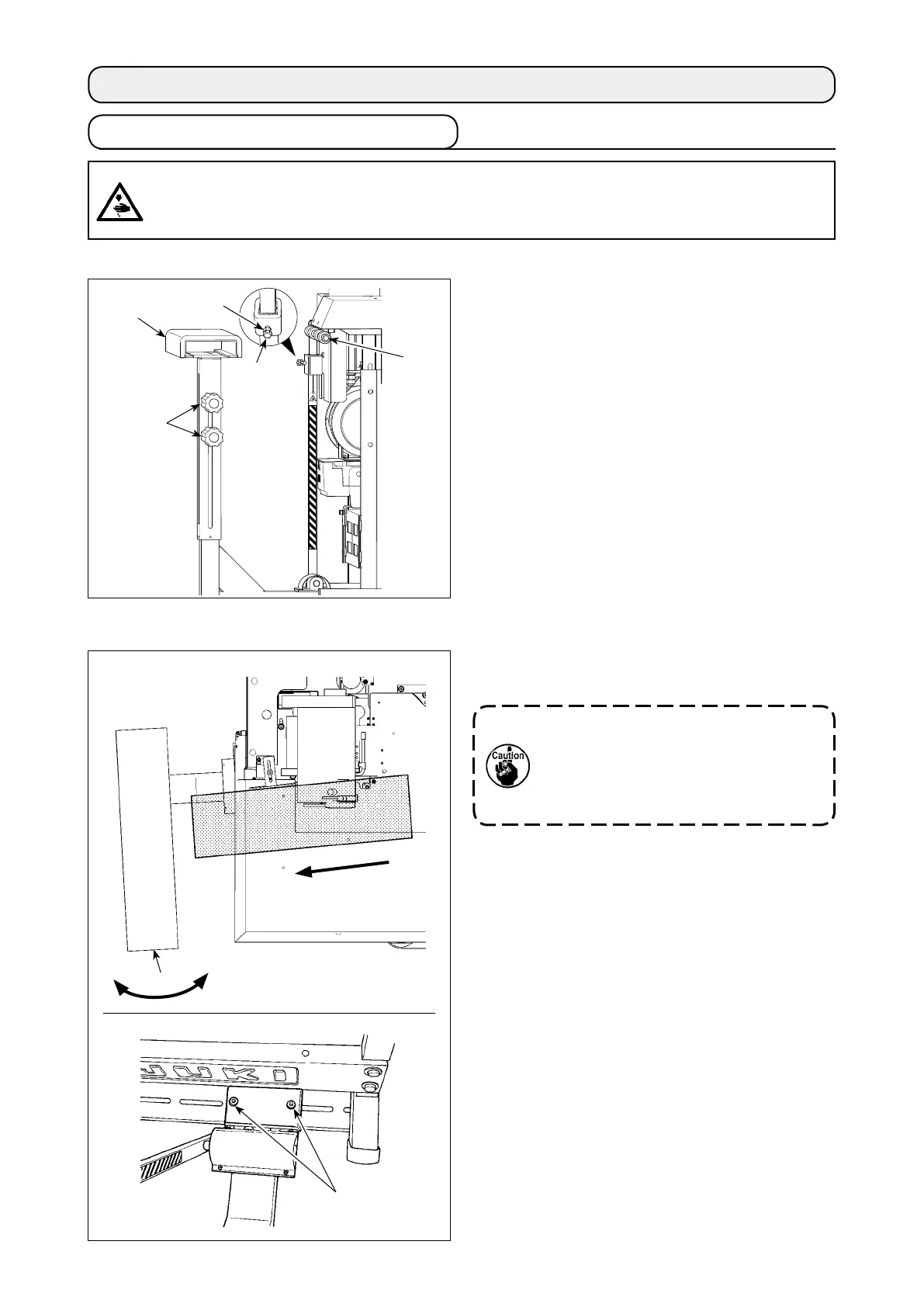
1) Adjust the support board
❶
in accordance with
the type of material to be used.
2) When handle
❷
is loosened, the support board
can be moved up and down. When it is in the
correct position, tighten the handle tightly.
3) Loosen nut
❹
. Loosen hexagon head bolt
❸
and adjust work clamp shaft
❺
in accordance
with the support board. After the adjustment, x
the nut by tightening the hexagon head bolt.
6-1.Stackersupportboardadjustment
(1)Adjustingthestackerheight
Loosen nuts
❶
(at two locations) and adjust the ori-
entation of the stacker unit
❷
.
(2)Adjustingtheorientationofthestacker
6.ADJUSTMENT
Ifthestackedmaterialsarenotneatly
stacked,adjusttheorientationofthe
stackerunitsothatstackersupportboard
❷
isatrightanglestothestackercloth
guide(materialfeedingdirection).
Materialfeedingdirection
CAUTION :
Toavoidpossibleaccidentsbecauseofabruptstartofthemachineorthedevice,turnOFFthepower
tothemachine,andexpelairremaininginthemachinebyremovingthepipeoftheairsupplybefore
carryingoutassemblingoradjustmentworks.
❷
❶
❹
❸
❺


 To Next Page