– 34 –
Once the cloth guide has been adjusted to 5 mm position, check to be sure that the numeric value on the
main digital display shown on the amplier is 3500 or more when no material is placed under the sensor unit,
and that the numeric value on the main digital display is 2500 or less when the material is placed under the
sensor unit.
If the aforementioned requirements are not satised, the machine can malfunction. It is therefore
necessary to adjust the sensitivity of the amplier.
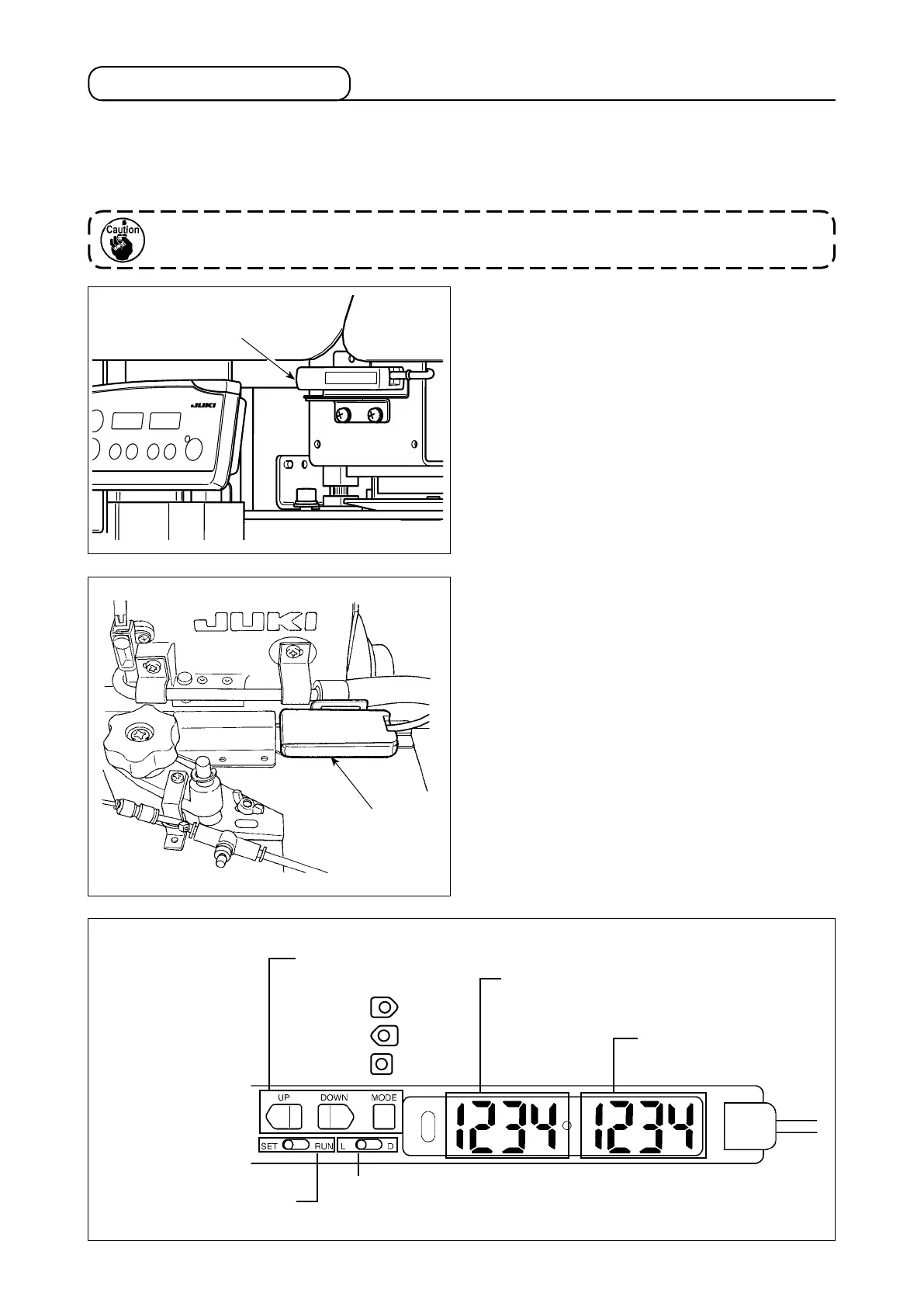
Startup sensor amplier
❶
is located at the position
as illustrated in the gure.
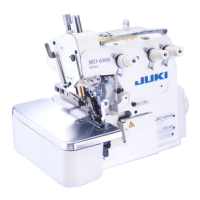
Amplier
❷
for the curve sensor is located at the
rightmost position on the top face of the cloth plate.
6-8. Adjusting the sensors
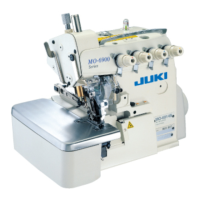
Main digital display (indication in red)
The amount of light received is displayed.
Sub digital display
(indication in green)
The threshold is displayed.
SET/RUN changeover switch
SET/RUN mode changeover
Function keys
Setting and operation
of the functions
UP
DOWN
MODE
The switch for the start sensor is assigned to D.
The switch for the curve sensor is assigned to L.
❷
❶


 To Next Page