– 35 –
(1)Settingthesensitivityoftheamplierforthestartsensorandcurvesensor
1)
Adjust the clearance provided between the cloth
guide and cloth plate to 5 mm before starting
adjustment.
Turn on the power to the machine.
2) Open the sensor amplier cover.
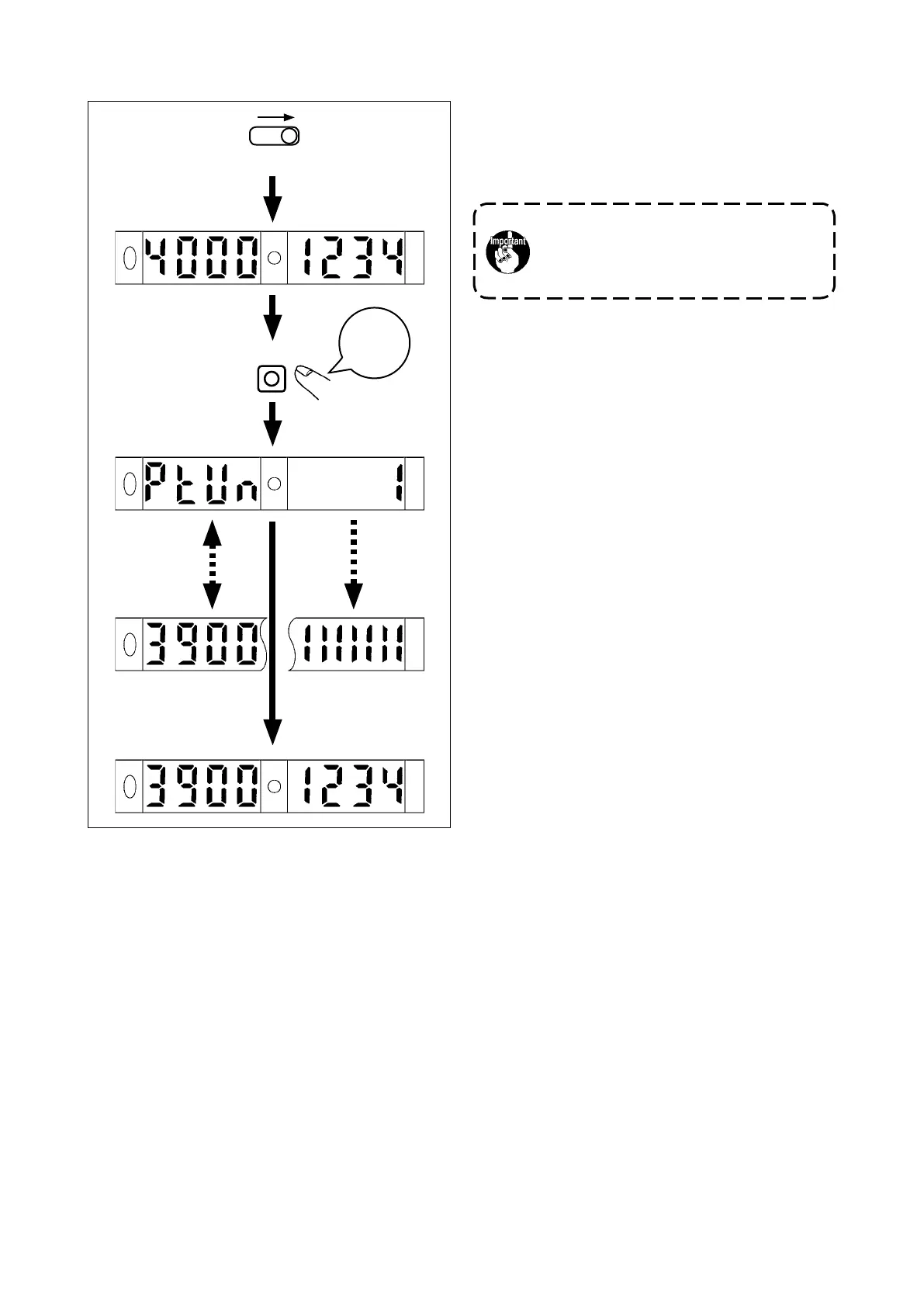
3) Place the SET/RUN changeover switch in RUN.
4) Keep the MODE button held pressed for three
seconds.
(Release the key when the progress bar ap-
pears on the operation panel.
5) The sensitivity adjustment is completed and the
turning indicator lamp lights up.
6) The adjustment is completed and the power
tuning indicator lamp lights up.
Close the sensor amplier cover.
3
seconds
MODE
Amountoflight
received
Threshold
(settingatthe
time of delivery)
PTUN
Progressbar
Targetvalueforthe
powertuning
Indication
automatically
changesat
predetermined
intervals.
Amountoflight
received
Threshold
RUN
(Settingatthetimeofdelivery)
Be sure to carry out adjustment under the
machinesettingmodeinordertoprevent
accidents caused by abrupt start of the
machine.


 To Next Page