29
5 Operation
5.5 Fixed-setpoint controller (ex-factory)
Altering the
setpoint
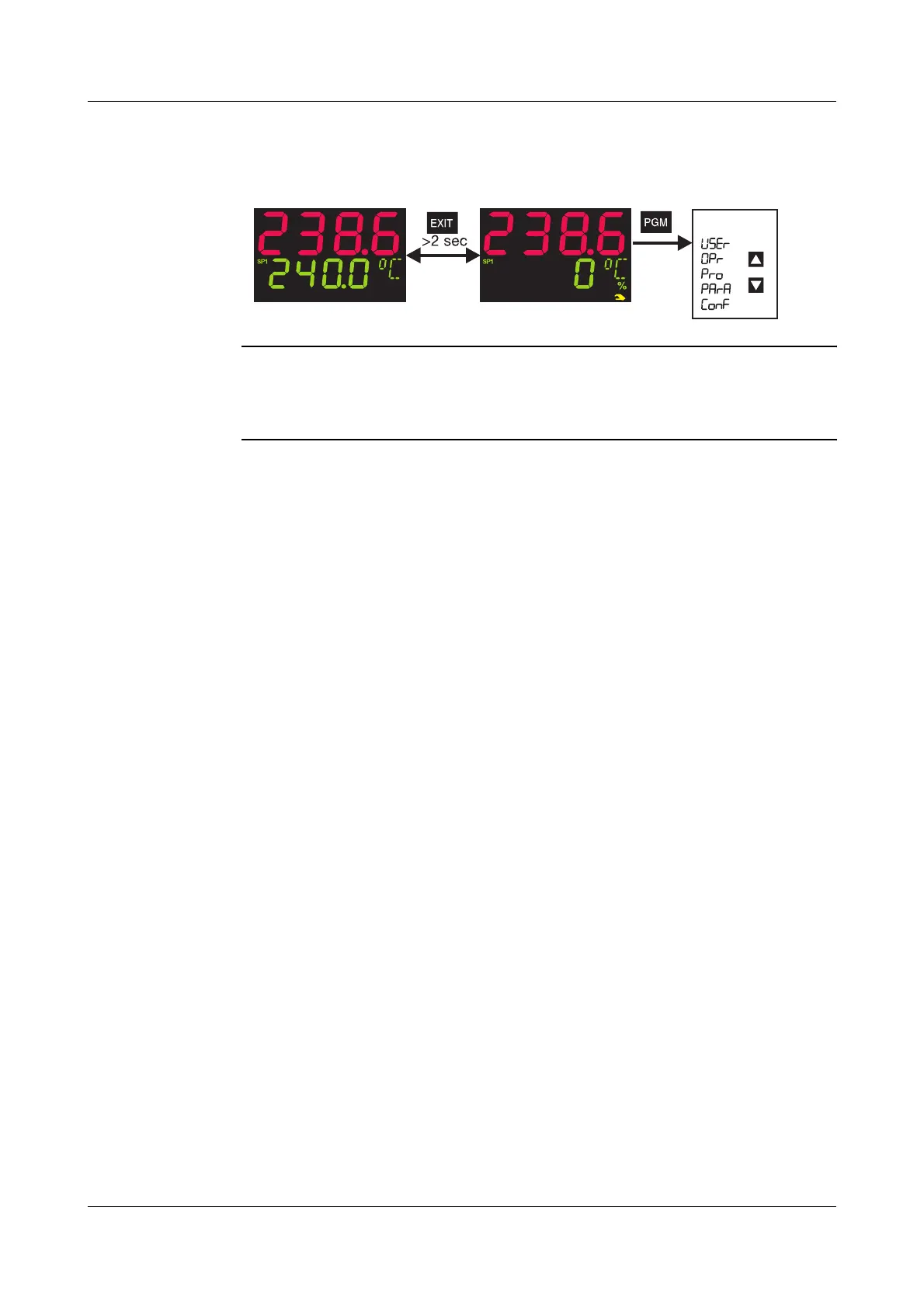
In normal display:
h Alter the present setpoint with
I and D
(the value is accepted automatically)
Manual mode In manual mode, the controller output can be altered by hand.
h Change to manual mode with
X (> 2 sec)
The output appears in the lower display. The hand symbol and the unit “%” light up in
addition.
h Alter the output with
I and D
In the case of a modulating controller, the actuator is opened or closed using the keys.
The various levels can be accessed from the manual mode.
h Finish manual mode with
X (>2 sec)
The output entry on a changeover is configurable. The manual mode can be inhibited.
v Chapter 8.2 “Controller “Cntr””
Additional operating options for the fixed-setpoint controller can be implemented via
the binary functions.
v Chapter 8.6 “Binary functions “binF””
On overrange/underrange and probe break, the controller automatically changes over
to manual mode.
Normal display
Manual mode



 To Next Page