67
10 Extra codes
10.1 Math and logic module
The setup program can be used to implement two mathematical calculations or logical
combinations of various signals and process variables from the controller in a formula.
With math formulae, the calculated result is presented through the two signals
“Math 1” and “Math 2” of the analog selector. With logic formulae, the result of the
logical combination is available through the signals “Logic 1” and “Logic 2” of the
binary selector and when configuring the binary functions.
Chapter 8.6 “Binary functions “binF””
Entering formulae - The string of signs in the formula consists of ASCII characters, and can have a
maximum length of 60 characters.
- The formula can only be entered in the setup program.
- Formulae can be freely entered according to normal mathematical rules.
- Spaces can be inserted at will into the formula character string. But spaces are not
permitted within function labels, variable names and constants.
10.2 Difference, humidity or ratio controller
The controller is preset either as a difference/humidity or ratio controller (extra code)
or must be configured via the setup program. Analog input 2 must be available.
v Setup/Only setup/Math/Logic/Math 1
The process variables for the two analog inputs have a fixed definition.
Difference
control
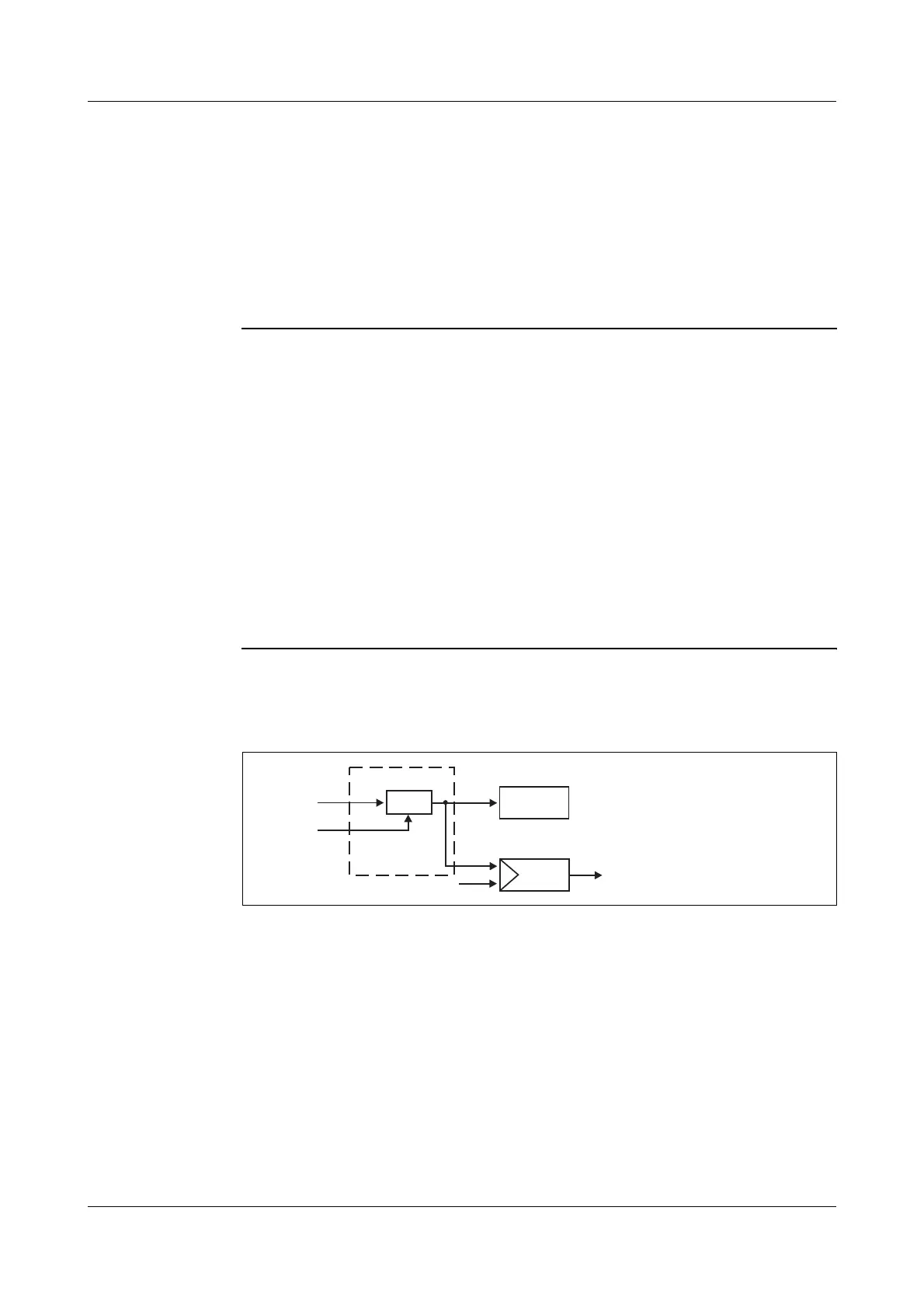
The difference between the measurements from analog input 1 and 2 is formed and
made available via “Math 1”. Input 1 is affected by the controller. Input 2 is the refe-
rence value.
Difference: E1-E2
For the controller to function as a difference controller, further settings have to be
made:
- controller process value: math 1
v Chapter 8.2 “Controller “Cntr””
If the difference is to be displayed, then one display must be configured to “Math 1”.
v Chapter 8.7 “Display “diSP””
Upper
display
E1 - E2
Math
x
w
E1
E2
E1
E2
w
x
= analog input 1
=2
= setpoint
= process value
analog input



 To Next Page