NOTES:
•Audi(> dubbing is possible using an optional micr(>ph(>ne c(;nnected to the external micr_>phone input
connector (MIE;.
• While an optional inioophone is corlrlected, the built-in n'licr(_phone is disabled.
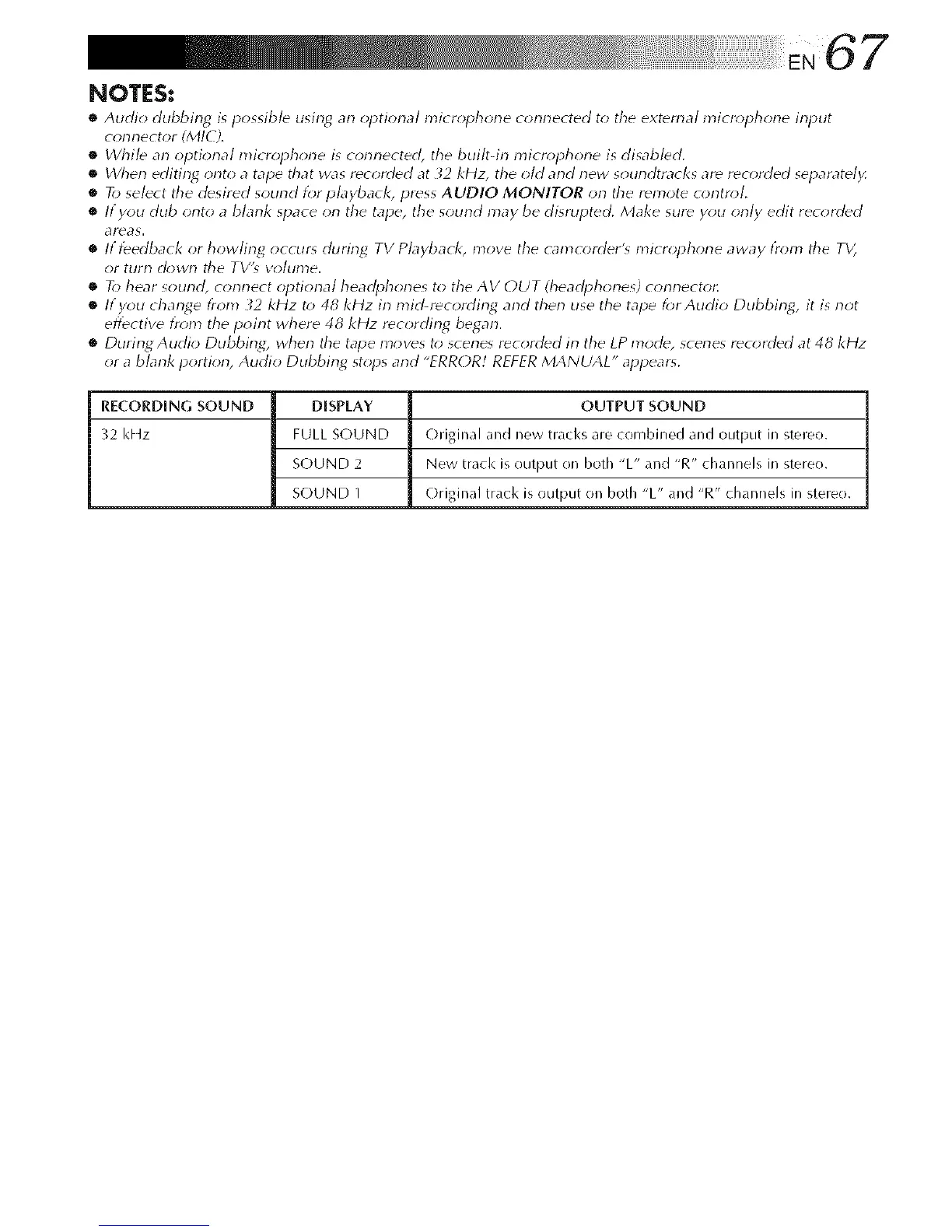
• When editing onto a tape &at was recorded at _2 kHz, the old and new soundtracks are reck*reed separately.
• R> select &e desired sound f_r pbybacl<, press AUDIO MONITOR on &e remote contn_l.
• If you dub onto a blank space on the tape, the sound may be disrupted. Make sure y_;lt only edit recorded
_]reas.
• If feedback or howling occur_ during TV Pbybacl<_ move the cam_ (>rder's micr(*phone away l?_*ll_ the TV_
or turn clown the TVb vohlme.
• R> hear sound, connect optional headphones to the AV OUT (headphones) connecto_
• If you change from _2 kHz t(> 48 kHz in raM-recording and then use the tape lbr Audio Dubbing, it is not
eflbctive fr(m_ the point where 48 kHz recording began.
• During Audio Dubbing, when the tape moves t(> scenes recorded in the LP mode, scenes rec(>rded at 48 kHz
or a blank portion, Audio Dubbing st(*ps and "ERROR/ REFER MANUAL" appears.
RECORDING SOUND DISPLAY OUTPUT SOUND
32 I<Hz FULL S(-)UND C)riginal and new tracks are combined and output in stereo.
SOUND 2 New track is output on both "L" and "R" channels in stereo.
SOUND 1 Original track is output on both "L" and "R" channels in stereo.



 To Next Page