If,afterfollowingtilestepsintilechartbelow,tileproblemstillexists,pleaseconsuhyournearestJV(
dealer.
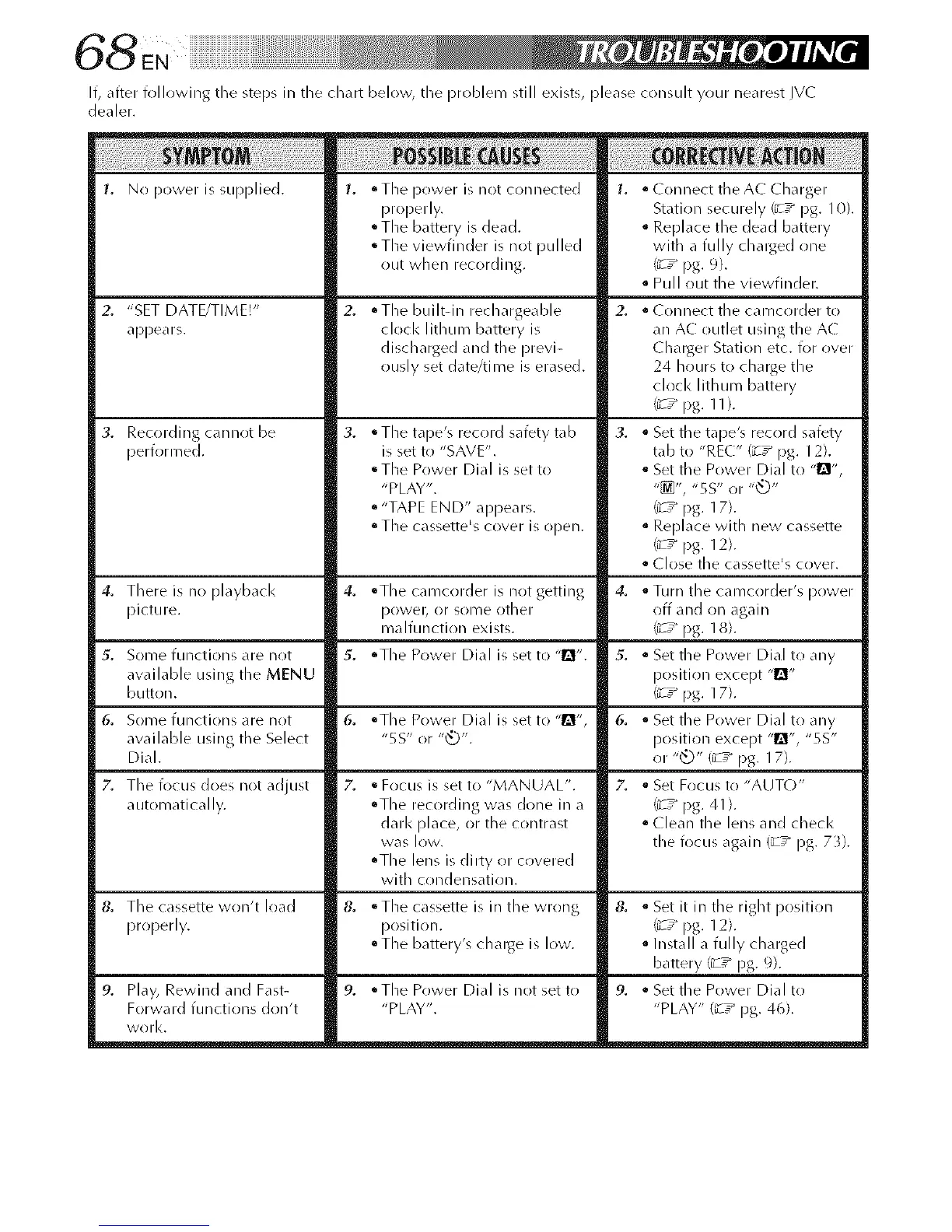
1. No power is supplied. 1. • Tile power is not connected
properly.
°The battery is dead.
°The viewfinder is not pulled
out when recording.
• Connect the AC Charger
Station securely (_ ," pg. 10).
Replace tile dead battery
with a fully chalged one
(_ r pg. 9).
• Pull out the viewfinder.
2. "SET DATE/TIME!"
appears.
3. Recording cannot be
performed.
oTlle builtdn rechargeable
clock lithum battery is
discharged and the previ-
ously set date/time is erased.
QTile tape's record safety tab
is set to "SAVE".
• The Power Dial is set to
"PLAY".
• "TAPE END" appears.
• Tile cassette's cover is ()[)ell.
2,
3,
• Connect the camcr)rder to
an AC outlet using tile AC
Charger Station etc. for over
24 hours to charge the
clock lithum battery
(_srpg. ll).
• Set tile tape's record safety
tab to "REC" (_r pg. 12).
• Set the Power Dial to -@1"
"_", "5S" or "_"
1_ ," pg. 17).
• Replace with new cassette
(_ r pg. 12).
• (lose the cassette's cr)ver.
4. There is n() playback
picture.
_'. S()lll@ functi(/ns are not
available cising tile MENU
button.
6. S()lll@ functions are not
available clsing the Select
Dial.
Z Tile focus does not adjust
automatically.
4. °The camcorder is not getting
p()wel_ (11"s()n/e other
malfunction exists.
5. °The Power Dial is set to "!_".
6. °The Power Dial is set to "l_",
"5S" or "_".
• Focus is set to "MANUAL".
• Tile recording was done in a
darl< [)lace, or the contrast
was lOW.
• The lens is dirty or covered
with condensation.
4. • Turn tile camcorder's power
off and on again
('_r pg. 18).
5. • Set the Power Dial to any
posititm except "1ii"
('_r pg. 17).
6. • Set the Power Dial to any
position except "_", "5S"
or "@" (_w pg. 17).
Z • Set Focus to "AUTO"
('; r pg.41).
• Clean the lens and checl<
the focus again (_-T_ pg. 73).
8. Tile cassette won't load
properly.
9. Play, Rewind and Fast-
Forward functions don't
work,
8. • Tile cassette is in tile wrong
position.
QThe battery's change is low.
9. oThe Power Dial is not set to
"PLAY".
8. • Set it in the right position
(_ ,_pg. 12).
Install a fully charged
battery (_-T_ pg. 9).
9. _ Set the Power Dial to
"PLAY" (_T_ pg. 46).



 To Next Page