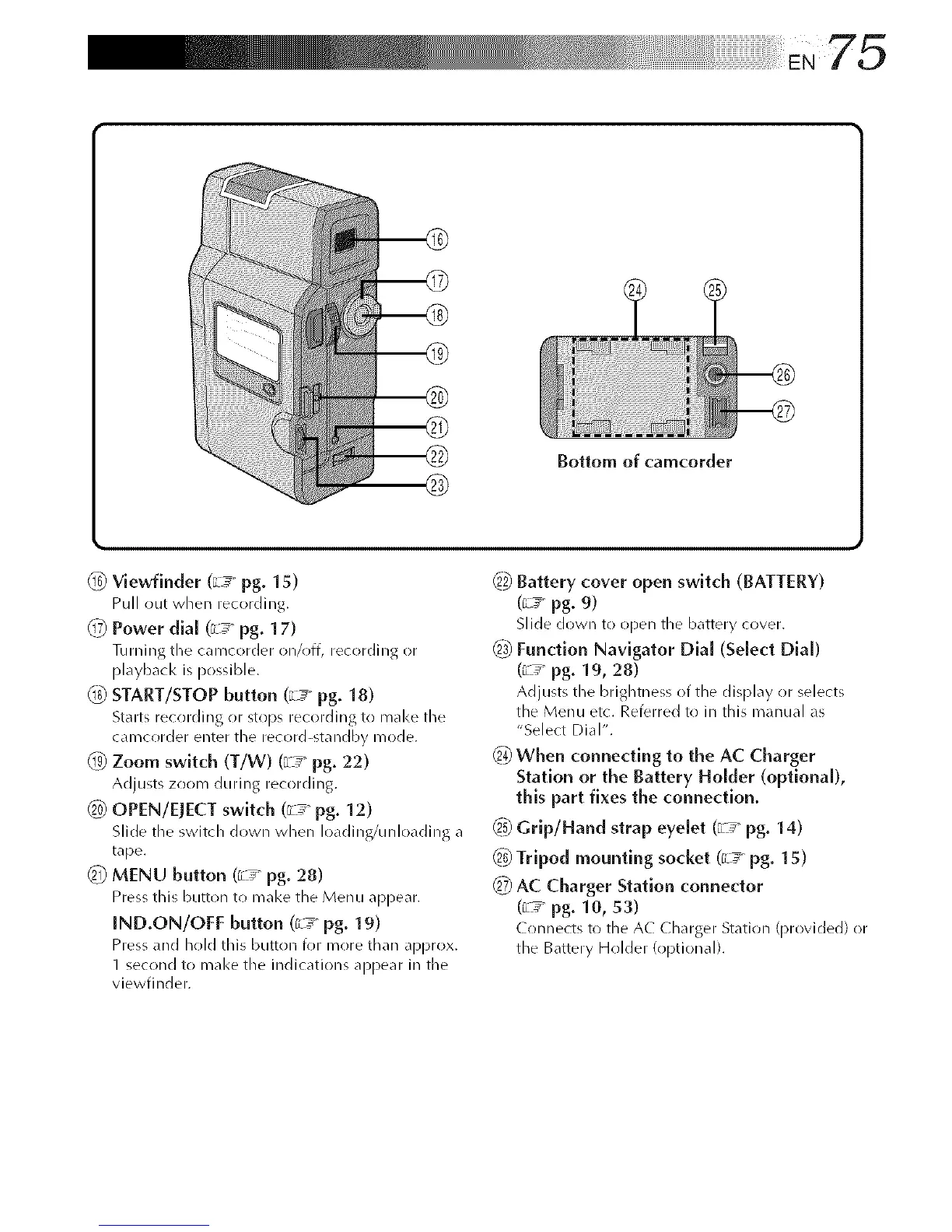
Bottom of camcorder
_6_ Viewfiuder (_ pg. 15)
Pull out when recording.
@ Power dlal (_L_ pg. 17)
Turning the carecorder on/off, recording or
playback is possible.
1_ START/STOP button (_ _ pg. 18)
Starts recording or stops recording to make the
camcorder enter the record-standby mode.
_-g_Zoom switch (T/W) (_L_ pg. 22)
Adjusts zoom during recording.
_ OPEN/EJECT switch (_ _ pg. 12)
Slide the switch down when loading/unloading a
tape.
_ MENU button (_ _ pg. 28)
Pressthis button to make the Menu appear.
IND.ON/OFF button (_ pg. 19)
Pressand hold this button k)r mr)re than approx.
1 second to make the indications appear in the
viewfinder.
_2_Battery cover open switch (BATTERY)
(_L_ pg. 9)
Slide down to open the battery cover.
_ Function Navigator Dial (Select Dial)
(_ _ pg. 19, 28)
Adjusts the brightness of the display or selects
the Menu etc. Referred to in this manual as
"Select Dial".
When connecting to the AC Charger
Station or the Battery Holder (optional),
this part fixes the connection.
_5_Grlp/Hand strap eyelet (_L_ pg. 14)
_ Tripod mounting socket (G__pg. 15)
_7_AC Charger Station connector
(G__ pg. 10, 53)
Connects to the AC Charger Station (provided) or
the Battery Holder (r)ptional).



 To Next Page