10-6 Return to Section Topics 6482-901-01 Rev. A / August 2012
Section 10: Limit Testing Model 6482 Dual-Channel Picoammeter / Voltage Source Reference Manual
• S/W-LIMITS: Use this menu item to control, set limits for, and define output bit patterns for
Limit 3 to Limit 6 tests:
– CONTROL: Use to ENABLE or DISABLE the test.
– LOLIM: Use to set the low limit.
– HILIM: Use to set the high limit.
– FEED: Use to select the data source for the Limit 3 through Limit 6 tests. Specify MSR1
or MSR2 (channel 1 or channel 2 measurement function), RATIO, or DELTA.
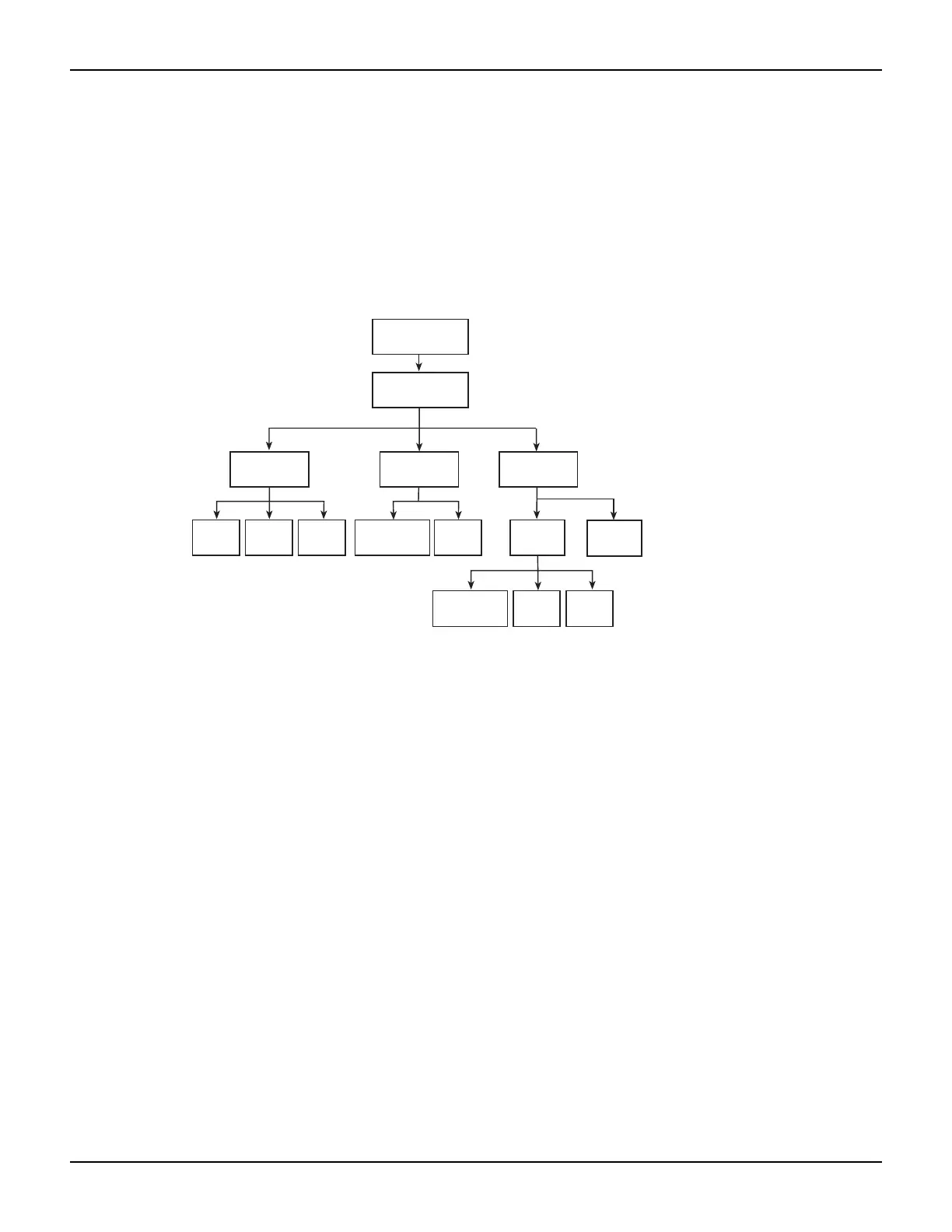
Figure 10-3
Limits configuration menu tree
Performing limit tests
Perform the following steps to run limit tests:
Step 1. Configure test system.
As previously explained in Section 2, your test system could be as simple as connecting one or
two DUTs to the Model 6482. Adding a scanner to the test system allows you to test multiple
devices.
Step 2. Configure bias source and measure functions.
Configure the Model 6482 operation as follows:
1. Select the source channel by pressing the SRC1 or SRC2 key.
2. Set the source level value.
3. Press the MSR1 or MSR2 key to select the measurement channel, then choose the measure-
ment range.
Refer to Section 3, “Basic Operation,” for more information.
Step 3. Configure limit tests.
Select and configure the following limit tests parameters as explained in Configuring limit tests:
• Set the H/W-LIMITS and S/W-LIMITS parameters.
Config
Digout
ModeSize Control
Control
Feed
Limits
3-6
H/W
limits 1, 2
S/W
limits
Fail
mode
LOLIM HILIM
Limit
Auto
Clear



 To Next Page