Getting Started
15
2.2.2 TCE80xx-S
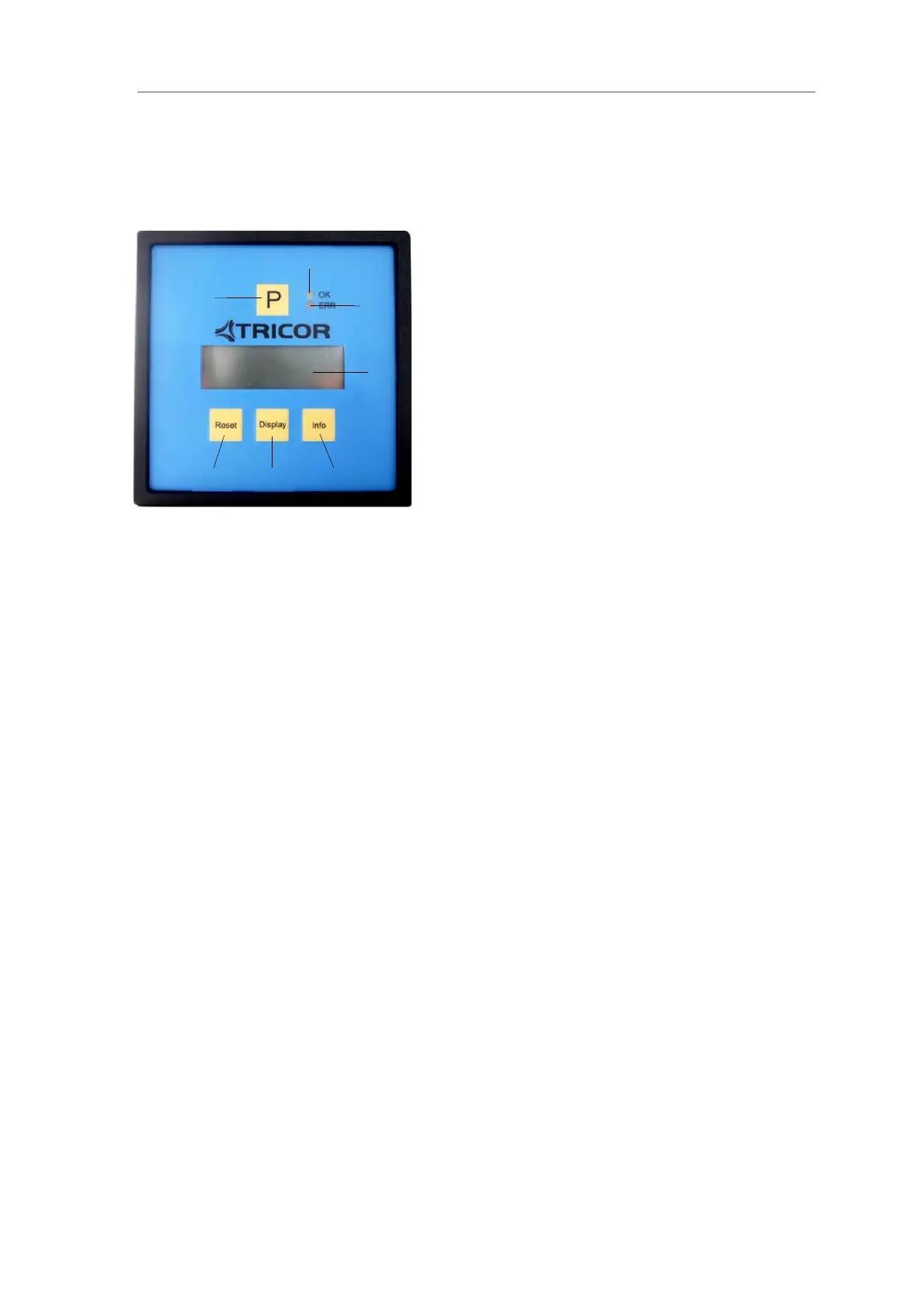
Fig. 5: Operating Elements of TCE80xx-S
1 = Pushbutton “P”, activates / selects the different menus and confirms the settings
2 = LED “OK”, flashes green when there is no error
3 = LED “ERR”, flashes red when an error occurs
4 = Display
5 = Pushbutton “Info”, normal: selects the status menu, SETUP: softkey
6 = Pushbutton “Display”, normal: toggles the display, SETUP: softkey
7 = Pushbutton “Reset”, normal: resets the batch counter, SETUP: softkey
For the rear view see chapter 2.3
1
2
3
4
5
6 7


 To Next Page
 Loading...