Getting Started
27
2.4.3 CONTROL Menu
In the CONTROL menu all configurations can be made. This includes configuration of the analogue and
digital outputs, customizing the display and other settings.
The menu itself is self-explaining, the function of the softkeys (5, 6, 7) is indicated in the display above the
pushbutton.
For entering the CONTROL menu press the pushbutton “P” (4) for 3 seconds.
The submenu DISPLAY can be entered without a password as any changes in this submenu will not affect
the operation of the unit.
The submenus SETUP, I/O-TEST and SERVICE are password protected for avoiding unintentional changes
of the operating parameters.
For SETUP and I/O-TEST the password is “2207”, for SERVICE refer to chapter 6.4.
Change the indicated number “2206” with the softkey “up” (6) to “2207” and confirm with “P” (4).
Select the desired submenu with the softkeys and confirm with “P” (4).
Every setting must be confirmed with “P” (4) for storing the setting or with “E” for exiting without storing.
For leaving the SETUP menu press “E” (7) in the main level.
2.4.4 Using the magnet
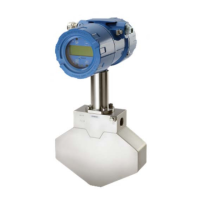
The Ex versions with the big blue Ex d housing come with a magnet for operating the pushbuttons through a
closed window cover.
Wirth those units in hazardous, wet and dusty areas the display cover must not be opened to operate the
pushbuttons.
Beside every pushbutton there is a hall sensor which can be operated via the magnet attached to the
housing.
For operating the keys hold the magnet to the glass.
The best positions for operating the keys are:
Key position
P right edge of the yellow area
Reset left edge of the yellow area
Display lower edge of the yellow area
Info right edge of the yellow area


 To Next Page
 Loading...