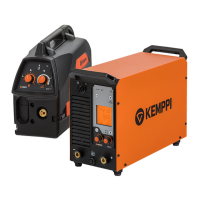
X8 MIG WELDER 2.5 Operation
Introduction to digital WPS (dWPS)
A Digital Welding Procedure Specification (dWPS) is a WPS in digital format that automatically
adjusts the settings of X8 MIG Welder when selected.
A WPS is a document that describes how a particular type of weld is to be carried out. It defines
the welding parameters, and provides direction to the welder or welding operator. The goal is
to achieve quality welds and repeatability in production. A separate WPS is developed for each
material alloy and each welding type.
Kemppi's WeldEye cloud service provides tools for creating and editing WPSs. When the welding
system is connected to WeldEye, dWPSs are automatically transferred to the power source
memory of all welding machines connected to WeldEye. If no Internet connection is available,
it is possible transfer the dWPSs on a USB stick. The user can then view, activate and select the
dWPSs with Control Pad. It is also possible to select dWPSs through the wire feeder display or the
welding gun remote control.
When a dWPS is selected, the welding system settings are automatically adjusted accordingly.
This decreases the possibility of errors and makes the work faster and easier as manual
adjustments are not necessary. However, fine tuning of the parameters is still possible. The user
can see the detailed information about the dWPS as well as the related joint design and welding
sequence drawings on the Control Pad. No paper copy of the WPS is needed. As the same dWPSs
can be automatically transferred to several welding machines, it is easy to have the same settings
in all the machines.
Figure 25: dWPS process
For more information on WeldEye, see Introduction to WeldEye.
Activating WPS
Proceed as follows:
1.
Go to the View menu (in the Welding view, press the middle view button) and select WPS.
If no WPS is currently active, the following view opens:
OPERATING MANUAL | EN 125
©
KEMPPI 2017 | 1817


 To Next Page
 Loading...