16 DDX6021BT/DDX6051BT/DDX4021BT/DDX4051BT/DDX3021/DDX3051
Playback operations
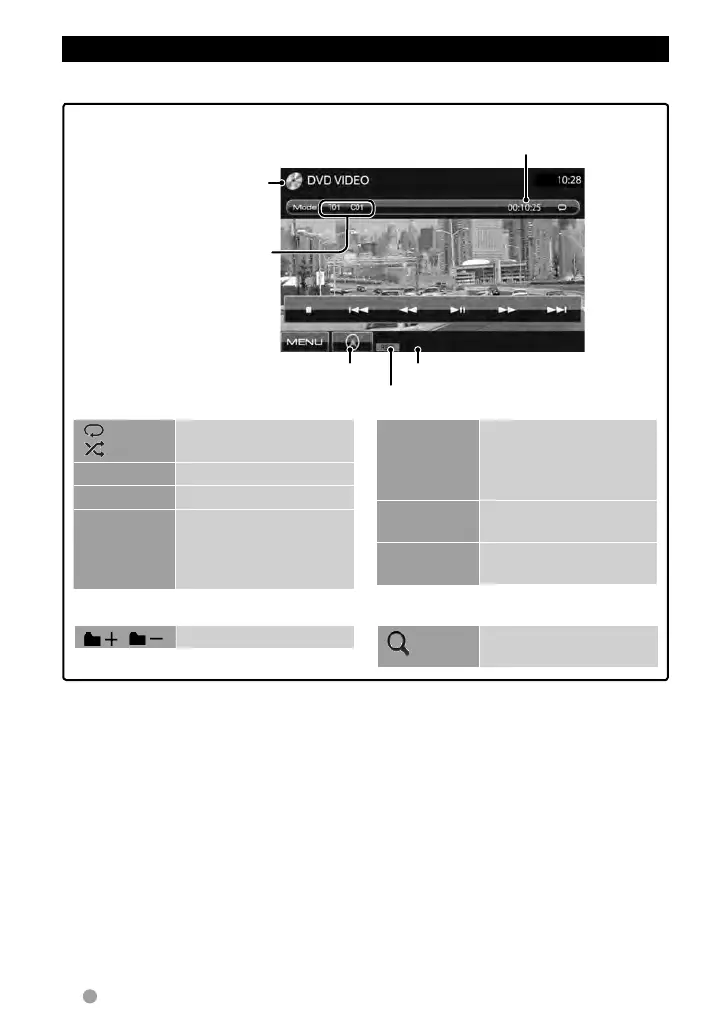
To display the source control screen, ☞ page 13.
For DVD/DVD-VR/VCD/DivX/MPEG1/MPEG2/JPEG
Media type
Playing time
• DVD Video: Title no./Chapter
no.
• DVD-VR: Program no. (or
Playlist no.)/Chapter no.*
1
• DivX/MPEG1/MPEG2: Folder
no./Track no.
• JPEG: Folder no./File no.
• VCD: Track no.
☞ page 32
Playback mode
File type (for DivX/MPEG1/MPEG2/JPEG)
[ ]
[
]*
2
Selects playback mode.
(☞page19)
[3 8]
Starts/Pauses playback.
[7]*
3
Stops playback.
[4] [¢]
• Selects chapter/track.
(Press)
• Reverse/forward
search.*
4
(Hold)
[1] [¡]
• Reverse/forward search
during playback.*
4
• Plays back in slow-
motion during pause.
[Mode]*
5
Changes the settings for
disc playback. (☞page20)
[MENU]
Displays <Top Menu>
screen.
• For DivX/MPEG1/MPEG2/JPEG, the following buttons also appear:
[ ] [ ] Selects folder.
[ ]
Displays folder/track list.
(☞page17)
*
1
To display the Original Program/Playlist screen, ☞page18.
*
2
Does not appear for DVD/DVD-VR/JPEG.
*
3
Appears only for DVD/DVD-VR/VCD.
*
4
Search speed varies depending on the type of disc or file.
*
5
Does not appear for VCD.
EN_LVT2269-001A_EQ.indb 16EN_LVT2269-001A_EQ.indb 16 11/11/28 10:0811/11/28 10:08



 To Next Page