English 37
Setting for video playback
You can change the setting for video playback.
Picture adjustment
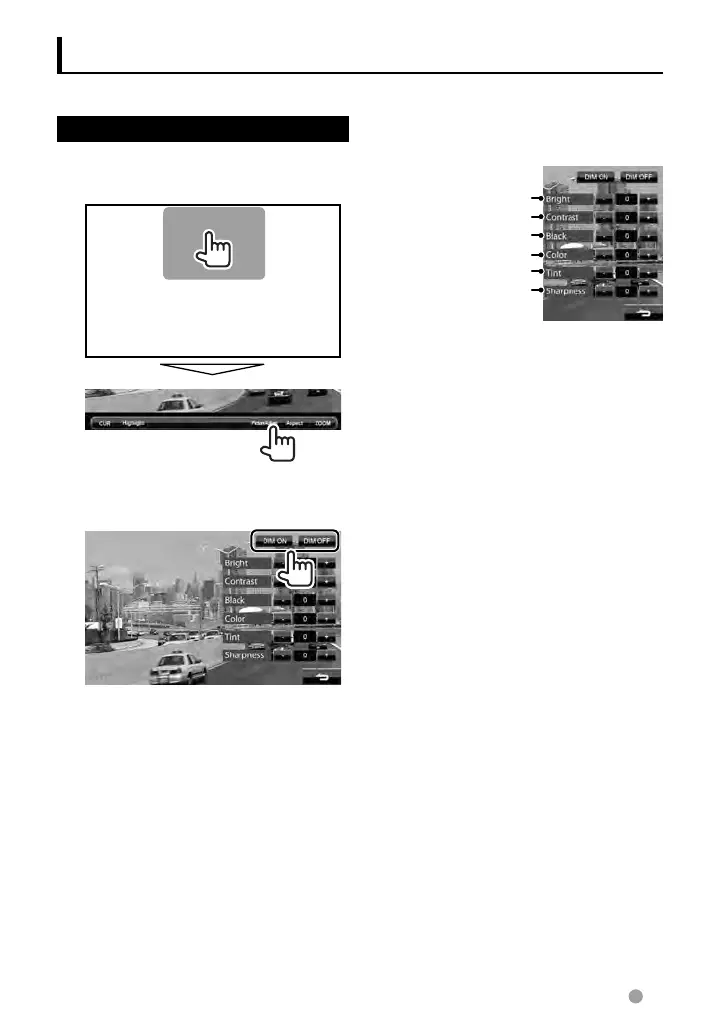
You can adjust the picture quality.
1 Display the adjustment menu.
2 Select dimmer on (<DIM ON>)
or off (<DIM OFF>).
3 Adjust the picture (–15 to
+15).
Adjusts the brightness
Adjusts the contrast
Adjusts the tint*
Adjusts the color
Adjusts the black
Adjusts the sharpness
* Adjustable only when the incoming signal is
NTSC.
EN_LVT2269-001A_EQ.indb 37EN_LVT2269-001A_EQ.indb 37 11/11/28 10:0811/11/28 10:08



 To Next Page