36 DDX6021BT/DDX6051BT/DDX4021BT/DDX4051BT/DDX3021/DDX3051
Using your favorite scene as the
background
While playing a video or JPEG, you can
capture an image and use the captured
image as a background.
• You cannot capture copyrighted content
and images from iPod/iPhone.
• When using a JPEG file as the background,
make sure that the resolution is 800 x 600
pixels.
• The color of the captured image may look
different from that of the actual scene.
1 Play back a video or JPEG.
2 Display <User Customize>. (☞
page 35)
3
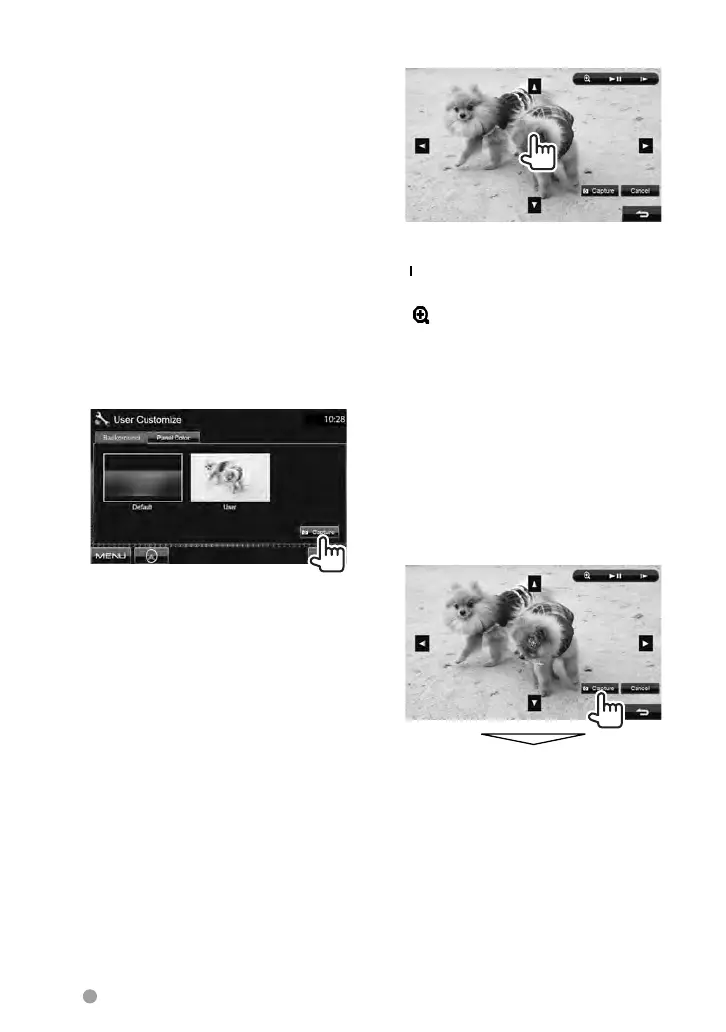
4 Adjust the image.
[38]* Starts/Pauses playback.
[
3]* Advances scenes frame-by-
frame.
[
]
Magnifies the scene.
(<OFF>, <Zoom1> –
<Zoom3>)
[5] [∞]
[2] [3]
Moves the zooming frame.
• To cancel the capture screen, press
[Cancel].
*
Not displayed when playing an external
component connected to AV-IN input
terminal.
5 Capture the image displayed
on the screen.
A confirmation message appears. Press
[Ye s ] to store the newly captured image.
(The existing image is replaced with the
new one.)
• Press [No] to return to the previous
screen.
EN_LVT2269-001A_EQ.indb 36EN_LVT2269-001A_EQ.indb 36 11/11/28 10:0811/11/28 10:08



 To Next Page