PLE-BA-e-0812
14
⇒
⇒
⇒
⇒
⇒ +
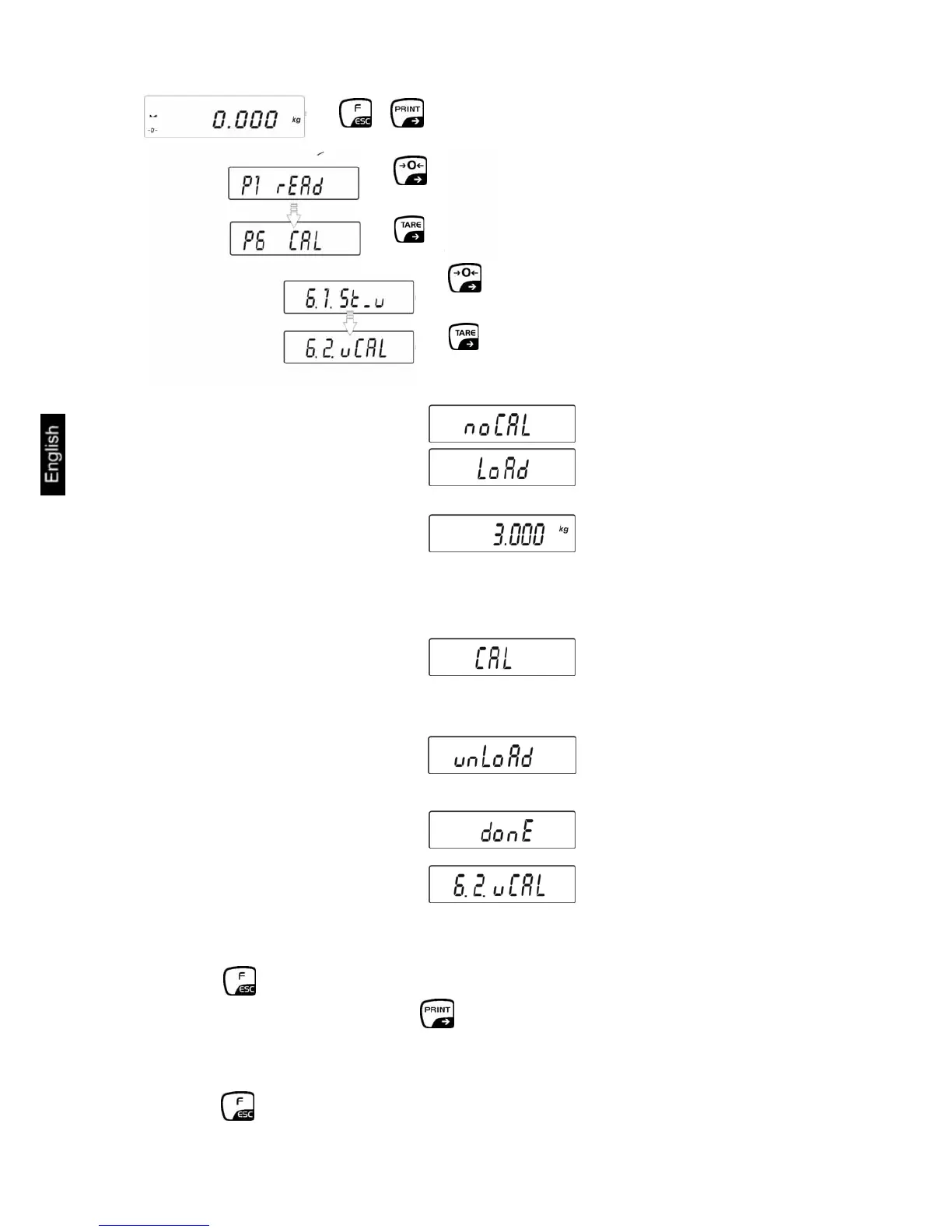
The weight value of the required adjustment weight will pop up:
Place the required calibration weight carefully in the centre of the weighing plate and
press the PRINT key. CAL appears on the display, adjustment is automatically
started.
Once the adjustment has been completed, unLoAd will appear in the display
Take away adjustment weight
• Return to weighing mode
Press the button repeatedly until the "SAVE"? inquiry appears.
Confirm the inquiry by pressing the button to save the changes and to return to
Weighing mode.
-or-
press the button to return to Weighing mode without saving.


 To Next Page