PLE-BA-e-0812
23
11 Menu function "P1 rEAd" basic settings
Basic settings can be changed and functions activated in Menu "P1 rEAd". It is now
possible to change individual weighing requirements.
11.1 Filter settings
This menu item allows the balance to be set according to specific ambient conditions
and measuring purposes.
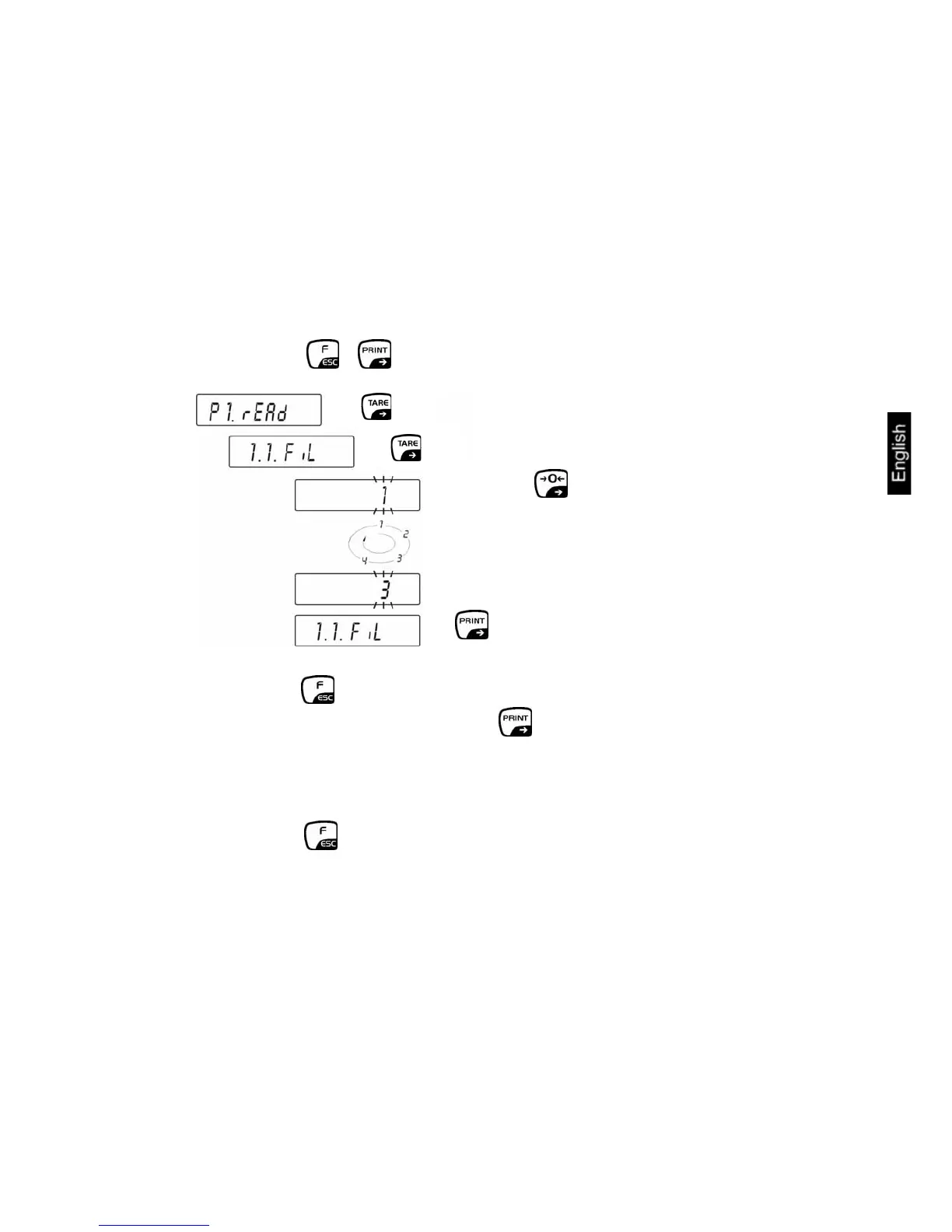
Call up menu:
Ö Press the + button simultaneously, "P1 rEAd" will appear
⇒
⇒
⇒ Press the button as often as
necessary until the required setting
appears:
1 = sensitive and fast
↓
4 = insensitive but slow
⇒
Ö Press the button repeatedly until the "SAVE"? inquiry appears.
Confirm the inquiry by pressing the button to save the changes and to
return to Weighing mode.
-or-
press the
button to return to Weighing mode without saving.


 To Next Page