PLE-BA-e-0812
32
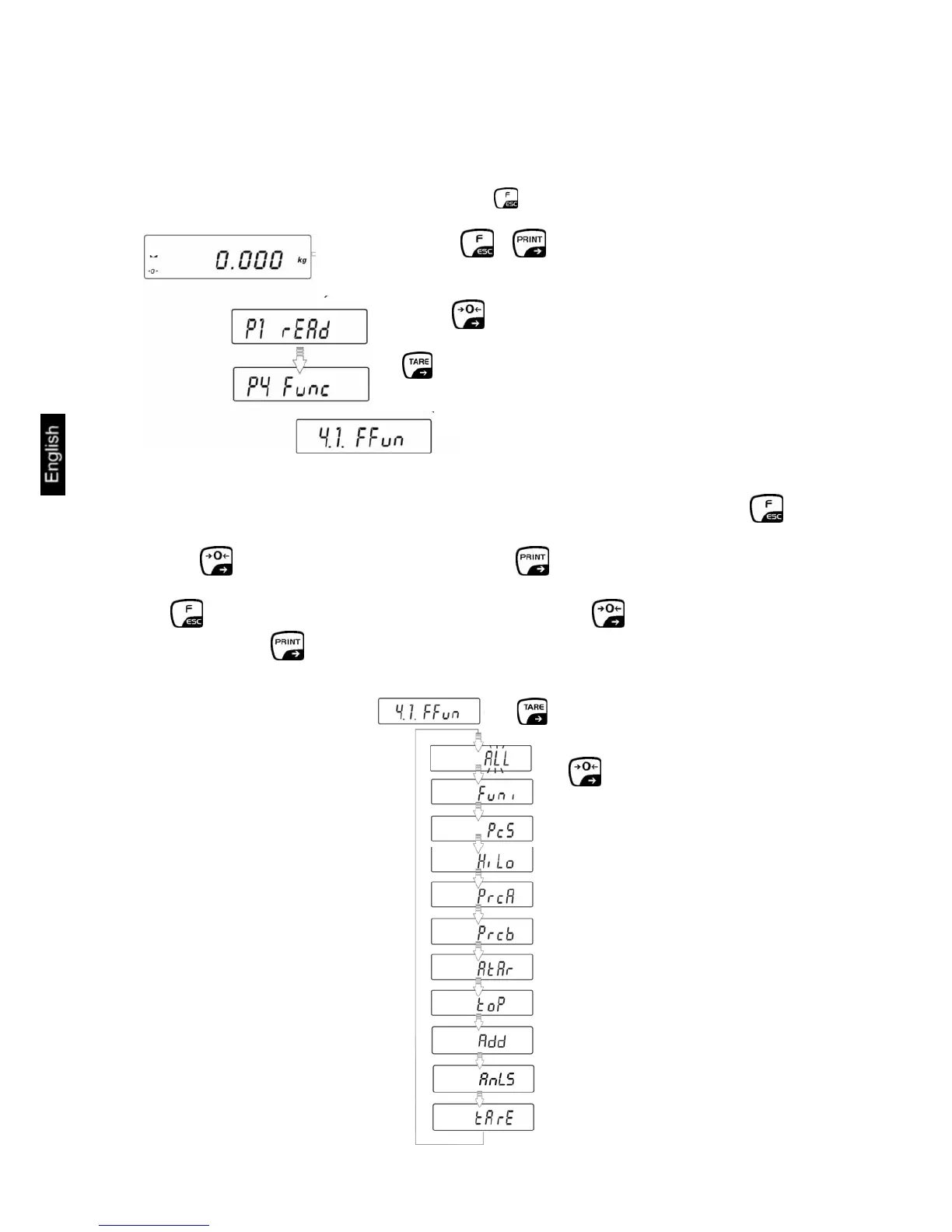
13 Menu function "P4 Func" - Operating modes
Functions can be selected in Menu "4.1.FFun", which are then made available to the
operator without having to access the menu every time. All activated operating
modes can be called directly by pressing the button. Menu activation:
A function can only be activated directly in Menu "4.1.FFun".
If it should only be possible to call up one Operating mode by pressing the
button, simply select the required function by pressing
the button and confirm by pressing the button.
If it should be possible to call up several Operating modes by pressing the
button, select the "ALL" function by pressing the button and confirm by
pressing the button. The selection as to which Operating modes are
deposited in "ALL" is made in the next chapter 13.1.
⇒
⇒ Press buttons + at the same time
⇒ Press repeatedly.
⇒
⇒



 To Next Page