DSP
https://www.ketron.it/images/ketron/Manuali_HTML/SD40/english/20_dsp.html[13/05/2020 17:03:42]
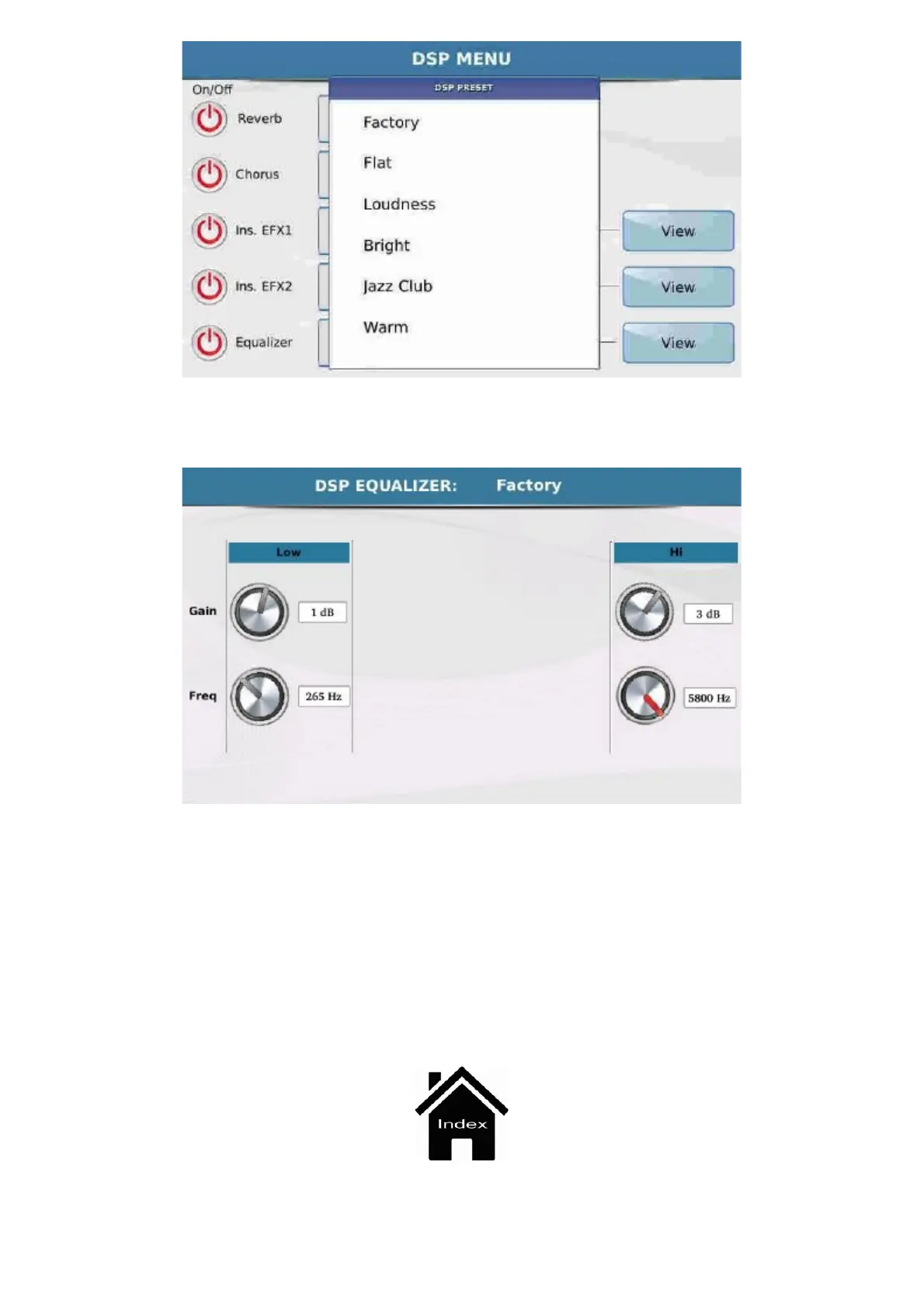
The rectangular box displays the equalisation presets available while the key View opens a screen on
which you may adjust the equalizer.
On the left you will find a box on which you may adjust the Lows, where the upper knob is used to set
the level and the lower knob is used to set the frequency at which the level is applied. The steps to
follow to make this adjustment are the same: select the knob on the display and turn the Dial left or
right.
On the right you will find a box to adjust the His that is exactly the same as that described for the Lows:
at the top you will find the knob to adjust the level and at the bottom the knob to adjust the frequency.
To adjust follow the steps described previously for the Lows.
The modifications made to the equalizer may be saved only as Custom Startup, namely as a setting
that will be present when you switch on the instrument.



 To Next Page