3 Functions and Features
80 Keysight U1251B and U1252B User’s and Service Guide
Data Hold (Trigger Hold)
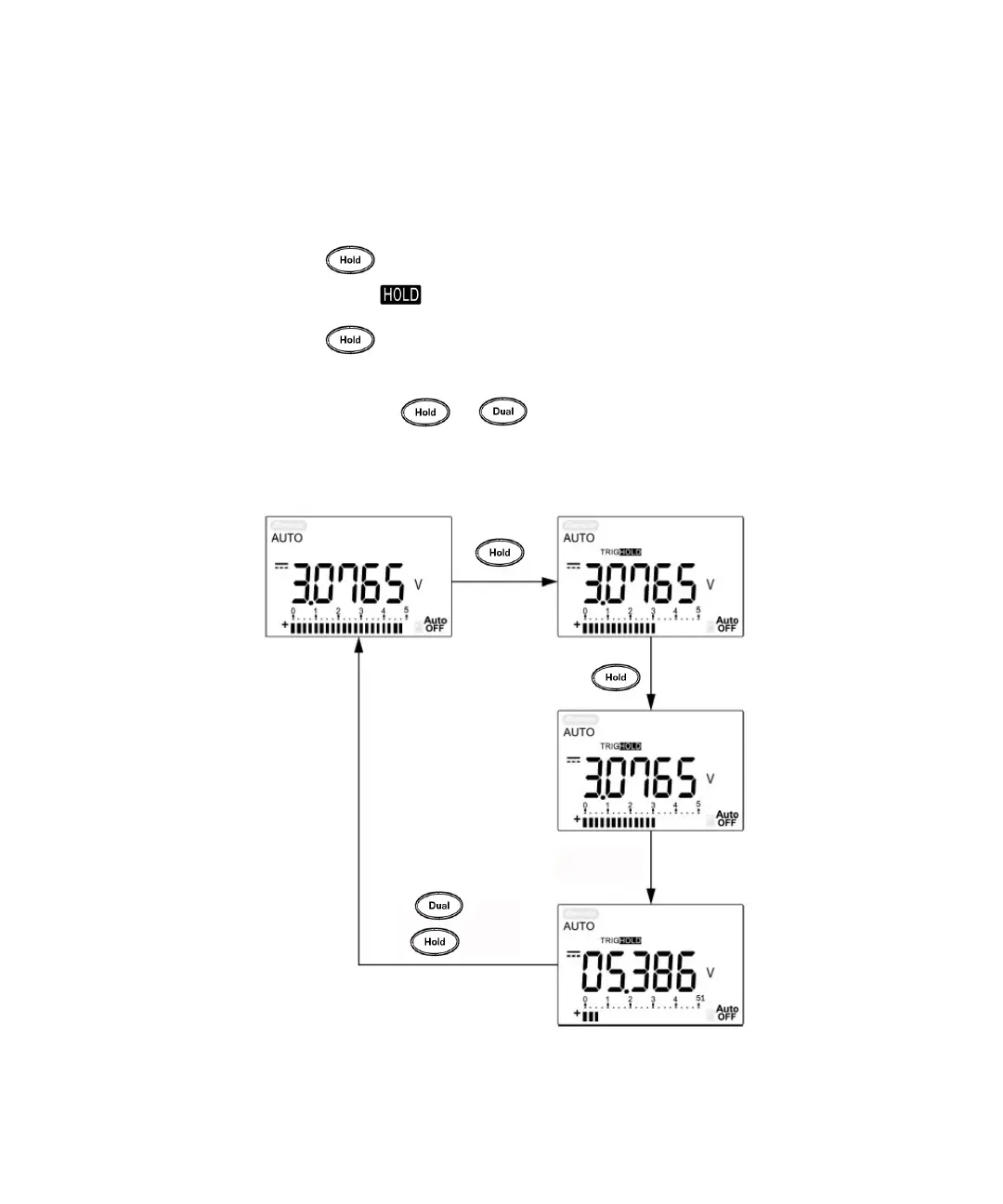
The data hold function allows the user to freeze the displayed digital value.
1 Press to freeze the displayed value and to enter the manual trigger
mode. TRIG is displayed.
2 Press again to freeze the next value being measured. TRIG flashes
before the new value is updated on the display.
3 Press and hold or for more than 1 second to quit the data hold
function.
Figure 3-2 Data hold mode operation
Measurement
update
Press or
press for > 1 sec.
Press
Press



 To Next Page