ENGLISH
Chapter 6: Mobile Device Access
108
DVR User’s Manual
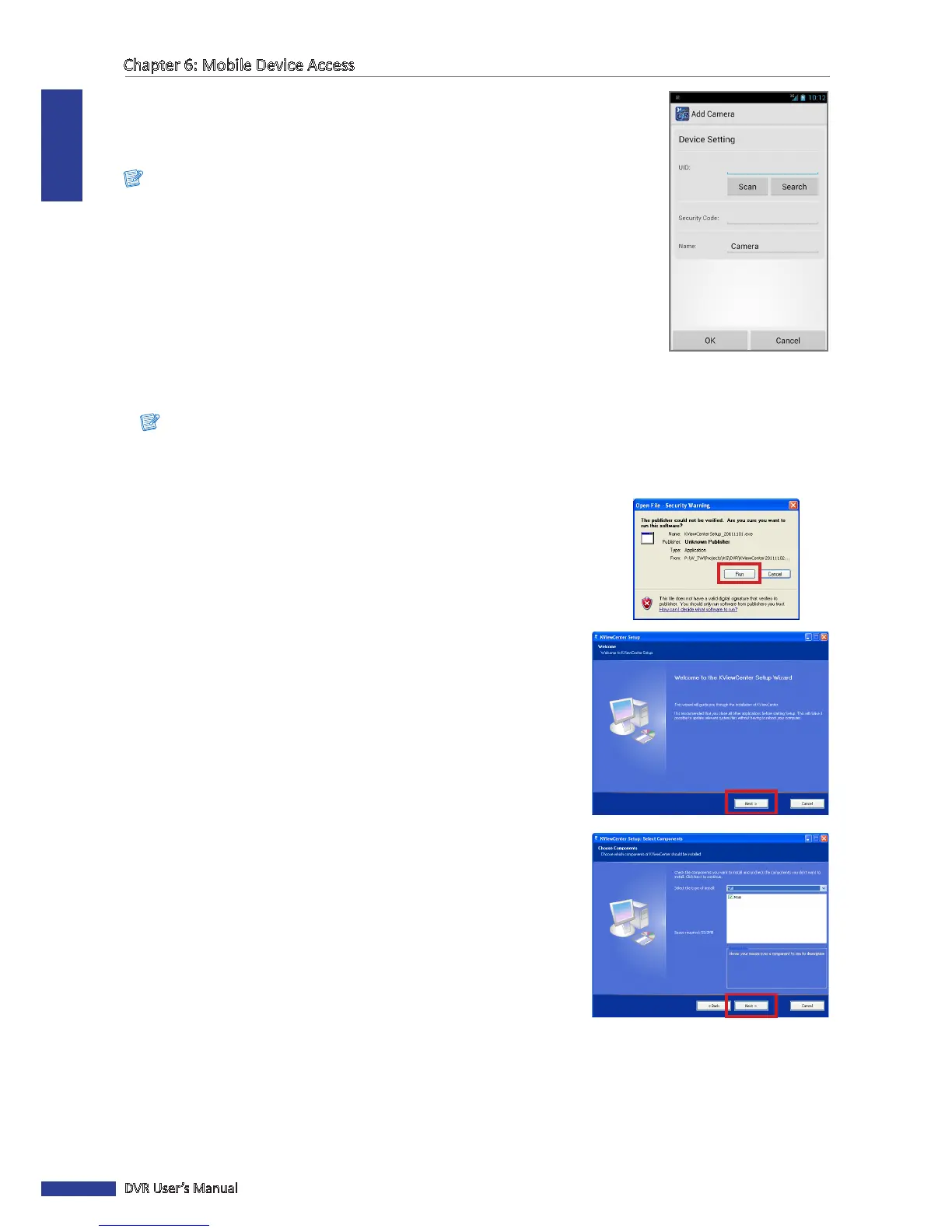
8 Enter the Security Code (password) of connected DVR and change the DVR name
(if necessary).
9 Aer all sengs are complete, tap OK.
Note:
• The QR code is shown on the scker on the top of the DVR.
• Be sure to install Barcode Scanner applicaon before scanning the QR code.
• The above illustraons using an Android smartphone.
6.2 KView Center
KView Center is a soware applicaon tool designed for computers running Windows OS.
Note:
To ensure opmum performance, make sure the OS of your computer is Windows 7 or Windows XP.
To install KView Center on your computer, perform the following steps:
1 Browse the CD that came with your DVR and double-click on
“KViewCenterSetup.exe”.
2 When the security warning appears, click Run.
3 The KViewCenter Setup screen appears. Click Next to connue.
4 Select Full and then click Next to connue.



 To Next Page