ENGLISH
Chapter 3: Geng Started
DVR User’s Manual
31
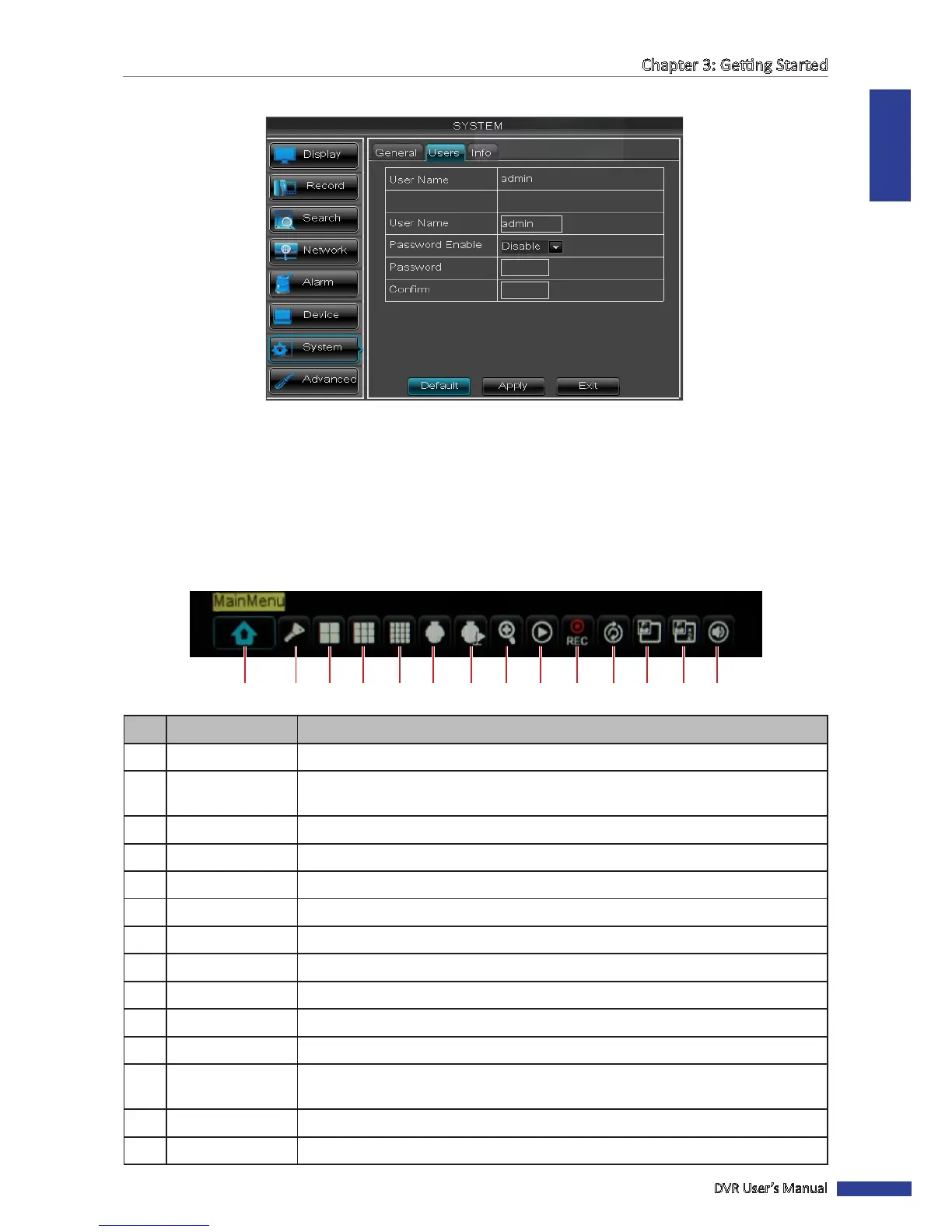
5 If you want to modify the user name, enter desired name in User Name.
6 Click the Password box to enter the password. Then, click Apply.
7 Click OK.
3.6.4 Pop-up Menu
With the Pop-up menu, you can access to the main menu and other common features. To bring up the Pop-up Menu,
click on the right mouse buon or press the MENU buon on the remote control. The available Pop-up menu items
vary depending on the current seng or operaon.
1 2 3 4 5 6 7 8 9 10 11 12 13 14
No. Connector Descripon
1 Main Menu Access the OSD menu and adjust the DVR sengs.
2
Lock Lock access to enter the OSD menu. You need to type the user name and password
before entering the OSD menu. See page 30.
3 View 4 Switch to a 4-window display. See page 34.
4 View 9 Switch to a 9-window display.
5 View 16 Switch to a 16-window display.
6 PTZ Use the PTZ control. See page 36.
7 Start / Stop Cruise Start/stop cruise of the PTZ camera. See page 37.
8 Zoom Enable zoom. See page 37.
9 Record Search Search for recorded videos to play back. See page 45.
10 Start / Stop Record Start/stop manual recording. See page 38.
11 Start / Stop Rotate Start/stop rotaon of channel display. See page 35.
12
PIP 1x1 View one channel in full screen with another channel enclosed in a small window. See
page 34.
13 PIP 1x2 View one channel in full screen with two other channels enclosed in small windows.
14 Audio Turn o or turn on the audio.



 To Next Page