ENGLISH
Chapter 5: KGUARD Web Client
DVR User’s Manual
89
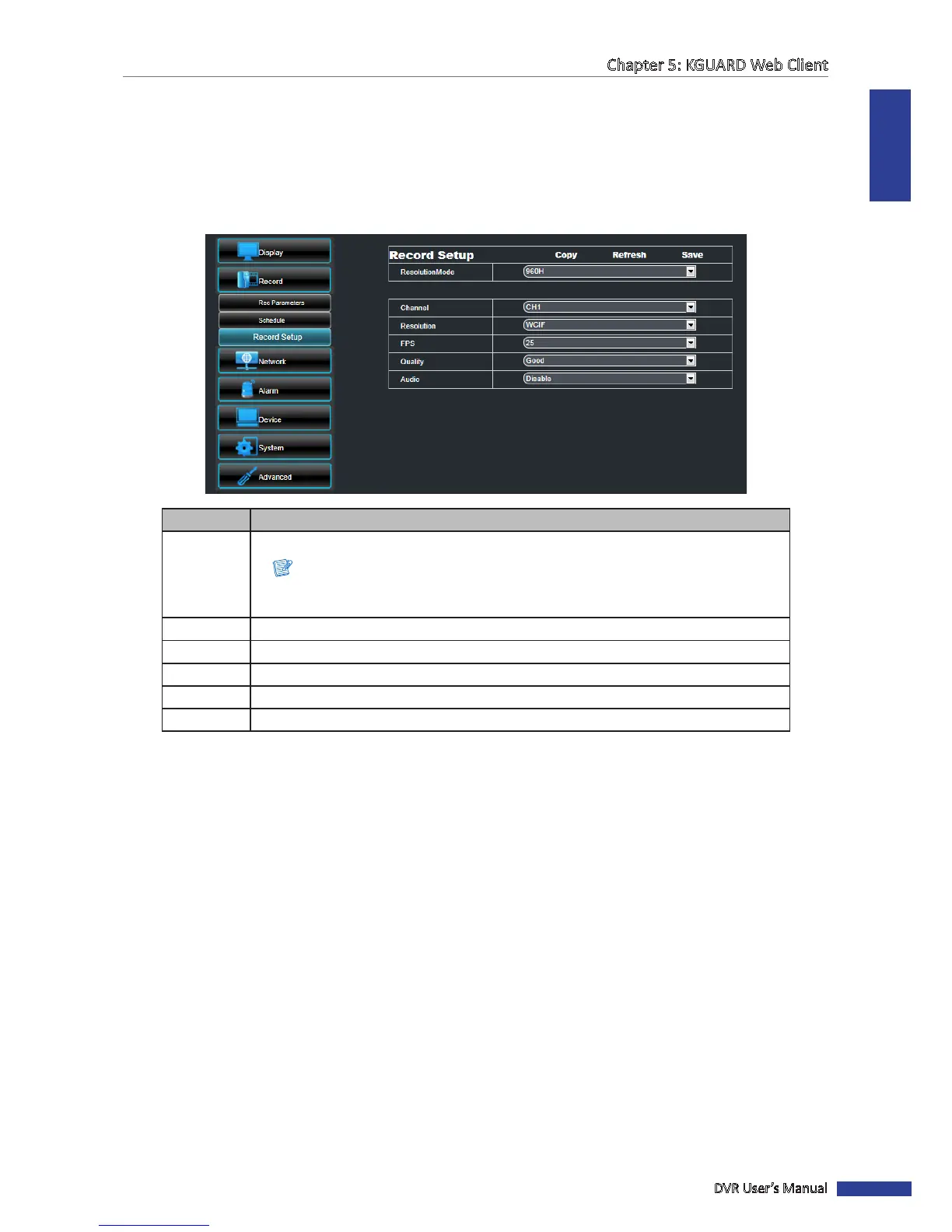
Record Setup Sengs
To congure the record setup sengs, do the following:
1 On the Main Menu, click Remote Seng.
2 On the le panel, click Record > Record Setup. The Record Setup screen appears.
3 Modify the necessary sengs.
Item Descripon
Resoluon
Mode
Select the type of record mode.
Note:
If the record mode seng is set to 960H, it is recommended to use a 600 TVL or
higher resoluon camera.
Channel Select the channel that you want to congure.
Resoluon Set the recording resoluon.
FPS Select the frame rate value between 1 to 30.
Quality Select the recording quality.
Audio Enable/Disable recording with audio.
4 To save the sengs, click Save.
« TIP »
• To apply the same recording sengs to other channels, click Copy. See “Copying Sengs To Other Channels”
on page 85.
• To cancel any modicaons and retain the exisng sengs, click Refresh.



 To Next Page