EasyManua.ls Logo

KGuard Security Easy Link EL421 - VGA Connection; HDMI Connection

KGuard Security Easy Link EL421
114 pages
Print Icon
To Next Page IconTo Next Page
To Previous Page IconTo Previous Page
Loading...
ENGLISH
Chapter 2: Installaon
18
DVR Users Manual
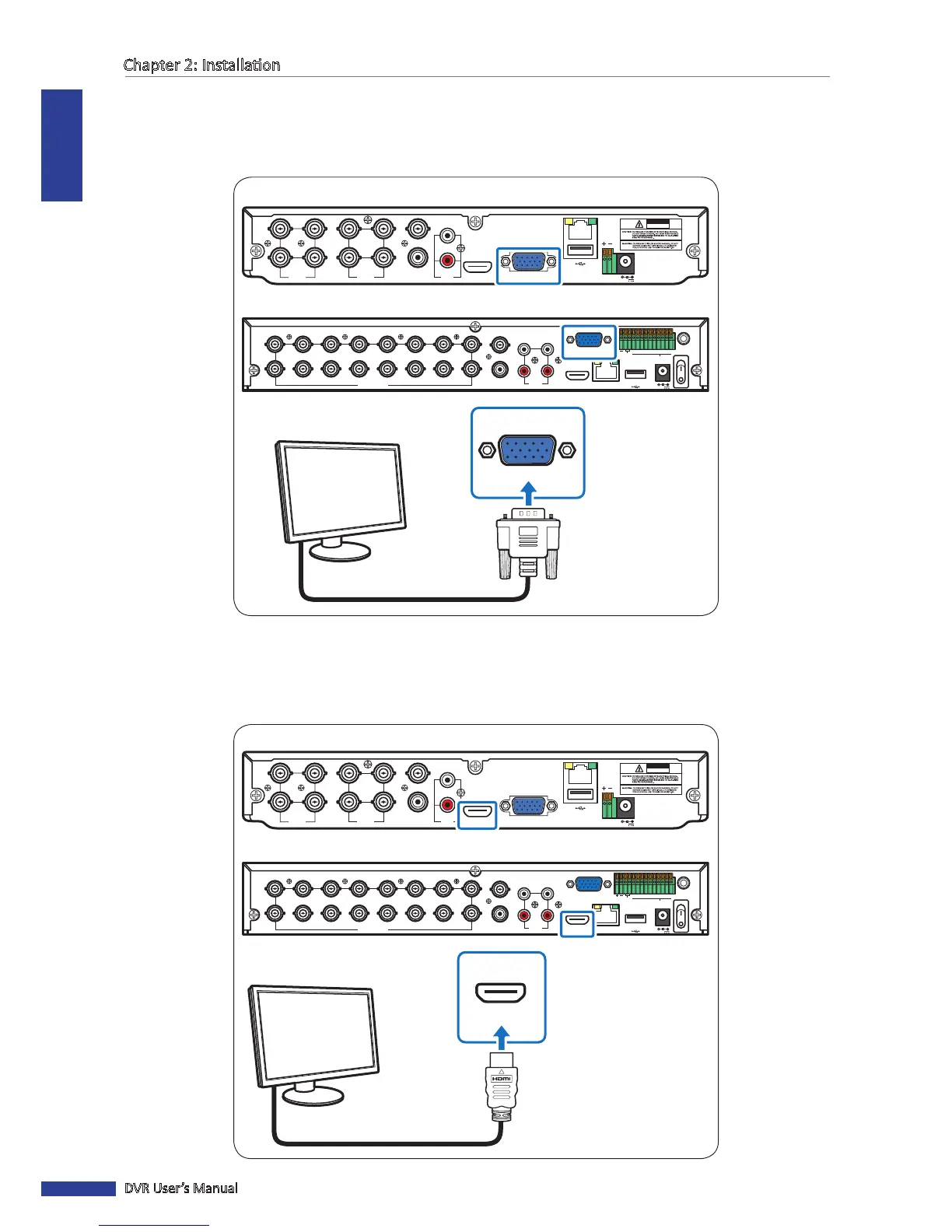
2.3.2 VGA Connecon
Connect the video output of the DVR to the monitor via VGA connector as shown.
2.3.3 HDMI Connecon
Connect the video output of the DVR to the monitor via HDMI connector as shown.
VIDEO
INPUT
LAN
RS-485VGA
12V
CAUTION
RISK OF ELECTRIC SHOCK
DO NOT OPEN
HDMI
5
6
7
8
1
2
AUDIO
OUTPUT
1
2
3
4
VIDEO
INPUT
AUDIO
INPUT
VIDEO
OUTPUT
RS-485 ALARM
SENSOR
G1234G5678
HDMI
5
6
7
8
1
2
AUDIO
OUTPUT
1
2
3
4
13
14
15
16
9
10
11
12
VIDEO INPUT
3
4
AUDIO
INPUT
VIDEO OUTPUT
LAN
VGA
IR-EXT
12V
VGA
4-Channel DVR / 8-Channel DVR
16-Channel DVR
VGA cable
Monitor
VIDEO
INPUT
LAN
RS-485VGA
12V
CAUTION
RISK OF ELECTRIC SHOCK
DO NOT OPEN
HDMI
5
6
7
8
1
2
AUDIO
OUTPUT
1
2
3
4
VIDEO
INPUT
AUDIO
INPUT
VIDEO
OUTPUT
RS-485 ALARM
SENSOR
G1234G5678
HDMI
5
6
7
8
1
2
AUDIO
OUTPUT
1
2
3
4
13
14
15
16
9
10
11
12
VIDEO INPUT
3
4
AUDIO
INPUT
VIDEO OUTPUT
LAN
VGA
IR-EXT
12V
HDMI
4-Channel DVR / 8-Channel DVR
16-Channel DVR
HDMI cable
Monitor

Table of Contents

Related product manuals