ENGLISH
Chapter 6: Mobile Device Access
DVR User’s Manual
109
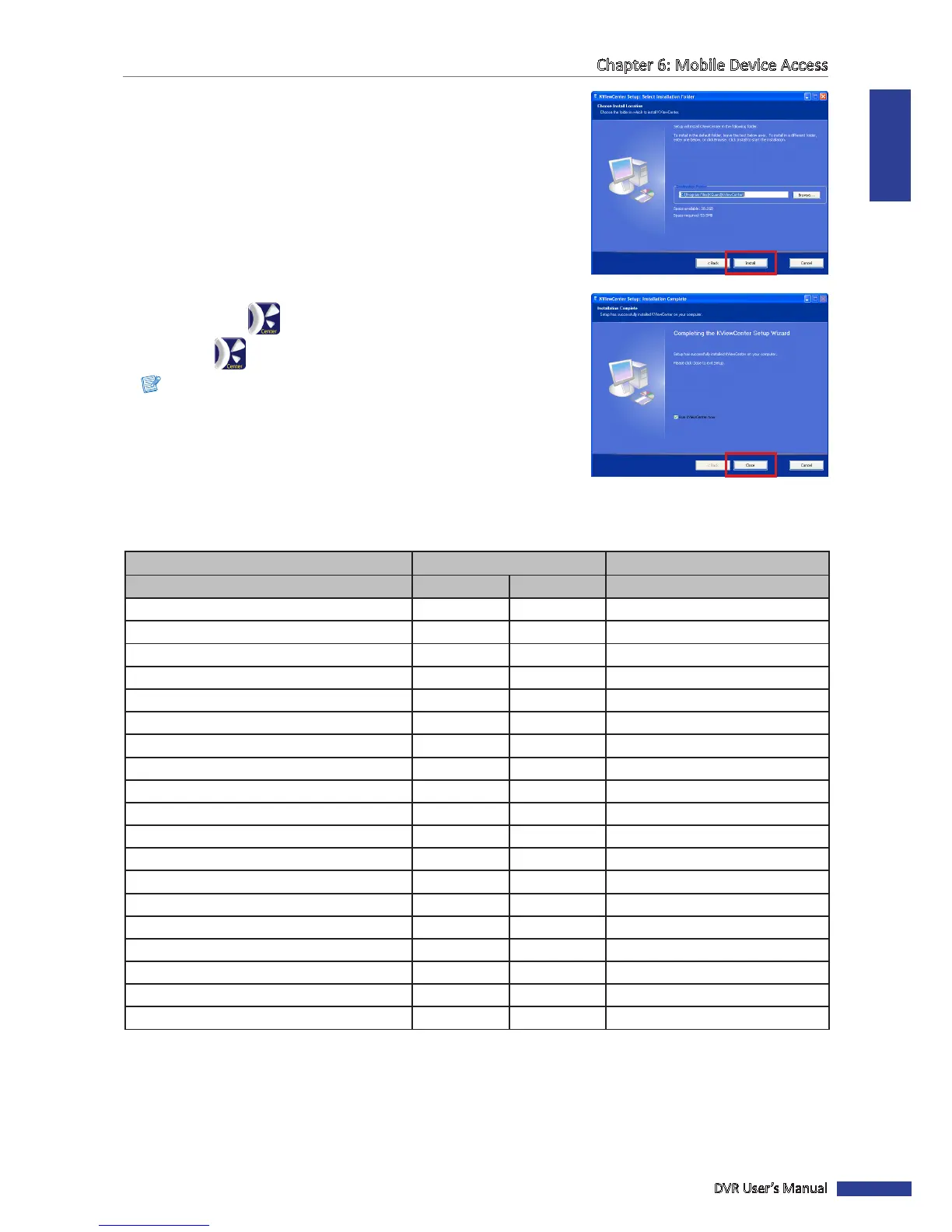
5 Browse for desired path to save the soware, and then click Install.
6 When the installaon is complete, click Close.
The KView Center shortcut icon appears on the desktop.
7 Double-click to open KView Center.
Note: To login to KView Center, please enter the default user name and
password.
User Name: admin
Password: 1234
6.3 KView Series Specicaons
Surveillance Soware
KViewQR KViewCenter
Operang System
Android iOS Windows
OS Version 3.0 or above 5.0 or above XP/7/8 (32/64bit)
Resoluon Monitor Monitor Monitor
Max. Live View Channel 1 1 64
Channel Layout
1 1 1/4/9/16/25/36/49/64
PTZ Control YES YES YES
Digital Zoom YES YES —
Live Snapshot YES YES YES
Live Record — YES —
Password Protecon — — YES
Event List — — YES
Remote Playback YES YES YES
Remote Playback Digit Zoom — YES —
Remote Playback Snapshot — YES —
Remote Playback Record — YES —
Local Playback — YES YES
Remote Backup — — Up to 8 Channels Simultaneously
Schedule (Remote) — — YES
E-Map — — YES
Launch IE Browser — — YES



 To Next Page